App launch flyers
Add a scan action to posters, launch cards, direct mail and event materials.
Mobile App Growth Tool
App store QR code generator for businesses, creators, SaaS teams and product launches that want people to scan a poster, package, event booth or onboarding card and open the right app download page instantly.
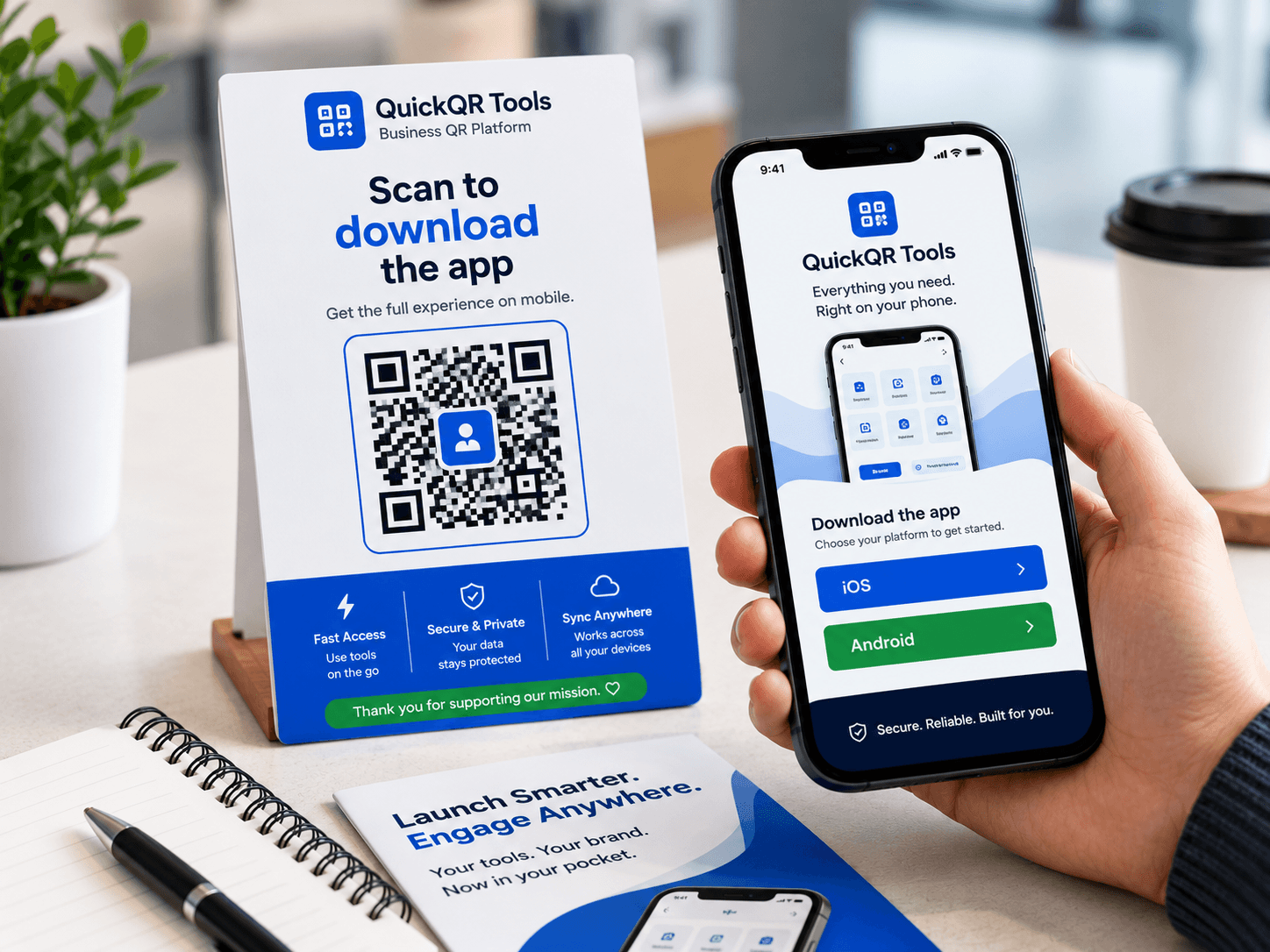
Paste your public App Store, Google Play or app landing page URL, choose a color and generate a QR code for print or digital sharing.
Use it on launch flyers, packaging, event booths, product cards, store displays, websites and onboarding materials.
An app store QR code generator helps turn real-world attention into app downloads. Use it when your mobile app needs a simple scan path from print, packaging, events, retail displays, onboarding materials or local business campaigns.
Add a scan action to posters, launch cards, direct mail and event materials.
Let buyers install a companion app from the box, insert, label or quick-start guide.
Send attendees to the correct download page while they are standing near your team.
Help new users install your app from printed instructions, receipts or welcome kits.
Use the final public app link, generate the QR code, then scan-test it on the devices your audience will use.
Use the public Apple App Store, Google Play, universal link or app landing page URL.
Paste the link into the App Store QR Code Generator and create the QR code.
Scan from iPhone and Android if possible, then download PNG, SVG or PDF.
An app store QR code generator creates a QR code that opens a mobile app download destination. That destination can be an Apple App Store page, a Google Play listing, a universal app link or a mobile landing page that lets visitors choose iOS or Android. The goal is simple: help someone scan and reach the right app page without typing, searching or guessing the app name.
This is especially useful when people discover your app offline. A customer may see your app on packaging, a poster, a restaurant table card, a product insert, a trade show booth, a classroom handout or a retail display. A clear app store QR code turns that moment into a direct download path, and an app store QR code generator makes the setup fast enough for everyday campaigns.
For the best experience, use a stable public URL and test it before printing. If your audience includes both iPhone and Android users, consider using a mobile landing page or universal app link that can guide each visitor to the right store. Apple publishes App Store marketing resources, and Google Play provides guidance for linking to Play Store listings.
Use an app store QR code generator when the next action should happen on a phone and the visitor should not have to search for your app manually.
Place an app store QR code on launch posters, postcards, flyers, press kits, creator campaigns and community materials. The scan should open the exact app page or a landing page with store buttons.
Use an app QR code on product packaging, quick-start cards, warranty inserts and setup guides when customers need to install an app after purchase.
Let event attendees scan from banners, booth signs, badges or demo tables. Add a short label such as "Scan to download the app" so visitors know the result before scanning.
Businesses with ordering apps, loyalty apps, booking apps or member apps can place app QR codes on counters, receipts, table cards, posters and welcome materials.
A clean QR code is only part of the experience. The destination must also match the device, campaign and user expectation. A strong app store QR code generator workflow includes link choice, scan testing, print sizing and a clear label.
| Best practice | Why it matters | What to check |
|---|---|---|
| Use the final public URL | Private previews, dashboard links or temporary URLs may fail after printing. | Open the link in a private browser and on a phone. |
| Test on iPhone and Android | Store links behave differently depending on device and app settings. | Scan with both device types if your audience is mixed. |
| Label the QR code clearly | People scan more confidently when they know the result. | Use text like "Scan to download the app." |
| Use enough print size | Posters, packaging and signs need different QR sizes. | Review print size before ordering materials. |
| Keep one stable destination | Printed app campaigns may stay visible for months. | Use a landing page if store links may change. |
An app store QR code generator can create the code quickly, but the campaign still needs the right link, enough contrast, a clear label and a destination that works on real phones.
Use the public store page, universal app link or landing page instead of an internal dashboard URL.
Use a landing page when your audience includes both iPhone and Android users.
Check the scan distance before placing the app QR code on posters, cards, packaging or signs.
Scan the final design with real phones before ordering print materials or launching a campaign.
Use these tools to support app downloads, launch offers, event promotion, social campaigns and print-ready QR placement.
Read the step-by-step guide for app links, landing pages, print testing and launch campaigns.
Create a QR code for any public app landing page or campaign URL.
Promote app videos, creator launches and social profiles.
Promote app communities, launch events and Facebook campaign pages from print.
Share launch offers, promo codes and install incentives.
Support launch events, demos, meetups and app campaigns.
Choose a better print size for app posters, cards and product inserts.
Explore the full Business QR Toolkit for launches, campaigns and customer journeys.
Test app download QR codes before launch materials go live.
Estimate scan distance for launch posters, retail displays, event booths and app onboarding signs.
Check branded app launch QR colors before printing or publishing.
Review verified QR code statistics for mobile scanning, business usage and app launch print-to-digital campaigns.
Use these guides to connect app download QR codes with launch campaigns, print materials and business QR workflows.
Use app QR codes on packaging, flyers, event materials, product inserts and launch campaigns.
Print app download QR codes clearly for posters, table cards, brochures, signs and packaging.
Promote creator apps, communities, link pages and mobile experiences from merch and event materials.
Use app download QR codes on packaging, inserts, receipts and in-store displays.
Understand static QR codes, landing pages, scan behavior and professional QR code workflows.
Follow the step-by-step guide for app links, landing pages, print testing and launch campaigns.
Answers to common questions before creating and printing an app download QR code.
Yes. You can create a free static app store QR code from a public App Store, Google Play, universal app link or app landing page URL.
Yes, if you use a landing page or universal link that routes visitors to the right store. If you paste only an App Store URL, Android users may not get the best experience.
Yes. App QR codes work well on packaging, flyers, posters, table cards, event signs, product inserts and onboarding materials. Always test the printed version.
A static QR code keeps the same destination. If the app link changes, generate a new QR code or use a stable landing page that you control.
Use a direct store link for a single platform. Use a landing page when you need iOS and Android options, campaign context, screenshots or extra instructions.
Use PNG for simple digital sharing. Use SVG or PDF when placing the QR code inside professional print layouts.
No. The QR code opens the app destination. The user still chooses whether to install the app from the store or landing page.
Use a clear label such as "Scan to download the app" or "Scan for the iOS and Android app" so visitors understand the action before scanning.
The Business QR Toolkit
Paste your app link, generate a clean QR code and download it for launch campaigns, packaging, events, retail displays and onboarding materials.