
Meal offers
Put discount QR codes on menus, table cards, receipts and takeaway bags.
Marketing QR Tool
Coupon QR code generator for businesses that want customers to scan flyers, receipts, packaging, menus, table cards, posters or event signs and open a discount, promo code, special offer or campaign landing page.
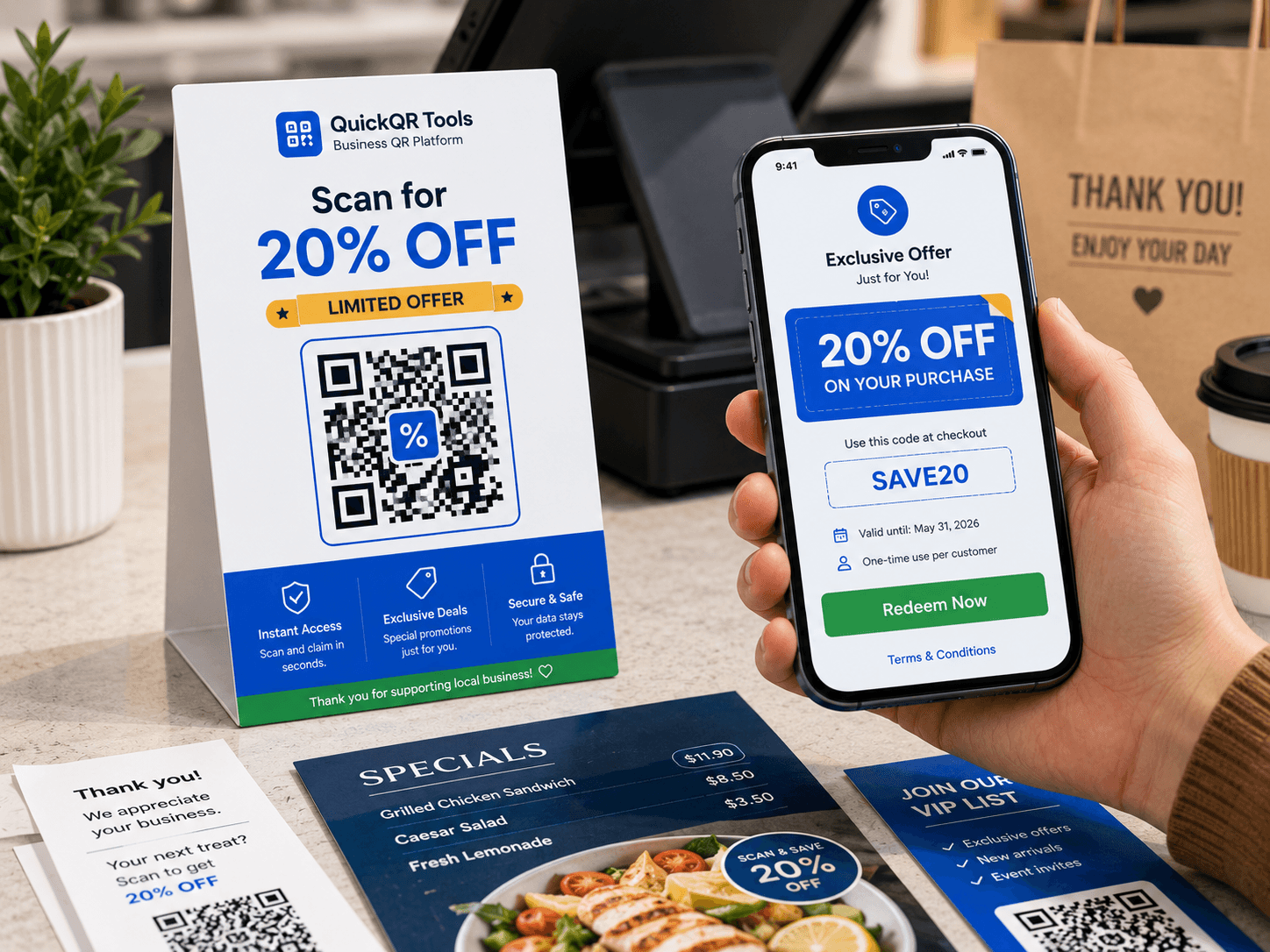
Choose whether the QR code should open a coupon link or display coupon text with the promo code.
Use it on flyers, receipts, windows, product packaging, menus, counter cards, event signs and email campaigns.
Coupon QR codes make discounts easier to claim from offline materials.
Put discount QR codes on menus, table cards, receipts and takeaway bags.
Send shoppers to a coupon page or show a promo code at checkout.
Share event discounts, sponsor deals and booth promotions from posters.
Link flyers, packaging and inserts to discount landing pages.
A coupon QR code generator turns a discount link, promo code or offer instruction into a scannable QR code customers can use from print or screens.
A coupon QR code generator helps businesses move customers from a physical offer to a digital action without asking them to type a long URL. The scan can open a sale page, reveal a promo code, show redemption instructions or send shoppers to a checkout page where the discount is already explained.
This is useful because many coupons fail at the moment of action. A flyer may look attractive, but the customer still has to remember the website, type the address correctly, find the offer and apply the right code. A coupon QR code removes that friction. The customer scans, lands on the correct destination and understands what to do next.
For local businesses, restaurants, retail stores, service providers and events, a coupon QR code generator creates a bridge between offline attention and measurable digital response. It can support first-visit discounts, loyalty rewards, seasonal promotions, event-only offers, print coupons, packaging inserts and social campaigns that need a simple scan path.
Advertising and marketing guidance
Choose the redemption method, generate the QR code and test it before launch.
Use a discount landing page, checkout link or plain promo code.
Paste the coupon content, choose a color and create the QR code.
Download PNG, SVG or PDF and scan it before sharing with customers.
The best coupon QR code campaign starts with a clear offer, a specific audience and a redemption path that feels obvious after the scan.
Use a coupon QR code generator for lunch specials, happy hour offers, loyalty stamps, dessert upgrades, delivery promotions and seasonal menu discounts. A restaurant can place a QR coupon on table tents, receipts, takeaway bags or window posters. Customers scan the code, view the offer and show it at checkout or use it online.
Retail teams can use coupon QR codes for in-store markdowns, new customer offers, bundle discounts, gift card campaigns and holiday promotions. A QR coupon on a shelf sign, product tag or counter card gives shoppers a direct reason to act while they are already looking at the product.
Online sellers can use a coupon QR code generator for insert cards, thank-you notes, package labels, product manuals and reorder discounts. The QR code can send buyers to a landing page, a collection page, a refill page or a special checkout link. This keeps the customer journey short and reduces typing mistakes.
Coupon QR codes work well when attention is brief. At an event booth, a customer may not want to fill out a form or type a website. A simple QR coupon can deliver a show-only discount, a sponsor offer, a trial code or a booking incentive. The same QR code can be printed on banners, badges, flyers and booth signage.
This coupon QR code generator supports both approaches. Choose the one that matches how customers will redeem the offer.
| Coupon format | Best use | Advantages | Watch-outs |
|---|---|---|---|
| Coupon URL | Online offers, landing pages, e-commerce discounts, booking pages and changing campaigns. | Easy to update if the same landing page stays active. Good for analytics, tracking and detailed instructions. | The destination page must load quickly, look trustworthy and show the offer clearly on mobile. |
| Promo code text | Simple checkout codes, in-store redemption, staff-assisted discounts and printed coupon cards. | Works even when the customer only needs to show or copy a short code. No landing page is required. | If the offer changes, a static QR code with old text must be replaced with a new QR code. |
| Hybrid approach | Campaigns where a landing page explains the offer and also displays the promo code. | Best for clarity, terms, images, tracking and conversion measurement. | Requires a maintained page, accurate expiration details and a clear call to action. |
A coupon QR code should be easy to scan, easy to understand and easy to redeem.
The QR code is only one part of the offer. Before using a coupon QR code generator, decide the discount, the audience, the deadline, the redemption rule and the exact destination. A clear offer such as Scan for 20% off your first order is stronger than vague copy like Scan for a surprise.
Use the space around the QR code to explain the benefit. Customers should know why they are scanning before they take out their phone. Put the value proposition near the code, include a deadline when relevant and avoid burying the terms in tiny text.
Coupon QR codes are often scanned in busy places: restaurant counters, checkout lines, event booths, store windows and product displays. Good design matters. Keep enough white space around the code, avoid low contrast colors and test the final printed size before launching a campaign.
For flyers and receipts, a compact code may work. For posters, windows and booth signage, increase the size so the code can be scanned from a comfortable distance. When in doubt, print a sample and scan it with multiple phones under normal lighting.
A QR coupon helps people move from a flyer, receipt, package or sign to the exact offer they want to use.
A coupon QR code generator is especially useful when the destination page is part of a broader campaign. A restaurant might send scans to a seasonal menu page. A retailer might send scans to a collection page. A service provider might send scans to a booking page with a first-visit discount. In each case, the QR code helps offline users reach a page that can be optimized, measured and improved.
The strongest setup is usually a useful landing page with clear copy, fast loading and honest offer details. Instead of creating a thin page that only says enter this code, build a helpful coupon page that explains who the offer is for, what is included, how long it lasts and how to redeem it. That page can also guide people to related products, menus, services or support pages.
Use campaign parameters only when needed and keep the customer experience clean. If a URL becomes too long, the QR code can still store it, but a clean landing page is easier to maintain. For permanent materials such as packaging, choose a stable URL that you can update over time. For short campaigns, a dedicated offer URL is fine as long as you know when the material will stop circulating.
Use these examples as starting points for real campaigns.
A salon, gym, restaurant or local store can place a QR coupon on a sidewalk sign or flyer. The offer could say Scan for 10% off your first visit. The QR destination should explain the offer, show the expiration date and tell the customer whether to book online or show the code in person.
A printed receipt can invite customers back with a coupon QR code. This is useful for cafes, retail stores and service businesses that want repeat visits. The QR code can reveal a code for the next purchase or open a page with returning customer perks.
E-commerce brands can include a coupon QR code inside the package. The scan can open a refill discount, a bundle offer, a review incentive page or a loyalty signup. Keep the page helpful so it feels like a useful next step, not only a sales message.
At a market, expo or conference, use a QR coupon for a limited-time event deal. The code can appear on booth signs, handouts and badges. Add a deadline so customers understand that the offer is tied to the event and should be used soon.
Small mistakes can reduce scans, trust and coupon redemption.
If customers do not understand what they get, they will not scan. Put the discount, benefit or reward close to the QR code. If there are restrictions, write them plainly. Confusing terms can create friction at checkout and reduce trust in future promotions.
Also avoid sending users to a generic home page. A coupon QR code should land on the exact offer, not make the customer search for it. If the QR code opens text, make sure the text includes the promo code and enough instructions for redemption.
Beautiful design is not useful if the QR code cannot be scanned. Avoid tiny QR codes, glossy glare, curved surfaces without testing and colors with low contrast. Keep a quiet zone around the QR code so phone cameras can detect it quickly.
Before printing hundreds of flyers or stickers, print one sample and test it. Scan from the expected distance, under the expected lighting and with more than one phone. This simple check protects the campaign before money is spent on production.
When the QR code opens a URL, the destination page decides whether the promotion converts.
A coupon qr code generator can send people to any valid URL, but the most effective campaigns use a dedicated landing page instead of a generic home page. The landing page should repeat the offer, show the promo code if there is one, explain how to redeem it and make the next step easy. If the customer scans a flyer for a discount, they should not have to search through navigation menus to find the discount again.
Put the coupon promise at the top of the page. Use a headline that matches the printed call to action, such as Claim 20% off your first order or Scan-only lunch offer. Add a short explanation, a clear button and any necessary terms. For restaurants, the next step might be viewing the menu, calling the store or showing the coupon to staff. For e-commerce, the next step might be opening a collection page or copying the code for checkout.
Guide visitors carefully. A coupon page can point to your menu, product category, contact page, review page or related QR tools, but the main offer should stay focused. Too many choices can weaken the promotion. The QR scan already tells you the visitor came from a specific campaign, so the page should respect that intent.
If you use the same printed materials for several months, choose a landing page URL you can maintain. This makes the coupon QR code generator more useful over time because the QR code can keep pointing to the same stable page while you update the offer content on the page. For a static text coupon, this flexibility is not available; once the code is printed, the encoded text stays the same.
A coupon campaign becomes more valuable when you can learn which placements and messages produce real scans and redemptions.
Create different landing URLs for flyers, receipts, posters, packaging and events. Then use the coupon qr code generator to create a QR code for each placement. Even if the discount is the same, separate URLs help you see which material creates the most interest.
This is especially useful for local campaigns. A store window code may get many scans but fewer redemptions, while a receipt code may get fewer scans but stronger repeat purchases. That information helps you improve future promotions.
Different offers attract different behavior. A 10% discount, free dessert, free consultation, bundle offer or first-order coupon may perform differently depending on the audience. A coupon QR code generator lets you create separate QR codes for each offer so you can compare response quality.
When a campaign matters, use unique promo codes. A code like LUNCH20, EVENT15 or WELCOME10 helps staff and checkout systems recognize where the discount came from. This also protects your reporting when customers share the coupon with others.
Seasonal promotions need dates. Use separate coupon QR codes for holiday campaigns, launch weekends, event days or limited-time offers. This gives each campaign a clean beginning and end, which makes analysis easier after the promotion closes.
For long-running evergreen offers, review performance monthly. If scans are high but redemptions are low, the page may need clearer instructions. If scans are low, the printed call to action, placement or QR size may need improvement.
A coupon placed on a student flyer may need different wording than one placed on a premium product insert. Use the coupon qr code generator to create campaigns that match the audience and message. The QR code destination can stay simple, but the offer should feel relevant.
Audience-specific coupon QR codes also help with partnerships. A sponsor, influencer, local event or business partner can receive a unique code, making it easier to understand which relationship produced traffic and redemptions.
QuickQR Tools creates static QR codes, so the encoded content should be chosen with care before printing.
A static coupon QR code is a strong choice when the destination URL will remain active or when the promo code text does not need to change. It is simple, fast and reliable. You can download the QR code as PNG, SVG or PDF and use it in print materials without depending on an account dashboard.
Static coupon QR codes are ideal for short text codes, stable landing pages, one-time events, receipt campaigns and print tests. If the printed material will expire soon, a static QR code is usually enough. If the material will circulate for a long time, use a URL you can update on your own website.
If you are printing menus, packaging, stickers or signs that may stay in circulation, avoid encoding a temporary coupon message directly. Instead, use the coupon qr code generator with a stable offer URL. You can keep the QR code unchanged while editing the page content later.
For example, a restaurant might use quickqrtools.com/summer-offer this month and later update the page to a fall offer. The QR code still points to the same page, but the content changes. This is the safest static strategy for long-lived print materials.
The words next to the QR code often decide whether customers scan.
The best coupon qr code generator strategy is simple: make the reward obvious before the scan, make the scan destination match the promise and make redemption easy after the scan. A coupon qr code generator should support the offer, not hide it. When teams use a coupon qr code generator with clear campaign copy, customers understand the value faster and staff can honor the promotion with fewer questions.
| Weak copy | Stronger copy | Why it works |
|---|---|---|
| Scan me | Scan for 20% off today | The customer sees the value immediately and understands the action. |
| Special offer | Scan to unlock this weekend coupon | The deadline creates urgency without hiding the benefit. |
| QR code | Scan to get your free dessert coupon | The wording is specific, concrete and aligned with restaurant use. |
| More info | Scan to claim your first-visit discount | The scan has a clear reward and a clear audience. |
Before placing coupon QR codes on flyers, receipts, menus, posters, product packaging or event signs, use these QR utilities to check scan quality, print size, distance and contrast.
Test the coupon QR code on real phones before launching the promotion.
Choose a practical QR size for flyers, receipts, posters, menus and packaging.
Estimate scan distance for posters, windows, counters and event promotion signs.
Check whether coupon designs and branded colors keep the QR code easy to scan.
Review verified QR code statistics for mobile scanning, business usage and print-to-digital campaigns.
Connect coupons with social profiles, menus, review requests and campaign landing pages.
Send customers from printed offers to Instagram, TikTok, YouTube or campaign posts.
Promote loyalty apps, restaurant apps and mobile offers from coupon campaigns.
Pair discounts with follow-up review requests after a customer visit.
Create a QR code for any coupon landing page, checkout link or campaign URL.
Choose a better print size before placing coupon QR codes on flyers, receipts and posters.
Browse every active QuickQR Tools generator for menus, reviews, WiFi, events, documents and customer offers.
Use this checklist when preparing a discount QR code for real customers.
A coupon QR code generator is most effective when the QR code is treated as part of the full customer journey. The scan should feel natural, the offer should be useful and the next step should be obvious. That is what turns a printed discount into a measurable action.
Use these guides to connect coupon QR codes with local marketing, print campaigns and customer retention.
Plan coupon, review, contact and flyer QR workflows for small business customer actions.
Plan coupon QR codes for flyers, packaging, seasonal offers, retail promotions and local campaigns.
Print coupon QR codes at the right size for receipts, posters, table cards, packaging and window signs.
Use coupon QR codes on product packaging, receipts, shelf cards, store displays and retail promotions.
Use coupon QR codes with menus, takeout offers, loyalty campaigns and restaurant promotions.
Combine promotions with a customer feedback flow that supports trust and local visibility.
Common questions about QR codes for coupons and promo codes.
Yes. You can create a free static QR code for a coupon URL or promo code text.
Yes. A QR code can store plain text such as a coupon code, offer details or redemption instructions.
Yes. Coupon QR codes work well on flyers, receipts, packaging, menus, posters, windows and event signs.
A static QR code points to the same URL or text. For updates, keep the same landing page URL or create a new QR code.
Use a URL when you want a landing page, tracking, detailed terms or future flexibility. Use text when the customer only needs a promo code or short instruction.
For small flyers and receipts, test a compact size before printing. For posters, windows and event signage, make the QR code larger so customers can scan from a comfortable distance.
Yes. Restaurants can use coupon QR codes for lunch specials, menu discounts, happy hour offers, loyalty rewards and takeaway promotions.
You can track results by sending the QR code to a landing page with analytics or campaign parameters. Plain text promo codes can also be tracked at checkout when each campaign uses a unique code.
Turn discounts, promo codes and local offers into scannable QR codes for flyers, receipts, packaging, restaurant menus, event signs and retail campaigns.