QR Code Guide For Businesses: Create, Print And Use QR Codes Correctly
This QR code guide explains what QR codes are, how they work, how businesses use them, and how to create, print, test and place QR codes with confidence. Use it as a practical starting point before choosing a QR code generator, printing a campaign, sharing a WiFi login, collecting reviews or connecting offline customers to your digital pages.
What This QR Code Guide Covers
QR codes look simple, but their best business results come from clear planning. A good QR code connects the right physical moment to the right digital destination. A bad QR code is too small, sends people to the wrong page, fails on mobile or gives the customer no reason to scan.
This QR code guide covers the full workflow: what a QR code is, how scanning works, when to use static or dynamic QR codes, which QR formats matter most, how to print QR codes, how to use them in marketing and how to avoid the common mistakes that reduce scans.
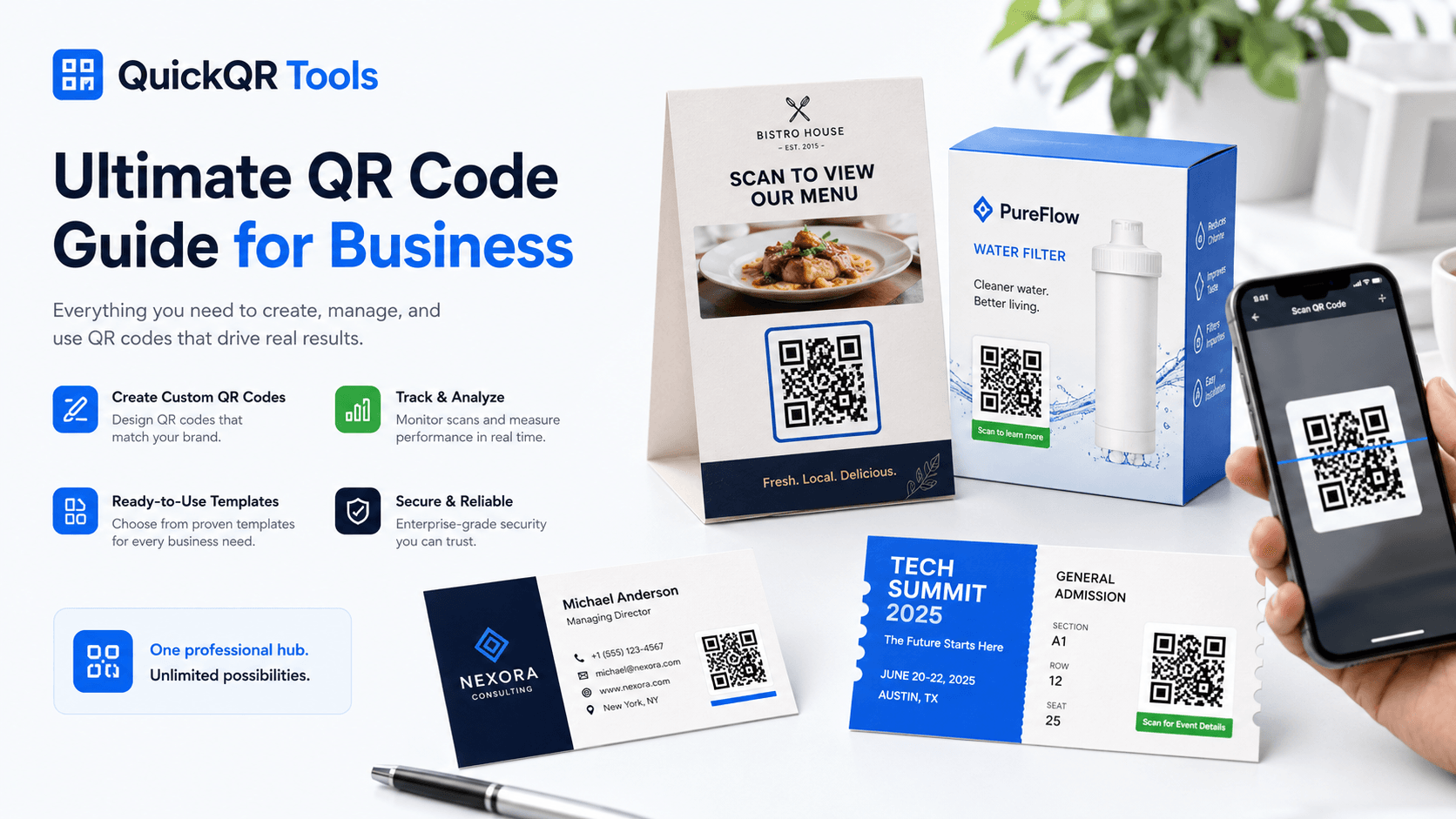
Use this QR code guide as a practical reference before launching a restaurant menu, WiFi sign, Google review request, business card, event poster, product label or marketing campaign.
Choose the right QR type and generate a code for websites, WiFi, menus, reviews, social profiles, events or documents.
Use the right size, contrast, margin and placement so people can scan your QR code quickly from a realistic distance.
Connect your QR code to a business goal such as reviews, leads, reservations, signups, downloads or customer support.
What Is A QR Code?
A QR code is a two-dimensional barcode that stores information in a square pattern. Most people use QR codes to open a web page, join a WiFi network, save contact details, send a message, open a map location, view a menu, download a file or visit a social profile.
The word QR means Quick Response. The format was designed to be scanned quickly, even when a code is printed on packaging, signs, flyers, labels, menus or business cards. Modern smartphones can scan QR codes directly from the camera app, which is why QR codes are now a normal bridge between offline materials and online actions.
For businesses, the value is practical. A restaurant can place a menu QR code on every table. A local service business can place a Google review QR code at checkout. A real estate agent can put a property QR code on a sign. A creator can share a social media QR code at an event. Each scan removes friction and gives the customer a faster path to the next step.
This QR code guide focuses on those practical business uses, because the best QR strategy starts with a clear customer action rather than a decorative code. Keep this QR code guide close when deciding where a code should appear and what the customer should do next.
How QR Codes Work
A QR code stores data inside a grid of dark and light modules. When a phone scans the code, the camera reads the pattern, decodes the information and opens the correct action. If the QR code contains a website URL, the phone opens the link. If it contains WiFi credentials, the phone can offer to connect. If it contains contact details, the phone can create a new contact.
The visible square pattern is only one part of the experience. The destination matters just as much. A QR code that sends visitors to a slow, confusing or non-mobile page will perform poorly even if the code scans perfectly. A good QR campaign combines a scannable code, a clear call to action and a useful mobile destination.
The parts of a good QR experience
- The code: the visual QR pattern must be sharp, high contrast and large enough.
- The context: the customer needs a reason to scan, such as “View menu” or “Get directions.”
- The destination: the landing page should be fast, mobile friendly and directly related to the scan.
- The follow-through: the page should help the visitor complete the intended action without confusion.
The official QR code format is standardized, and businesses that rely on printed QR campaigns should care about basic quality. You can learn more from the QR code standard, but most business users do not need technical knowledge to create a reliable QR code. They need the right tool, the right destination and a simple testing process. This QR code guide keeps the technical layer simple so the business workflow stays clear, and it gives you a practical QR code guide you can reuse before every campaign.
Static vs Dynamic QR Codes
One of the most important decisions is whether to use a static or dynamic QR code. A static QR code stores the final information directly inside the code. If you create a static QR code for a website, the exact URL is encoded into the pattern. If the destination changes later, the QR code itself must be replaced.
A dynamic QR code usually stores a short redirect link. The redirect can point to one destination today and a different destination later. Dynamic QR codes are useful for campaigns that need editing, tracking, analytics or long-term management. They are often part of paid QR platforms because they require hosted redirect infrastructure.
| Type | Best For | Limit |
|---|---|---|
| Static QR code | Permanent URLs, WiFi access, text, contact details, simple printed materials and free business use. | The encoded destination cannot be changed after printing. |
| Dynamic QR code | Marketing campaigns, analytics, editable links, long-term print materials and managed business projects. | Requires a redirect service and is usually a premium feature. |
If you are creating a QR code for a stable page, static is often enough. If you are printing thousands of flyers, running paid campaigns or need scan data, dynamic may be better. This QR code guide gives the short version, but for a deeper comparison, read the static vs dynamic QR codes guide. A complete QR code guide should help you choose static for simplicity and dynamic when flexibility matters.
Common Types Of QR Codes
Different QR code types solve different business problems. The best choice depends on what you want the visitor to do after scanning. A website QR code is ideal for landing pages. A WiFi QR code is useful for guest access. A Google review QR code helps local businesses collect customer feedback. A menu QR code helps restaurants reduce friction at the table.
Send visitors to a website, landing page, booking page, product page or campaign URL.
Let guests connect to WiFi without manually typing a network name and password.
Give restaurant customers instant access to a digital menu from tables, windows or flyers.
Help happy customers reach your review page with fewer steps after a purchase or visit.
Open a chat with a ready-to-send message for support, quotes, bookings or inquiries.
Share contact details, website links, social profiles and professional information faster.
QuickQR Tools includes generators for these common formats and more. If you are not sure which tool to use, keep this QR code guide open, start from the All QR Code Tools hub and choose the generator that matches your goal. You can also compare practical QR code use cases for restaurants, retail, events, creators and local businesses before choosing a format. This QR code guide is meant to connect education with the right business QR tool.
QR Codes For Business
Businesses use QR codes because they make physical touchpoints measurable, useful and easier to connect with digital journeys. A printed sign can become a booking page. A package can become a product guide. A receipt can become a review request. A business card can become a saved contact. A restaurant table can become a menu, ordering page or feedback form.
The best business QR codes are not random decorations. They are placed where a customer already has intent. Someone sitting at a table wants a menu. Someone leaving a service appointment may be ready to review. Someone holding a product may need instructions. Someone attending an event may need a schedule. The QR code should reduce the distance between that moment and the desired action.
That is why this QR code guide treats each business use case as a customer journey: scan, understand, act and complete the next step. A useful QR code guide should always connect the code to a business result.
High-value business use cases
- Restaurants: menus, table tents, WiFi, reviews, reservations and seasonal offers.
- Local businesses: Google reviews, contact forms, quote requests, directions and coupons.
- Retail: product guides, packaging, promotions, loyalty pages and return instructions.
- Events: tickets, registration, schedules, maps, speaker pages and post-event surveys.
- Real estate: property listings, open house forms, agent contact details and virtual tours.
- Creators: YouTube, Instagram, TikTok, Facebook, LinkedIn and multi-link social pages.
QR Code Marketing Best Practices
A QR code can support marketing, but it should not carry the whole campaign alone. People scan when the benefit is obvious. A plain QR code with no explanation often gets ignored. A QR code next to a clear message, such as “Scan to get the menu,” “Scan for 10% off,” “Scan to book a demo” or “Scan to leave a review,” gives people a reason to act.
Good QR marketing also depends on destination quality. If the QR code opens a desktop page that loads slowly on mobile, the campaign loses trust. If the page asks for too much information too early, visitors leave. If the offer is unclear, scans do not convert. A QR code is only the doorway; the page behind it must do the work.
Use these rules before launching a QR campaign
- Place a short call to action next to every QR code.
- Send visitors to a page built for mobile first.
- Use one QR code for one primary action.
- Avoid sending scanners to a generic homepage when a specific page would convert better.
- Test the scan on multiple phones before printing or publishing.
- Make the QR code large enough for the real scan distance.
- Keep the design clean and avoid hiding the code inside busy artwork.
For simple campaigns, a free static QR code may be enough. For campaigns where you need to change the destination later or measure performance, dynamic QR codes and analytics become more valuable. QuickQR Tools is built to start with simple QR creation now and grow toward more advanced business workflows over time. Use this QR code guide as your pre-launch checklist before sending a campaign to print, and return to this QR code guide when planning a new offer, poster, menu or packaging scan.
QR Code Printing Best Practices
Printing is where many QR code campaigns fail. A code that works on a screen can become difficult to scan when it is printed too small, compressed, blurred, placed on a curved surface or surrounded by low contrast colors. Print quality matters because the phone camera needs to detect the modules clearly.
As a general rule, keep QR codes sharp, high contrast and surrounded by enough empty space. Black on white is the safest option. Brand colors can work, but the contrast must stay strong. If the QR code will be scanned from a distance, it needs to be larger. A QR code on a business card has a different size requirement than a QR code on a poster, window sign or event banner.
Print checklist
- Use a minimum size that matches the scan distance.
- Keep a quiet zone around the QR code.
- Use strong contrast between the code and the background.
- Export a high-quality PNG, SVG or PDF when available.
- Avoid stretching, compressing or blurring the QR code.
- Print a sample and test it before printing a large batch.
For more detail, read the guide on the best QR code size for print materials. You can also use the QR Code Size Calculator to estimate print size and the QR Code Distance Calculator to plan scan distance for posters, signs, menus and event materials. Size, placement and contrast are small details, but they often decide whether a printed QR code gets scanned or ignored. Before finalizing menus, flyers, posters, packaging or business cards, check the print setup, scan distance and contrast so the QR code works in the real place where people will use it.
How To Create A QR Code
Creating a QR code is simple when the goal is clear. Before using a generator, decide what should happen after the scan. Do you want someone to open a website, connect to WiFi, save contact details, review your business, download a PDF or join a social profile? The answer determines the QR type.
Start with the action you want: website, WiFi, menu, review, WhatsApp, event, PDF, coupon, social media or contact details.
Add the URL, network details, message, contact data, location or file link. Check spelling and destination accuracy.
Use a trusted generator and create a clean code that can be downloaded in a format suitable for digital or print use.
Scan the code on more than one phone. Test from the real distance and angle where customers will scan it.
Use the QR code on menus, posters, packaging, signs, business cards, event materials or digital graphics.
If you want to create a simple website QR code now, start with the free QR code generator. For guest access, use the WiFi QR code generator. For restaurant menus, use the Menu QR code generator. For local reputation, use the Google Review QR code generator. Choose the QR type that matches your goal first, then generate, test and place the code where people can scan it easily.
QR Code Examples By Use Case
Examples make QR planning easier. The same technology can support many different workflows, but each use case needs a different message and destination. A QR code on product packaging should not behave like a QR code on a table tent. A QR code for an event should not behave like a QR code for a business card.
| Use Case | Best QR Type | Best CTA |
|---|---|---|
| Restaurant table | Menu QR or WiFi QR | Scan to view menu or join WiFi |
| Local business checkout | Google Review QR | Scan to leave a review |
| Product packaging | Website QR or PDF QR | Scan for instructions or warranty |
| Business card | vCard QR or Website QR | Scan to save my contact |
| Event poster | Event QR or Website QR | Scan to register |
| Creator booth | Social Media QR | Scan to follow |
For website-specific instructions, read how to create a QR code for a website. For guest networks, read how to create a WiFi QR code for guests. If you are planning several campaigns, return to this QR code guide to compare use cases before creating new codes. A strong QR code guide should make the next tool obvious.
Common QR Code Mistakes To Avoid
Most QR code problems are avoidable. The biggest mistake is treating the QR code like a decorative asset instead of a user journey. If the code is placed without a clear reason to scan, the user may ignore it. If the code is too small, the phone may struggle. If the destination is not useful, the scan creates frustration instead of value.
- No call to action: people need to know why they should scan.
- Too small for print: a code that is readable on your screen may be too small on paper.
- Poor contrast: low contrast colors can make scanning unreliable.
- Wrong destination: a QR code should lead to the exact page promised by the CTA.
- Non-mobile page: most scans happen on phones, so the destination must work on mobile.
- Untested print: always scan a physical sample before using it widely.
- Overloaded design: keep enough space around the QR code so the camera can read it.
The strongest QR campaigns feel obvious to the user. They show the code clearly, explain the benefit and open a destination that matches the scan context. That is the difference between a QR code that is technically present and a QR code that actually gets used. This QR code guide should help you catch those issues before customers see the code, and it should act as a simple QR code guide for future campaigns too.
QR Code Security And Privacy
QR codes are not dangerous by themselves. They are simply a way to store or open information. The risk comes from the destination. A QR code can point to a helpful business page, but it can also point to a suspicious link if someone creates it with bad intent. Users should scan QR codes from trusted sources, and businesses should use secure, clear destinations.
For business use, always use HTTPS pages when possible. Avoid encoding sensitive information that does not need to be public. If you place QR codes in public spaces, check them regularly to make sure they have not been covered or replaced. For customer trust, make the printed context clear so people know they are scanning an official business code.
Simple safety rules
- Use trusted URLs and HTTPS destinations.
- Do not encode private customer information in a public QR code.
- Check printed codes in public locations.
- Tell visitors what the scan will open.
- Keep important landing pages maintained and secure.
The Future Of QR Codes
QR codes will continue to grow because they are simple, universal and practical. They do not require a new habit anymore. Most users already know how to scan them. For businesses, the opportunity is not just creating more QR codes. The opportunity is creating better QR experiences that connect physical moments to useful digital actions.
The next stage is more business-focused. Dynamic QR codes, analytics, campaign tracking, editable destinations, projects and team workflows can help companies manage QR campaigns at scale. A small business may start with free static QR codes. As QR usage becomes part of marketing, operations and customer support, advanced tools become more valuable.
QuickQR Tools is built around that path: start simple, stay useful and grow toward a complete business QR platform. The goal is not to make QR codes complicated. The goal is to help businesses create, print, scan and improve QR workflows with less friction. This QR code guide will remain the main reference for that foundation as the platform grows.
QR Code Guide FAQ
What is a QR code?
A QR code is a square two-dimensional barcode that can store information such as a URL, WiFi login, contact card, text, phone number, email, location or event details. Most people scan QR codes with a smartphone camera.
How does a QR code work?
A QR code works by encoding data into a pattern of dark and light modules. A phone camera reads the pattern, decodes the data and opens the related action, such as a web page, contact card or WiFi connection prompt.
Are QR codes free?
Static QR codes can be created for free with tools like QuickQR Tools. Dynamic QR codes, analytics and editable destinations may require premium infrastructure because they depend on hosted redirects and tracking.
Do QR codes expire?
Static QR codes do not expire by themselves. They continue to work as long as the encoded destination still exists. If the linked page is deleted or changed, the QR code may stop being useful.
What is the difference between static and dynamic QR codes?
A static QR code stores the final information directly in the QR pattern. A dynamic QR code usually points to a redirect link that can be edited later and may support analytics or campaign tracking.
Can I use QR codes for my business?
Yes. Businesses use QR codes for menus, WiFi access, Google reviews, business cards, events, product packaging, coupons, social profiles, booking pages, PDF downloads and customer support workflows.
Can I print a QR code?
Yes. QR codes can be printed on menus, posters, flyers, labels, packaging, signs and business cards. Use strong contrast, enough size and a quiet zone around the code, then test the printed sample before using it widely.
What size should a QR code be for print?
The right size depends on scan distance. A business card can use a smaller QR code than a poster or window sign. The code must be large enough, sharp enough and high contrast enough for a phone to scan easily.
Can QR codes be customized?
QR codes can be customized with colors, frames and branding, but scannability must come first. Avoid low contrast, excessive decoration and any design choice that makes the QR pattern difficult to read.
Do I need an account to create a QR code?
You do not need an account to create basic static QR codes with QuickQR Tools. Some advanced features, such as dynamic QR codes, analytics and project management, may require accounts in future premium workflows.
Are QR codes safe?
QR codes are safe when they point to trusted destinations. Users should be cautious with unknown codes in public places, and businesses should use clear calls to action, HTTPS links and official branded placement.
What is the best QR code generator for business use?
The best QR code generator for business use is one that is simple, reliable, mobile friendly and supports the QR types your business needs. QuickQR Tools focuses on practical business QR codes for websites, WiFi, menus, reviews, social media, events and documents.
Ready To Create Your QR Code?
Use QuickQR Tools to create professional QR codes for websites, menus, WiFi, Google reviews, social media, events, documents and business campaigns.