QR Code Marketing Guide For Business Campaigns
QR code marketing helps businesses connect flyers, packaging, menus, signs, events and retail displays to useful digital actions. This guide explains how to plan QR code marketing campaigns that people understand, scan and complete on mobile.
What This QR Code Marketing Guide Covers
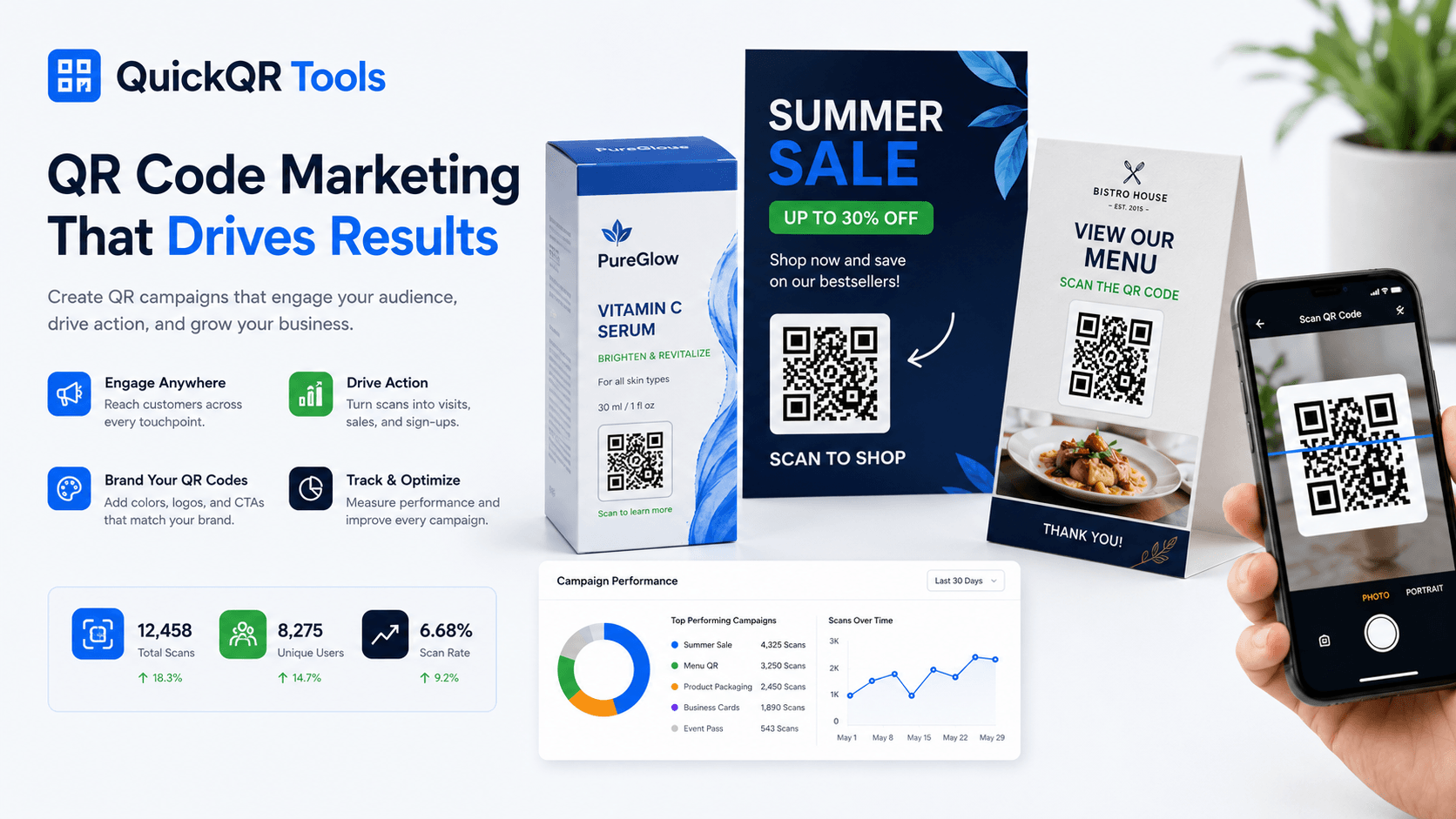
QR code marketing is not about placing random codes on every printed material. It is about giving customers a fast path from a physical moment to a clear digital result. A QR code on a flyer can open a landing page. A QR code on packaging can open a product guide. A QR code on a restaurant card can open a menu, coupon or review page.
This QR code marketing guide covers strategy, use cases, print placement, campaign planning, mistakes to avoid and the right tools to use. The goal is simple: help businesses create QR campaigns that feel useful, professional and easy to scan.
Use this QR code marketing guide before launching flyers, posters, packaging, events, restaurant promotions, review cards or social media growth campaigns.
Define the campaign goal, scan context and mobile destination before creating the QR code.
Put the QR code where customers already have intent, attention and enough time to scan.
Test the code, learn from the campaign and build stronger QR workflows over time.
What Is QR Code Marketing?
QR code marketing is the use of QR codes in campaigns, printed materials, product packaging, signs, menus, business cards and events to move people from the offline world to a digital action. That action can be a website visit, coupon claim, event registration, review, video view, social follow, booking request or product download.
The QR code is not the campaign by itself. It is the bridge. The campaign still needs a clear message, a useful offer, a strong call to action and a mobile-friendly destination. When those parts work together, QR code marketing can reduce friction and make printed materials more useful.
A good QR code marketing campaign answers three questions quickly: why should someone scan, what will happen after the scan and what should the visitor do next? If those answers are obvious, the QR code supports the customer journey instead of interrupting it.
Why QR Code Marketing Works
QR code marketing works because smartphones are already part of everyday customer behavior. People use their phones in restaurants, stores, events, offices, waiting rooms and public spaces. A QR code gives them a direct path from what they see physically to what they need digitally.
For small businesses, QR codes are attractive because they are inexpensive, flexible and easy to deploy. A cafe can update its menu page without reprinting every table card if the QR destination stays stable. A retail brand can add product instructions to packaging without adding pages to the box. A local service business can ask for reviews at the exact moment a customer is satisfied.
Why customers scan
- The QR code promises a useful action.
- The call to action is short and visible.
- The code is placed where scanning feels natural.
- The destination loads quickly on mobile.
- The benefit is stronger than the effort required to scan.
This QR code marketing guide focuses on campaigns that respect that user behavior. When the scan feels obvious, the QR code becomes part of the experience instead of a decoration.
Best QR Code Marketing Use Cases
The best QR code marketing use cases start from the customer situation. A person holding a flyer may want an offer. A person looking at a product package may want instructions. A guest at an event may need a schedule. A restaurant visitor may want a menu, WiFi access or a quick way to leave a review.
| Use Case | Best QR Type | Marketing Goal |
|---|---|---|
| Flyers and posters | Website QR or coupon QR | Drive visitors to an offer, landing page or event registration. |
| Packaging | Website QR or PDF QR | Share instructions, warranty, product videos or reorders. |
| Restaurants | Menu QR, WiFi QR, Google Review QR | Improve service, reduce friction and collect feedback. |
| Events | Event QR | Open tickets, schedules, maps, registration or post-event surveys. |
| Reviews | Google Review QR | Make it easier for happy customers to leave feedback. |
| Social media | Social Media QR | Grow followers from physical interactions. |
QuickQR Tools gives you a central hub for these formats. Start with the All QR Code Tools page when you need to match a campaign idea to the right generator, or review QR code use cases when you want examples by business type and customer touchpoint.
QR Codes For Flyers And Posters
Flyers and posters are classic QR code marketing placements because they appear in physical locations where people may want more information. A gym can promote a free trial. A local event can collect registrations. A realtor can send prospects to a property page. A restaurant can promote a seasonal menu or coupon.
The call to action matters. “Scan me” is weaker than “Scan to get 10% off,” “Scan to register,” “Scan for the full menu” or “Scan to book a visit.” The QR code should sit close to the message so the customer understands the value before opening the camera.
Print quality is especially important for flyers and posters. A QR code that is too small or low contrast may fail at real scan distance. Review the best QR code size for print materials, use the QR Code Size Calculator for practical sizing and check larger placements with the QR Code Distance Calculator before printing. Always test a printed sample before handing out flyers or displaying posters.
QR Codes For Product Packaging
Product packaging is one of the strongest QR code marketing channels because the customer already has the product in hand. A QR code can open instructions, setup videos, warranty registration, refill pages, reorder forms, customer support, review requests or sustainability information.
Packaging QR codes should be practical. Do not send customers to a generic homepage if they need instructions for the exact product. A better destination might be a product-specific landing page with setup steps, safety notes, videos, FAQs and support links.
For retail brands, packaging QR codes can also support post-purchase marketing. A customer can scan to join a loyalty program, claim a discount, register a product or learn how to use it better. This QR code marketing strategy turns packaging into an ongoing customer touchpoint.
Good packaging QR destinations
- Product instructions and setup guides.
- Warranty registration pages.
- How-to videos and support content.
- Review pages and customer feedback forms.
- Reorder, refill or accessory pages.
QR Codes For Restaurants
Restaurants are one of the clearest examples of QR code marketing because customers scan at the exact moment they need something. A table card can open a menu. A receipt can ask for a Google review. A window sign can promote reservations. A WiFi QR code can improve the guest experience without staff repeating a password.
Restaurant QR campaigns should stay simple. If the goal is menu access, use the Menu QR Code Generator. If the goal is guest internet access, use the WiFi QR Code Generator. If the goal is local reputation, use the Google Review QR Code Generator.
QR code marketing for restaurants works best when the QR code is placed where the guest naturally needs it: table tents, counter signs, receipts, takeaway bags, windows, menus and loyalty cards. Each placement should have one clear message and one clear destination.
Open a digital menu from every table, counter or window display.
Ask happy customers to leave a review after service.
Send guests to a seasonal offer, loyalty page or coupon.
QR Codes For Events
Events create many moments where QR code marketing can reduce friction. Visitors need tickets, maps, schedules, speaker details, exhibitor pages, WiFi access, feedback forms and follow-up resources. A well-placed QR code can save staff time and help attendees find what they need faster.
Use an Event QR Code Generator when the QR code should open event details, calendar information or registration pages. For larger events, different QR codes can support different moments: check-in, session schedules, sponsor offers, maps and post-event surveys.
The biggest event mistake is placing QR codes where people cannot stop and scan. A code near a fast-moving entrance may be ignored. A code on a badge, table, handout or session screen may work better because the attendee has enough time and context.
QR Codes For Reviews And Reputation
Review generation is a practical QR code marketing use case for local businesses. Customers are often willing to leave feedback when the experience is fresh, but they may not search for your review profile later. A Google review QR code removes steps and makes the action easier.
Place review QR codes on receipts, checkout signs, thank-you cards, appointment follow-up materials, table cards or packaging inserts. The message should be direct and polite: “Enjoyed your visit? Scan to leave a review.” This works better than a generic QR code with no context.
Use the Google Review QR Code Generator to create a direct path to your review page. For deeper instructions, read how to create a Google Review QR code.
QR Codes For Social Media Growth
Social QR codes help creators, restaurants, retail stores, events and professionals turn in-person attention into online followers. Instead of asking someone to search for a profile name, a QR code opens the profile directly.
For broad campaigns, use the Social Media QR Code Generator. For specific platforms, QuickQR includes tools for Instagram QR codes, Facebook QR codes, YouTube QR codes and LinkedIn QR codes.
Social QR code marketing works well on booth displays, creator cards, event signage, packaging inserts, posters, menus and printed portfolios. The best CTA is platform-specific: “Scan to follow us on Instagram,” “Scan to watch the demo” or “Scan to connect on LinkedIn.”
How To Build A QR Code Marketing Campaign
A QR code marketing campaign should be planned like a simple funnel. The customer sees a message, scans the code, opens a mobile destination and completes an action. If any step is unclear, the campaign loses performance.
Choose one primary action: visit page, claim coupon, register, review, follow, download, book or contact.
Decide where the customer will see the QR code and what they will need in that moment.
Select the generator that matches the campaign: URL, coupon, review, menu, event, PDF, social or WiFi.
Use a mobile-friendly page that matches the promise next to the QR code.
Create the code, scan it on multiple phones and test the printed version before launch.
Publish the campaign, watch user behavior and improve the offer, placement or destination over time.
For a general website campaign, start with the free QR code generator. For offer-based marketing, use the Coupon QR Code Generator.
QR Code Marketing Best Practices
The best QR code marketing campaigns are easy to understand before the scan and useful after the scan. The code should not force the customer to guess. It should sit beside a clear benefit and open a page designed for the exact action.
- Use a clear call to action near the QR code.
- Keep one primary goal per QR code.
- Send people to a mobile-first destination.
- Use strong contrast and enough size for print.
- Place the QR code where people have time to scan.
- Test the QR code from the real distance and lighting conditions.
- Avoid putting too many QR codes on one design.
- Match the destination to the promise in the printed message.
Mobile experience matters because most QR scans happen on phones. Google also emphasizes mobile-first experiences for search and usability. Review their guidance on mobile-first experience when planning important campaign pages.
Landing Pages And Campaign Measurement
The page behind the QR code decides whether the campaign produces a result. A scan is only the first step. If the visitor lands on a slow page, a confusing homepage or a form that asks for too much information, the campaign can lose value even when the QR code scans perfectly.
For most business campaigns, the destination should be focused. A coupon QR code should open the offer directly. A review QR code should open the review path. A menu QR code should open the menu, not a general restaurant homepage. A product packaging code should open the exact product resource, not a broad catalog. This kind of alignment makes the scan feel intentional.
Measurement can stay simple at first. Track whether the QR destination receives visits, whether people complete the intended action and whether the campaign produces real business outcomes. For example, a restaurant may watch menu views and review growth. A retailer may watch coupon claims. An event organizer may watch registrations. A service business may watch form submissions or calls.
If you are using static QR codes, the easiest measurement method is to send visitors to a dedicated landing page or campaign URL. Later, dynamic QR codes and analytics can make measurement more flexible. The important habit is to connect every QR placement to one clear goal and one destination that supports that goal.
That discipline keeps campaigns practical, measurable and easier to improve without adding unnecessary complexity for the customer or the business team.
Use a page built for the campaign, not a generic destination that forces visitors to search.
Keep the page fast, readable and easy to act on from a phone.
Watch visits, form actions, coupon claims, reviews, registrations or other useful outcomes.
QR Code Marketing Mistakes To Avoid
Many QR campaigns fail because the code is present but the user journey is weak. A QR code is not a magic conversion tool. It needs a reason to scan, a good destination and enough print quality to work in the real world.
- No CTA: a QR code without explanation feels vague.
- Low contrast: weak colors can make scanning unreliable.
- Bad landing page: slow or confusing pages reduce trust.
- Code too small: print size must match scan distance.
- Wrong destination: do not send campaign traffic to a generic homepage unless it is truly the best next step.
- No testing: always scan before printing or publishing.
- No offer: the scan should provide something useful.
Use the Ultimate QR Code Guide when you need the broader foundation, then return to this QR code marketing guide when planning campaign-specific placements and CTAs.
Static vs Dynamic QR Codes For Marketing
Static QR codes are useful for stable campaigns where the destination does not need to change. A static code can work well for a permanent menu page, a fixed PDF, a business card, a simple coupon page or a long-term contact page.
Dynamic QR codes become more useful when marketing needs flexibility. If you print thousands of brochures, you may want the ability to change the destination later. If you need scan analytics, campaign tracking or A/B testing, dynamic QR infrastructure is usually required.
For now, QuickQR Tools focuses on generous free static QR tools. As the platform grows, dynamic QR, analytics and campaign tracking belong naturally in QuickQR Pro. Read the static vs dynamic QR codes guide if you need a deeper comparison.
QR Code Marketing Examples
Practical examples make QR code marketing easier to apply. The same code format can support different goals depending on the message, placement and destination.
| Example | CTA | Destination |
|---|---|---|
| Cafe table tent | Scan to view today’s menu | Mobile menu page |
| Retail package | Scan for setup instructions | Product guide or video |
| Real estate sign | Scan to view property details | Listing page or virtual tour |
| Event poster | Scan to register | Registration page |
| Business card | Scan to save my contact | vCard or profile page |
| Restaurant receipt | Scan to leave a review | Google review page |
| Coupon flyer | Scan to claim offer | Coupon or landing page |
If you are starting from a website destination, read how to create a QR code for a website. For restaurants, read how to create a menu QR code.
QR Code Marketing FAQ
What is QR code marketing?
QR code marketing is the use of QR codes in campaigns, printed materials, packaging, signs, events and customer touchpoints to send people to a digital action such as a landing page, coupon, review page, menu, registration form or social profile.
How do businesses use QR codes in marketing?
Businesses use QR codes on flyers, posters, menus, receipts, packaging, business cards, events and displays to drive traffic, collect reviews, share offers, provide product information and connect offline customers to online pages.
Are QR codes good for marketing?
Yes, QR codes are useful for marketing when they have a clear call to action, a mobile-friendly destination and a practical customer benefit. They work best when the scan context matches the user’s need.
Where should I place a marketing QR code?
Place a marketing QR code where people have enough time and reason to scan, such as flyers, posters, table tents, packaging, receipts, event badges, booth displays, business cards or checkout signs.
What should a QR code link to?
A QR code should link to the most relevant next step: a landing page, menu, coupon, booking page, product guide, review page, event registration, PDF, video, social profile or contact form.
Can QR codes be used on flyers?
Yes. QR codes work well on flyers when they are large enough, high contrast and paired with a clear call to action such as “Scan to claim offer” or “Scan to register.”
Can QR codes be used on product packaging?
Yes. Packaging QR codes can open instructions, videos, warranty registration, support, reviews, refill pages, reorder pages or product-specific landing pages.
Should marketing QR codes be static or dynamic?
Static QR codes are fine for stable destinations. Dynamic QR codes are better when you need editable links, analytics, campaign tracking or long-term flexibility after printing.
How do I make people scan my QR code?
Give people a clear reason to scan. Use a specific CTA, show the benefit, make the code easy to see and send scanners to a mobile page that matches the promise.
What mistakes should I avoid in QR code marketing?
Avoid vague CTAs, tiny codes, low contrast, slow landing pages, wrong destinations, too many codes on one design and campaigns that are not tested before printing.
Can restaurants use QR code marketing?
Yes. Restaurants can use QR code marketing for menus, WiFi access, reservations, promotions, loyalty programs, review requests and seasonal offers.
Can QR codes help get more reviews?
Yes. A Google review QR code can make it easier for happy customers to reach the review page immediately after a purchase, visit or service experience.
Ready to build your QR marketing campaign?
Create QR codes for flyers, posters, packaging, restaurants, reviews, events, coupons and social media campaigns with QuickQR Tools.