Reduce failed scans
A qr scan tester helps catch common problems before customers see the QR code on a sign, menu, label or flyer.
QR scan tester helps you review the most important scan checks before publishing a QR code on menus, flyers, posters, packaging, cards, signs or business campaigns.
Launch readiness
Checklist ready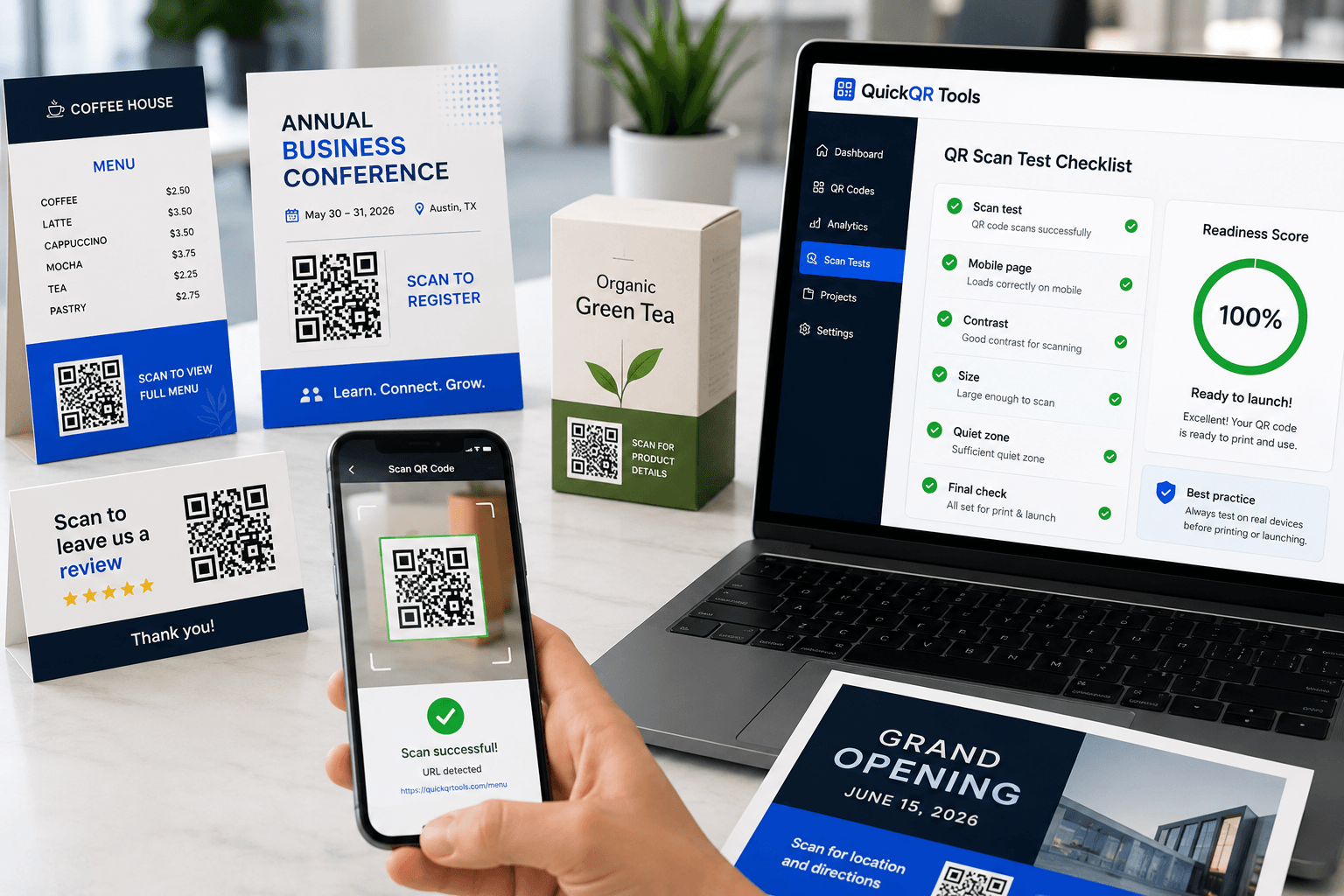
Use this qr scan tester as a practical launch checklist. Mark each item after checking your QR code in the real context where customers will scan it.
For best results, test the final layout, not only the raw QR image.
A QR code can look professional and still fail in the real world if the size, contrast, destination, label or printed placement is wrong.
A qr scan tester helps catch common problems before customers see the QR code on a sign, menu, label or flyer.
Testing before production helps avoid reprinting table cards, packaging, posters, business cards or event materials.
When the scan works quickly and opens the right destination, the business feels more reliable and professional.
Most QR launch issues are avoidable. Use this qr scan tester with the final design instead of only checking the QR file on a computer screen.
Small QR codes may work on screen but fail on business cards, packaging, receipts or flyers when people scan from a real distance.
If the linked page loads slowly, requires zooming or hides the main action, the QR experience becomes frustrating.
Glossy packaging, window glare, folds, curved labels and dark paper can make a QR code harder to scan.
People scan more confidently when they know what will open. Labels should describe the result, not just say “Scan me.”
Different placements create different scan risks. A QR code on a business card is not tested the same way as a window sign or product package.
| Placement | Main risk | Best test |
|---|---|---|
| Business cards | Small size and crowded design | Print a sample and scan at normal hand distance. |
| Restaurant menus | Low lighting, spills and table distance | Scan from the table under real restaurant lighting. |
| Product packaging | Gloss, curves, folds and texture | Scan the actual package sample, not only the flat design file. |
| Posters and signs | Distance, glare and foot traffic | Scan from the expected viewing distance and angle. |
| Event materials | Busy environment and slow mobile networks | Test with mobile data and confirm the page loads fast. |
Use this workflow each time a QR code will be printed, displayed or used in a customer-facing campaign.
Generate the QR code and place it in the final design or page layout.
Use the checklist to verify phones, destination, contrast, size and placement.
Adjust size, contrast, label, quiet zone or destination before launch.
Publish or print only after the real-world scan experience is clean.
Use these QuickQR utilities together to create QR codes that are readable, practical and ready for business use.
Create a website QR code for pages, campaigns and business materials.
Estimate QR code print size based on expected scan distance.
Estimate scan range from printed QR code size.
Check whether QR colors are strong enough for scanning.
These guides help you understand QR code scanning, printing, placement and business campaign quality.
Learn size, contrast, placement, quiet zone and print testing best practices.
Understand how QR codes work and how businesses use them professionally.
Plan QR campaigns for flyers, posters, packaging, events and retail.
Test retail QR codes before printing packaging, shelf cards, receipts and store displays.
Test event QR codes before publishing tickets, posters, venue signs and programs.
Test property QR codes before printing signs, flyers, brochures and open house materials.
Review practical sizing tips for printed materials and scan distances.
See verified QR code statistics for adoption, scanning behavior, business usage and print-to-digital campaigns.
Use these answers before launching printed or public QR code campaigns.
A qr scan tester is a practical checklist that helps you verify whether a QR code is ready for real-world scanning before printing or launching it.
This version is a readiness checklist, not a camera scanner. It helps you test the full experience manually before launch.
Use at least two phones if possible. Different cameras, operating systems and lighting conditions can produce different scan results.
Do both. Test the digital design first, then print one sample and scan it in the real environment before producing a full batch.
Common causes include low contrast, small size, missing quiet zone, blurry print, glossy reflections, broken destinations and confusing placement.
Yes. A QR code should open a fast, mobile-friendly destination that matches the printed call to action.
Yes. Restaurant QR codes are often scanned under low lighting, from tables and by many types of phones, so testing is important.
Improve the QR size, contrast, quiet zone, print quality, label clarity or mobile destination before publishing or printing.
These resources provide additional context for QR standards and mobile-friendly destination quality.
Test the experience, fix weak points and create a professional QR code with QuickQR Tools.