Sending every scan to the homepage
A product label, receipt and coupon sign usually need different destinations. Send shoppers to the page that matches the scan promise.
Retail QR Solutions
QR codes for retail help shoppers open product details, claim coupons, scan receipts, read instructions, follow social profiles, leave reviews and move from shelves, packaging, flyers and store displays to the right digital action.
Retail touchpoints
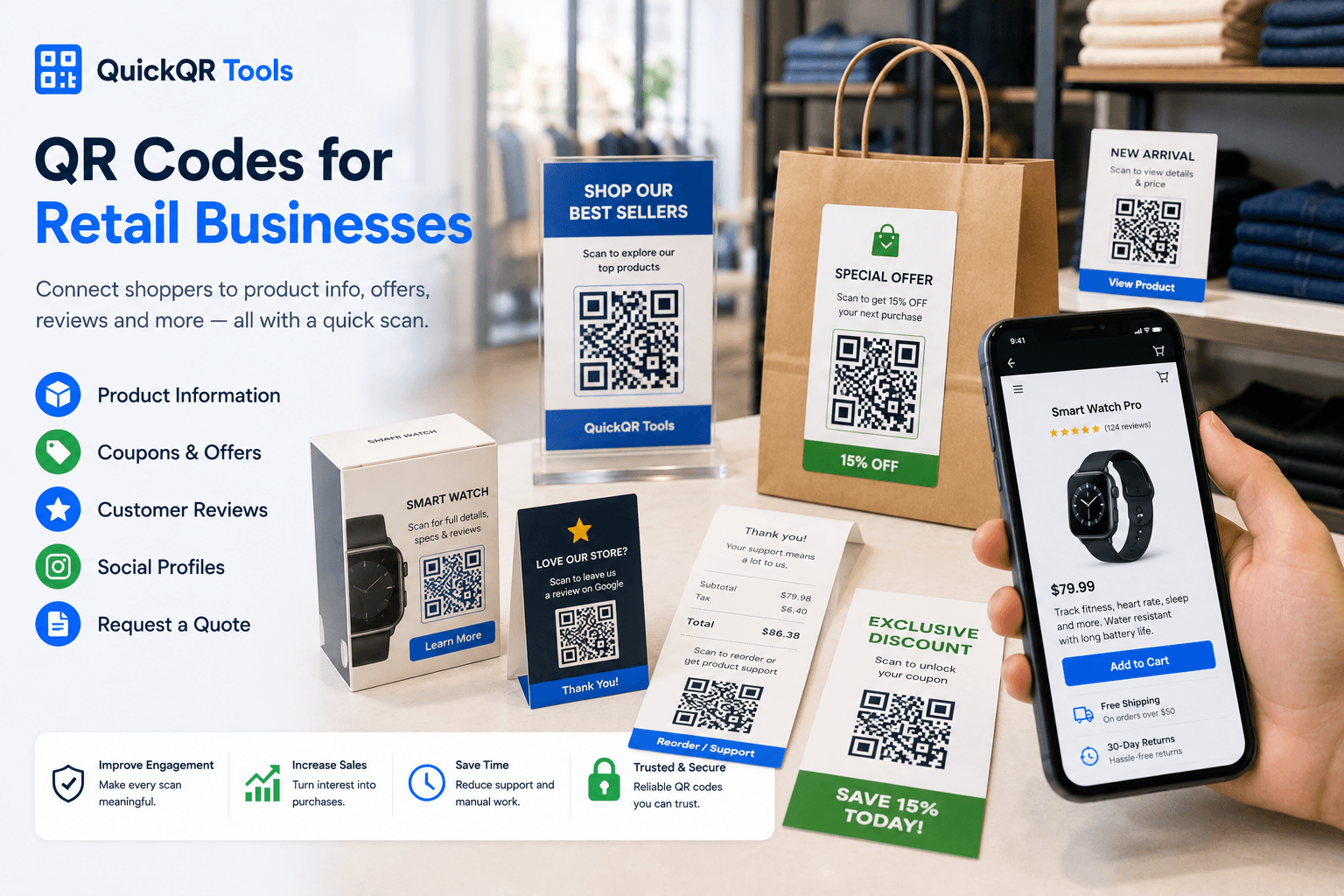
The best QR codes for retail connect a shelf, package, receipt or display to one useful next step. Each code should help the shopper decide, buy, save, review or come back.
Use coupon QR codes on flyers, shelf cards, receipts, counter signs and packaging inserts so shoppers can claim offers quickly.
Create coupon QRConnect packaging, labels and inserts to product guides, ingredients, instructions, size charts, care sheets and downloadable documents.
Create PDF QRAdd review QR codes to receipts, checkout counters, thank-you cards and packaging so shoppers can share feedback after purchase.
Create review QRSend shoppers to product pages, launch pages, warranty registration, store locators, appointment pages or limited-time campaigns.
Create website QRTurn packaging, pop-up booths, store windows and events into direct paths to Instagram, TikTok, YouTube, Facebook or a social landing page.
Create social QRHelp shoppers open maps, pickup points, event locations, store directories or pop-up shop addresses from printed materials.
Create location QRPlacement guide
A retail QR code should match the shopper's location and intent. Packaging, shelf cards, receipts and windows each need a different kind of destination.
| Placement | Best QR destination | Shopper benefit | Recommended tool |
|---|---|---|---|
| Product packaging | Product details, instructions, ingredients, warranty, reorder page or care guide. | Shoppers can learn more before or after purchase without searching manually. | PDF QR Code Generator |
| Shelf card | Product page, demo video, comparison page, coupon or customer reviews. | Customers can get decision support while standing near the product. | URL QR Code Generator |
| Receipt | Review page, return policy, support page, coupon or loyalty signup. | Customers get a helpful next step after checkout. | Google Review QR Code Generator |
| Window display | Offer page, store hours, online shop, product launch or social profile. | People can act even when the store is closed or they are passing by. | Coupon QR Code Generator |
| Flyer or mailer | Campaign landing page, discount, product collection, booking page or location. | Printed campaigns become easier to respond to from a phone. | URL QR Code Generator |
| Event booth or pop-up | Social profile, product catalog, coupon, email signup or store locator. | Visitors can keep the brand connection after leaving the booth. | Social Media QR Code Generator |
Shopper experience
QR codes for retail work best when the scan helps a shopper complete a practical action. The message near the code should be clear, short and specific.
Retail workflow
Decide whether the scan should open a product page, coupon, review page, PDF, social profile, map or support page.
Use the QuickQR generator that matches the action, then download PNG, SVG or PDF for your material.
Scan the printed proof from the real distance and confirm the destination loads correctly on mobile.
Use packaging, shelf cards, windows, receipts and flyers only when the QR code gives shoppers a useful next step.
Better retail results
Most retail QR code problems come from unclear destinations, weak print quality or a poor mobile page. Fixing those basics makes the scan feel more useful for shoppers.
A product label, receipt and coupon sign usually need different destinations. Send shoppers to the page that matches the scan promise.
Small labels and curved packaging can make QR codes harder to scan. Test the final size before producing a batch.
Retail materials often use strong branding, but QR codes still need enough contrast for quick scanning.
If a QR code opens a coupon or promotion, keep the offer page clear, current and honest about dates or terms.
PDFs can work well for product sheets, but they should load quickly and be readable on a phone.
Scan the final design, open the destination, check mobile readability and confirm the action is easy to complete.
QuickQR retail tools
Start with the retail QR tool that matches the shopper action. Then test size, distance and contrast before printing. QR codes for retail should make product and offer information easy to reach.
Plan QR codes for boxes, labels, product inserts, instructions, reviews, support and reorder links.
Explore packaging use casesPlan QR codes for product labels, stickers, tags, bottles, ingredients, care details and support links.
Explore label use casesUse QR codes on thank-you cards, warranty cards and instruction inserts for support and repeat purchases.
Explore insert use casesPlan unboxing cards that connect products to setup, support, warranty, reviews and reorder offers.
Explore packaging insert usesPlan QR codes for retail flyers, seasonal promotions, coupons, handouts and local offers.
Explore flyer use casesPlan QR codes for retail posters, window signs, shelf displays and in-store promotions.
Explore poster use casesPlan review QR codes for receipts, checkout cards, packaging inserts and post-purchase materials.
Explore review use casesCreate QR codes for store promotions, seasonal offers, receipts, shelf cards, flyers and packaging inserts.
Create coupon QRShare product guides, catalogs, instruction sheets, care cards and downloadable retail documents.
Create PDF QRMake it easier for shoppers to leave reviews from receipts, packaging inserts and checkout signs.
Create review QRConnect shoppers to Instagram, TikTok, YouTube, Facebook or a social landing page from retail materials.
Create social QRChoose a safer QR size for labels, shelf cards, receipts, flyers, windows and product packaging.
Calculate sizeTest whether retail QR codes are easy to scan before placing them in stores or on packaging.
Test scanReferences
Use these references alongside QuickQR tools when planning product information, packaging, shopper communication and retail offers.
GS1 explains how next-generation barcodes, including QR codes powered by GS1 standards, can connect shoppers to richer product information.
The Federal Trade Commission provides guidance for advertising and promotions, which is useful when QR codes open coupons, discounts or retail offers.
Start with a coupon QR code, then add product information, reviews, social profiles and scan testing as your retail QR workflow grows.
FAQ
Short answers for retailers, product teams, local shops, ecommerce brands and marketers using QR codes in shopper-facing materials.
The best QR codes for retail usually include coupon QR codes, product page QR codes, PDF QR codes, Google review QR codes, social media QR codes and location QR codes.
Retail stores can place QR codes on product packaging, shelf cards, receipts, flyers, windows, counter signs, event booths, catalogs and product inserts.
Yes. Product packaging can use QR codes for product details, instructions, ingredients, warranty pages, care guides, reviews, reorder links and support pages.
Yes. Coupon QR codes can make printed offers easier to claim from flyers, receipts, shelf cards, packaging, posters and window displays.
Use a PDF QR code when the shopper needs a document. Use a web page when the destination needs buttons, forms, videos, product navigation or frequent updates.
Yes. Test the QR code at the final print size, from the expected distance, under real lighting and on multiple phones before producing a batch.
Yes. A Google review QR code can be used on receipts, thank-you cards, packaging inserts and checkout signs to help shoppers leave feedback.
Use a clear label such as Scan for product details, Scan for offer, Scan to review, Scan for care guide or Scan to shop online.