
Product details
Open specifications, sizing, materials, ingredients, nutrition, compatibility details or product pages.
QR Codes For Product Labels
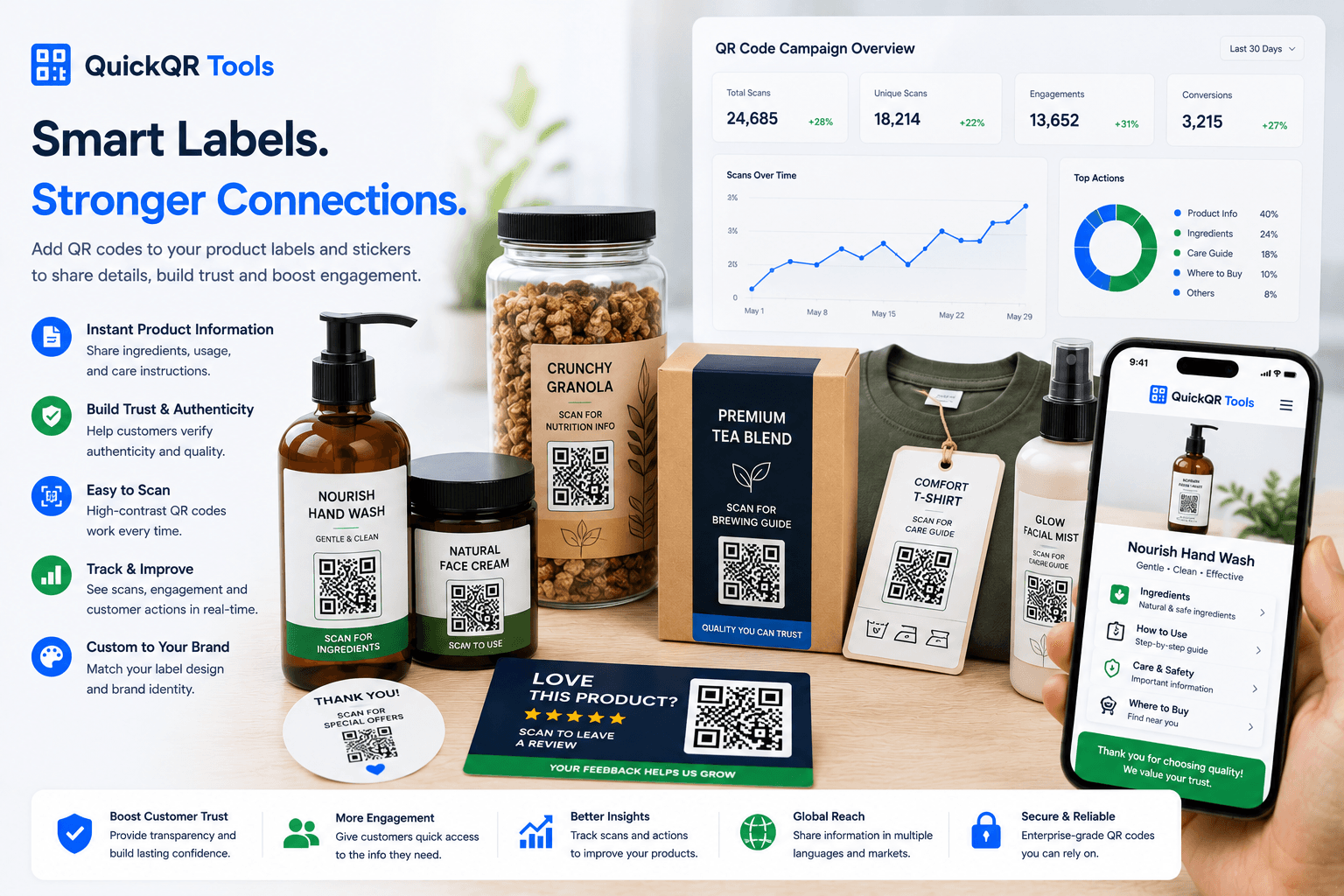
QR codes for product labels help shoppers open product details, ingredients, care instructions, setup videos, certificates, coupons, review pages, support links and reorder pages from stickers, bottles, boxes, tags and retail labels.
Label use cases
Product labels have limited space. A QR code can help the label stay clean while giving shoppers access to deeper information.
Open specifications, sizing, materials, ingredients, nutrition, compatibility details or product pages.
Share washing, storage, safety, installation, usage, recycling or maintenance instructions.
Connect bottles, boxes, tags and stickers to product demos, recipes, tutorials or setup videos.
Let shoppers check certificates, origin details, authenticity pages, batch notes or compliance information.
Open a coupon, subscription page, refill page, product collection, reorder link or loyalty offer.
Send shoppers to a review page, support form, warranty page, contact option or troubleshooting guide.
Small surface planning
QR codes for product labels often appear on small stickers, bottles, jars, boxes, tags or curved surfaces. The label may look good on screen, but scanning can be harder after printing, lamination, gloss, texture or curvature.
Use a clear scan label near the code. Short text such as scan for ingredients, scan for care guide, scan to watch the demo, scan to verify product or scan to reorder helps shoppers understand the value before they use their phone.
For small product labels, keep the QR code simple, give it enough quiet space and avoid placing it too close to folds, seams, corners, edges or busy background patterns.
Examples
Match the label QR code to the information shoppers need at the exact moment they see the product.
| Label type | Best QR destination | Useful QuickQR tool |
|---|---|---|
| Food label | Ingredients, nutrition, recipes, allergen details or sourcing information. | QR Code Generator |
| Bottle label | Care guide, product story, refill page, tasting notes or authenticity page. | QR Size Calculator |
| Cosmetic label | Ingredients, application steps, safety notes, tutorial video or product page. | QR Contrast Checker |
| Clothing tag | Care instructions, size guide, product details, materials or sustainability page. | PDF QR Code Generator |
| Sticker label | Landing page, campaign page, social profile, coupon or reorder link. | Coupon QR Code Generator |
| Safety label | Warning details, instructions, manual, support page or troubleshooting guide. | QR Scan Tester |
| Retail price tag | Product comparison, review page, product video or availability page. | QR Codes For Retail |
| Premium product label | Certificate, origin story, warranty page, VIP offer or brand experience. | QR Codes For Product Packaging |
Print readiness
Labels are often smaller than flyers or posters. Test size, contrast and scan distance before printing a large batch.
Check whether label QR codes scan reliably from real printed samples and common phone angles.
Test scan readinessChoose a safer QR size for labels, stickers, tags, bottles, jars, boxes and small packages.
Calculate sizeCheck QR color contrast before placing a code on a colored, textured or branded label.
Check contrastQuickQR label tools
Start with the destination, then use print tools to make the label QR code easier to scan in real customer conditions.
Create QR codes for product pages, ingredients, care guides, videos, certificates and reorder links.
Create URL QRShare manuals, safety sheets, care instructions, product documents and compliance details.
Create PDF QRAdd offers, refills, subscriptions, reorder promotions and loyalty actions to product labels.
Create coupon QRInvite customers to review a product or retail experience from tags, inserts and thank-you labels.
Create review QRPlan broader packaging QR workflows for boxes, inserts, labels, support, videos and reviews.
Explore packaging usesBrowse the full QuickQR toolkit for labels, packaging, retail, reviews, documents and offers.
Explore toolsRelated guides
Use these related pages to connect product labels with packaging, retail, reviews and print quality decisions.
Use QR codes on boxes, labels and inserts for guides, videos, coupons, reviews and support.
Explore packaging usesPlan QR codes for product labels, shelf cards, receipts, coupons, packaging and store displays.
Explore retail usesUse QR codes inside packaging for setup guides, warranties, support, reviews and reorder offers.
Explore insert usesConnect insert cards inside boxes to setup, support, warranty, reviews and reorder offers.
Explore packaging insert usesAdd review QR codes to labels, inserts, thank-you cards, receipts and post-purchase materials.
Explore review usesUse QR codes across labels, flyers, posters, packaging, events, coupons and campaigns.
Explore marketing usesReview print size, distance, quiet zone, contrast and scan testing before production.
Read printing guideCompare QR quality, print readiness and scan setup before placing codes on customer materials.
View benchmarksReferences
Use trusted external resources alongside QuickQR tools when planning product labels, product information and mobile scan experiences.
GS1 explains how 2D barcodes can connect products to richer information for shoppers and supply chains.
Use performance fundamentals to keep product pages fast for shoppers who scan labels on mobile devices.
The Business QR Toolkit
Start with a product page, PDF guide, coupon, review page or support link, then test the QR code before printing labels, stickers or tags.
FAQ
Short answers for brands, retailers and makers adding QR codes to product labels, stickers and tags.
QR codes for product labels are scannable codes printed on labels, stickers, bottles, boxes, jars or tags so shoppers can open product details, instructions, videos, coupons, certificates, support pages or reorder links.
Place the QR code on a flat, visible part of the label with enough quiet space around it. Avoid folds, seams, edges, busy patterns and highly curved surfaces when possible.
A product label QR code can link to ingredients, care instructions, product details, safety notes, videos, authenticity pages, certificates, coupons, support pages or reorder links.
Yes, but small labels need careful testing. Use a clean code, strong contrast, enough white space and a printed sample test before producing a large batch.
Yes, but bottle labels can be harder to scan because of curvature, glare and condensation. Keep the code large enough and test it on the real bottle material.
Brand colors can work if the QR code still has strong contrast. Avoid low contrast colors, busy backgrounds and decorative effects that reduce scan reliability.
Yes. A QR code can keep the printed label clean while giving shoppers access to longer ingredient lists, care instructions, safety details or product documentation.
Print a real sample, place it on the actual product surface, scan it on multiple phones and test it under realistic lighting before final production.