
Open a digital menu
Send guests to a menu, drink list, seasonal specials, allergen information or ordering page.
QR Codes For Table Tents
QR codes for table tents help restaurants, cafes, bars, hotels and local businesses connect table cards to menus, WiFi access, reviews, coupons, ordering pages, booking forms and customer support from a phone.
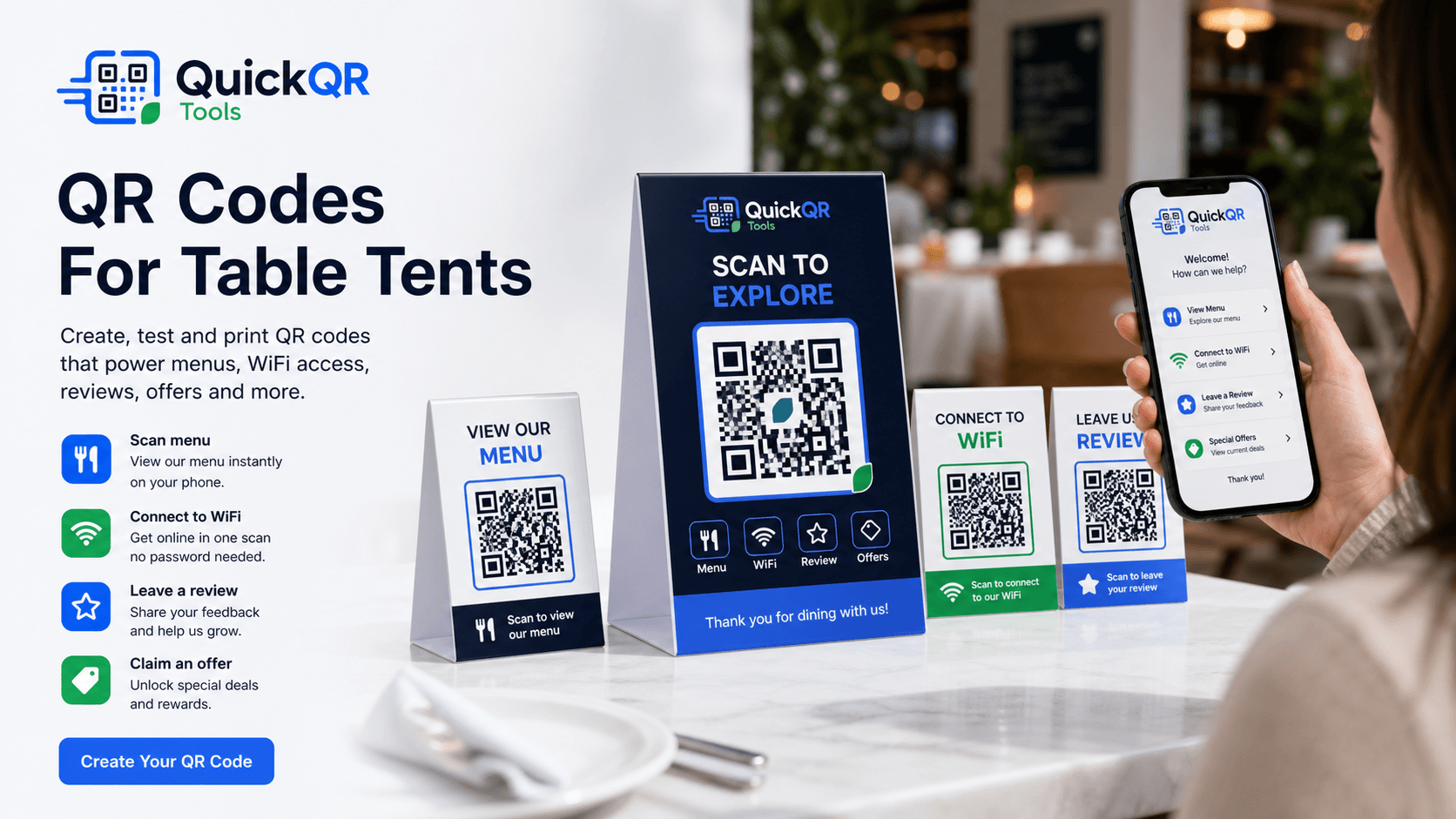
Table tent use cases
A table tent sits exactly where customers already pause. A clear QR code can help them view, order, connect, save, review or ask for help without waiting.
Send guests to a menu, drink list, seasonal specials, allergen information or ordering page.
Place a WiFi QR code on table tents so guests can connect without typing a password.
Use table cards to invite happy customers to open your Google review page after service.
Promote lunch specials, loyalty offers, dessert coupons, event nights or return-visit discounts.
Let guests ask questions, request support, contact staff or start a WhatsApp chat from the table.
Connect table tents to Instagram, TikTok, YouTube, Facebook or a social landing page.
Print planning
QR codes for table tents are usually scanned from a short distance while the card is standing on a table, counter, bar, booth or reception desk. The QR code does not need to be as large as a wall poster, but it still needs enough size, contrast and quiet space.
Use one clear action per side when possible. A table tent with too many QR codes can make guests hesitate. If you need several actions, group them clearly: menu, WiFi, review, offer or contact.
Test the table tent in the real environment. Restaurant lighting, glossy lamination, folds, table angle and small print can all affect scanning.
Table tent examples
Match the QR destination to what a guest or customer is most likely to need in that moment.
| Table tent goal | Best QR destination | Useful QuickQR tool |
|---|---|---|
| Digital menu | Menu page, PDF menu, drinks list, specials or ordering page. | Menu QR Code Generator |
| Guest WiFi | WiFi network access for restaurants, cafes, hotels, salons and waiting rooms. | WiFi QR Code Generator |
| Customer reviews | Google review page, feedback form or post-visit review request. | Google Review QR Code Generator |
| Special offer | Coupon, loyalty offer, limited-time promotion or return-visit discount. | Coupon QR Code Generator |
| Support or questions | WhatsApp chat, contact form, help page or service request. | WhatsApp QR Code Generator |
| Social follow | Instagram, TikTok, YouTube, Facebook, LinkedIn or social landing page. | Social Media QR Code Generator |
| Event night | Calendar invite, event details, RSVP form, ticket page or schedule. | Event QR Code Generator |
| Business contact | vCard, booking page, email, phone number or local service page. | vCard QR Code Generator |
| General table card | Landing page, customer survey, campaign page, app download or newsletter signup. | QR Code Generator |
Scan readiness
Small printed materials are easy to get wrong. Check size, contrast and scan quality before ordering table cards.
Choose a safer QR size for table tents, counter cards, menus, flyers and printed cards.
Calculate sizeCheck whether table tent colors and background designs keep enough contrast for scanning.
Check contrastUse a practical pre-launch checklist before placing table tents on restaurant tables or counters.
Test before launchRelated tools
Create a QR code for restaurant menus, specials, drink lists and ordering pages.
Create menu QRHelp guests connect to WiFi from table tents without typing a password.
Create WiFi QRInvite customers to leave a review from tables, counters, receipts and checkout areas.
Create review QRAdd offers, loyalty actions and return-visit promotions to printed table cards.
Create coupon QRLet customers ask questions, request service or start a conversation from the table.
Create WhatsApp QRConnect table tents to Instagram, TikTok, YouTube, Facebook and other social profiles.
Create social QRRelated guides
Plan QR codes for menus, WiFi, reviews, table cards, receipts and takeaway packaging.
Explore restaurant use casesLearn how restaurants can use QR codes across tables, menus, reviews, WiFi and promotions.
Read restaurant guideReview print size, quiet zone, contrast and scan testing before producing table tents.
Read printing guideUse QR codes on handouts, local flyers, restaurant promotions and printed offers.
Explore flyer use casesPlan QR codes for wall posters, window signs, event displays and restaurant signs.
Explore poster use casesUse QR codes to collect reviews from table cards, receipts, counters and follow-up materials.
Explore review use casesReferences
Helpful for restaurants thinking about menu information, nutrition context and customer-facing food details.
Helpful when table tent QR codes open mobile menus, ordering pages, coupons or landing pages.
Create a clean QR code for menus, WiFi, reviews, offers or customer actions, then test it before printing your table cards.
FAQ
QR codes for table tents are scannable codes printed on folded table cards, counter signs or tabletop displays so guests can open menus, WiFi access, review pages, offers, ordering pages or contact actions from their phone.
A table tent QR code can link to a digital menu, PDF menu, WiFi login, Google review page, coupon, booking page, event page, contact form or social profile.
The QR code should be large enough to scan comfortably from table distance. Test a printed sample before producing the full batch.
Yes, but keep the layout clear. If you use several QR codes, label each one with a simple action such as menu, WiFi, review or offer.
Yes. Restaurants can use table tent QR codes for menus, ordering, WiFi, reviews, loyalty offers, events and guest feedback.
Yes. Cafes, hotels, bars, salons, coworking spaces and local businesses can use table tents for WiFi, menus, service requests, reviews and promotions.
Brand colors can work if the QR code keeps strong contrast. Always test the printed card under real lighting before placing it on tables.
Print one sample, place it on a real table, scan it from normal seating distance, test several phones and check the destination loads quickly on mobile.