
Using one QR code for every task
A menu QR code, WiFi QR code and review QR code serve different moments. Give each code a clear role.
Restaurant QR Solutions
QR codes for restaurants help guests open digital menus, connect to WiFi, leave Google reviews, claim offers, view events and reach the right page from tables, receipts, windows, counter signs and takeaway packaging. Choose the right restaurant QR workflow for each guest moment.
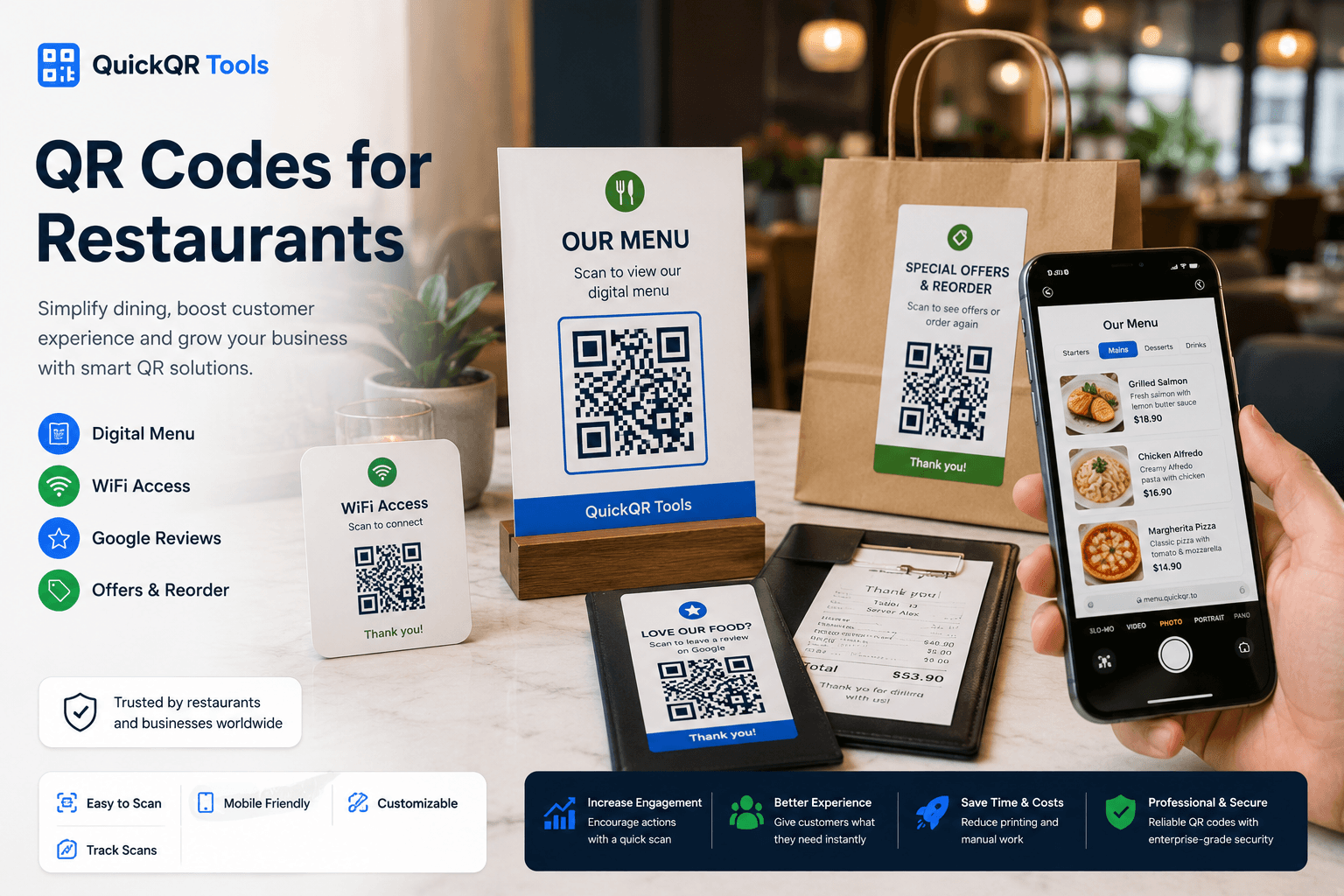
Restaurant workflow
The best QR codes for restaurants solve a specific guest need. Each QR code should have one clear destination and one clear action, whether the guest is seated at a table, waiting at the counter or opening a takeout bag.
Place a menu QR code on tables, windows, counter displays, hotel room cards, takeout bags and printed menu inserts.
Create menu QRLet customers connect to your guest network without asking staff to spell a password during busy service.
Create WiFi QRAdd a review QR code to receipts, bill folders, thank-you cards or takeaway packaging after the meal.
Create review QRUse QR codes for happy hour offers, seasonal specials, loyalty rewards, limited-time promotions and return-visit coupons.
Create coupon QRConnect posters and table cards to brunch events, live music nights, tasting menus, reservations or private event pages.
Create event QRTurn counter signs, receipts and packaging into simple paths to Instagram, TikTok, Facebook, YouTube or a social landing page.
Create social QRPlacement guide
A restaurant QR code should match the physical moment. A table scan, receipt scan and window scan usually need different destinations, so QR codes for restaurants should be planned by placement instead of reused everywhere.
| Placement | Best QR destination | Guest benefit | Recommended tool |
|---|---|---|---|
| Table card | Digital menu, specials, ordering page or allergen information. | Guests can view the menu quickly without waiting for staff. | Menu QR Code Generator |
| Counter sign | Menu, loyalty offer, review link, social profile or WiFi instructions. | Customers can act while waiting, ordering or paying. | All QR Code Tools |
| Receipt or bill folder | Google review page, feedback page or return-visit offer. | Happy guests get a direct path to leave feedback or come back. | Google Review QR Code Generator |
| Takeout bag or packaging | Menu, reorder page, coupon, social profile or catering page. | The customer can order again or follow the restaurant later. | Coupon QR Code Generator |
| Front window | Menu, opening hours, reservation page or current promotions. | People outside can decide faster before entering or booking. | URL QR Code Generator |
| Poster or event flyer | Event page, booking page, ticket page or calendar details. | Guests can save the event or reserve from their phone. | Event QR Code Generator |
Guest experience
QR codes for restaurants work best when the guest understands what will happen after scanning. The message next to the code matters as much as the code itself.
Restaurant setup
Decide whether the scan should open a menu, WiFi network, review page, event, offer, social profile or ordering page.
Use the QuickQR generator that matches the action, then download PNG, SVG or PDF for your material.
Check the QR code on more than one phone, from the real distance, and under the lighting where guests will scan.
Use table cards, windows, receipts, packaging, flyers and counter signs only when the scan gives the guest a useful next step.
Better restaurant QR results
Most restaurant QR problems are avoidable. QR codes for restaurants usually fail because the destination is unclear, the print is too small or the guest does not know why to scan.
A menu QR code, WiFi QR code and review QR code serve different moments. Give each code a clear role.
Small QR codes can be difficult to scan on table cards, windows, flyers and packaging. Use a size calculator before printing.
Branded colors are useful, but the QR code must stay readable. Check contrast before using light colors or busy backgrounds.
A QR code is only as good as the page it opens. Menus, offers and review pages should load quickly on mobile.
A review QR code should be polite, honest and optional. Do not pressure guests or offer incentives for positive reviews.
Retest whenever you update the destination URL, redesign printed materials or change the placement.
QuickQR restaurant tools
Start with the restaurant QR tool that matches the guest action. Then test size, distance and contrast before printing. QR codes for restaurants should feel easy for guests and practical for staff.
Create QR codes for digital menus, ordering pages, specials and restaurant menu landing pages.
Create menu QRLet guests connect to a WiFi network without typing a password or asking staff for help.
Create WiFi QRPlan table tent QR codes for menus, WiFi, reviews, offers and guest actions at the table.
Explore table tent use casesPlan review QR codes for receipts, table cards, bill folders, counter signs and takeaway packaging.
Explore review use casesCreate a review QR code for receipts, table cards, counter signs and thank-you cards.
Create review QRChoose a safer size for table cards, flyers, windows, menus, receipts and packaging.
Calculate sizeEstimate scan distance for windows, posters, counter displays and table signs.
Calculate distanceTest whether restaurant QR codes are easy to scan before placing them in front of guests.
Test scanReferences
Use these references alongside QuickQR tools when planning restaurant menus, business profiles and review QR workflows.
Google explains how businesses can edit information on a Business Profile, including menu options for food and drink businesses.
Google says businesses can ask customers to leave reviews through a business link or QR code, while review requests should remain honest and policy-safe.
Start with a menu QR code, then add WiFi, Google reviews, offers and scan testing as your restaurant QR workflow grows.
FAQ
Short answers for restaurant owners, managers, marketers and hospitality teams using QR codes in guest-facing materials.
The best QR codes for restaurants usually include menu QR codes, WiFi QR codes, Google review QR codes, coupon QR codes, event QR codes and social media QR codes.
A restaurant can place a menu QR code on table cards, counter signs, front windows, hotel room cards, takeout bags, flyers and printed menu inserts.
Yes. A WiFi QR code lets guests connect to the restaurant's guest network by scanning instead of typing a network name and password manually.
Yes. Restaurants can use a Google review QR code on receipts, bill folders, counter signs and thank-you cards to make it easier for customers to leave a review.
Restaurant QR codes should be large enough for the scan distance. A table card can often be smaller than a window sign or poster, but every printed code should be tested before use.
A restaurant can use several QR codes if each one has a clear label and purpose. For example, one code for the menu, one for WiFi and one for reviews.
Yes. Takeout packaging can include QR codes for reordering, coupons, menus, social profiles, catering pages, loyalty programs or feedback.
Use a clear action label such as Scan to view menu, Scan for guest WiFi, Scan to leave a review, Scan for today's specials or Scan to reorder.