
Open a promotion
Send shoppers to a seasonal offer, local deal, coupon page, flash sale or limited-time retail campaign.
QR Codes For Store Signs
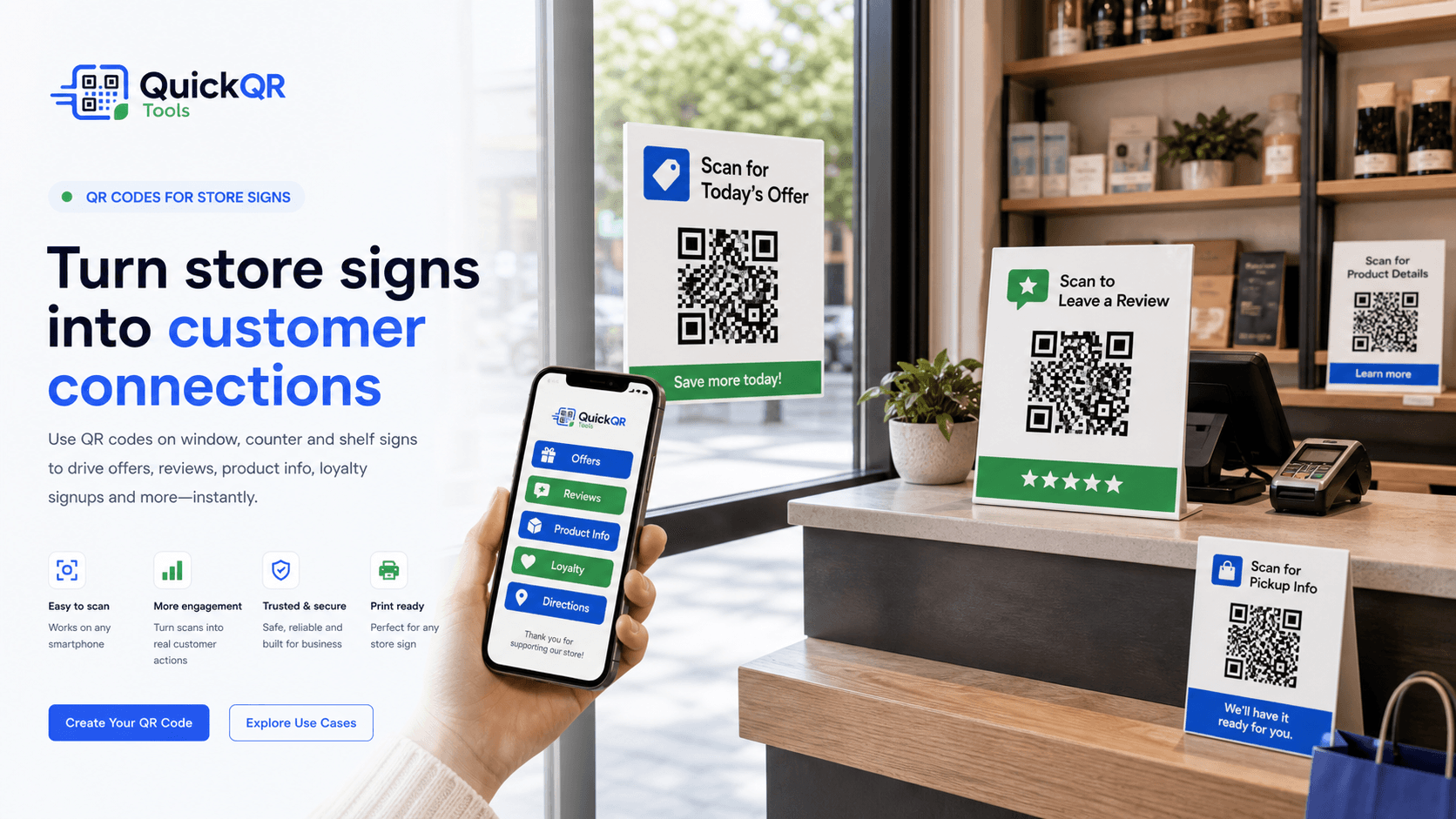
QR codes for store signs help shoppers scan window signs, counter cards, shelf displays, pickup signs and in-store promotions to open offers, reviews, product details, loyalty signups, maps and support pages.
In-store actions
A store sign works best when it gives customers one clear action. QR codes make that action instant from a phone, whether the customer is outside the window, at checkout, near a shelf or waiting for pickup.
Send shoppers to a seasonal offer, local deal, coupon page, flash sale or limited-time retail campaign.
Place a review QR code near checkout, pickup or service counters so happy customers can respond while the visit is fresh.
Use shelf signs to open product ingredients, size charts, care instructions, videos, comparison pages or product manuals.
Turn counter signs and window signs into loyalty signup, newsletter signup, rewards enrollment or membership forms.
Help customers open pickup instructions, order status pages, return policies, store hours or curbside pickup details.
Use signs at events, malls, markets or multi-location stores to send people to maps, departments, booths or service desks.
Placement
QR codes for store signs should be placed where the customer already has a reason to act. A window sign can invite people to claim an offer before entering. A counter sign can ask for a review after checkout. A shelf sign can explain product details while the shopper is comparing options.
The sign should make the scan result obvious. Instead of only showing a QR code, add a short instruction such as scan for today's offer, scan to leave a review, scan for product details, scan for pickup info or scan to join rewards.
In-store QR codes also need practical print planning. Signs may sit behind glass, under bright lights, near reflective counters or far from the customer. Test the real placement before printing a full set.
Store sign ideas
Choose the QR destination based on the sign location and the action customers are most likely to take there.
| Store sign type | Best QR destination | Useful QuickQR tool |
|---|---|---|
| Window sign | Today's offer, store hours, product collection, event page, menu or location page. | QR Code Generator |
| Checkout counter sign | Google review page, feedback form, loyalty signup or customer support page. | Google Review QR Code Generator |
| Shelf sign | Product details, ingredient page, comparison chart, instruction PDF or demo video. | PDF QR Code Generator |
| Sale sign | Coupon, discount page, bundle offer, seasonal promotion or loyalty reward. | Coupon QR Code Generator |
| Pickup sign | Pickup instructions, order lookup, curbside details, return policy or WhatsApp support. | WhatsApp QR Code Generator |
| Menu board sign | Digital menu, ordering page, allergen information, specials or catering menu. | Menu QR Code Generator |
| Event sign | Registration, schedule, map, calendar link, ticket page or event details. | Event QR Code Generator |
| Social sign | Instagram, TikTok, YouTube, Facebook, LinkedIn or a multi-profile landing page. | Social Media QR Code Generator |
| Directional sign | Map, store locator, department location, parking, booth number or directions page. | Location QR Code Generator |
Scan readiness
Lighting, distance, glass, counter reflections and customer movement can change how easy a QR code is to scan.
Estimate QR size based on how far customers will stand from a window, counter, shelf or pickup sign.
Calculate distanceChoose a safer size for printed store signs, shelf cards, counter displays and window decals.
Calculate sizeCheck whether your store sign colors keep enough contrast for reliable scanning.
Check contrastRelated tools
Create QR codes for offer pages, landing pages, product pages, store pages and signup forms.
Create URL QRUse checkout signs and pickup signs to invite customers to leave a review after a good visit.
Create review QRAdd a scannable discount, seasonal offer or loyalty reward to window and sale signs.
Create coupon QRShare product sheets, menus, catalogs, care guides, spec sheets and printable documents.
Create PDF QRSend customers to maps, departments, venue locations, service counters and pickup points.
Create location QRBrowse QR tools for retail signs, promotions, reviews, menus, files, products and events.
Explore toolsRelated guides
Plan QR codes across stores, shelves, counters, packaging, reviews, coupons and customer support.
Explore retail use casesUse poster QR codes for windows, walls, events, retail displays and larger-format signage.
Explore poster QR codesConnect printed flyers to offers, websites, menus, maps, event pages and lead forms.
Explore flyer QR codesUse storefront signs, counters, receipts and appointment cards to help customers review, book, contact and return.
Explore local business QRLink product boxes, labels and shelf displays to useful product information and support pages.
Explore packaging usesUse counter signs, receipts, inserts and checkout cards to make review collection easier.
Explore review usesReview QR size, quiet zone, contrast and scan testing before printing store signs.
Read printing guideReferences
Useful when store signs connect customers to offers, promotions, coupons and other customer-facing claims.
Useful when store sign QR codes open mobile landing pages, offers, review pages, product details or signup forms.
Create a clean QR code for offers, reviews, product details, loyalty signups, pickup instructions or directions, then test it before printing store signage.
FAQ
QR codes for store signs are scannable codes printed on window signs, counter cards, shelf displays, sale signs, pickup signs or in-store posters so customers can open offers, reviews, product details, loyalty pages, maps and support pages.
Good placements include windows, checkout counters, shelves, product displays, pickup areas, service desks, sale signs, waiting areas and event tables.
A store sign QR code should link to the action promised on the sign, such as an offer, review page, product information, menu, pickup instructions, loyalty signup, map or support page.
The QR code should be large enough for the scan distance. Small counter signs can use smaller QR codes than window signs or wall displays, but every printed sign should be tested from the real viewing distance.
Yes. A review QR code on a checkout counter, pickup sign or service desk can help customers open the review page while the store experience is still fresh.
Yes. Sale signs and window signs can use QR codes to open coupons, limited-time offers, loyalty rewards, product collections or promotional landing pages.
Print a sample, place it where the final sign will be used, scan it with multiple phones, check lighting and glare, confirm the mobile destination loads quickly and verify the QR code is easy to scan from the expected distance.
Static QR codes usually do not expire as long as the destination remains online. If the offer, review page or product page changes, update the destination page or print a new sign when needed.