
Leave reviews
Send happy customers to a review page from checkout counters, receipts, table cards or service desks.
QR Codes For Local Business
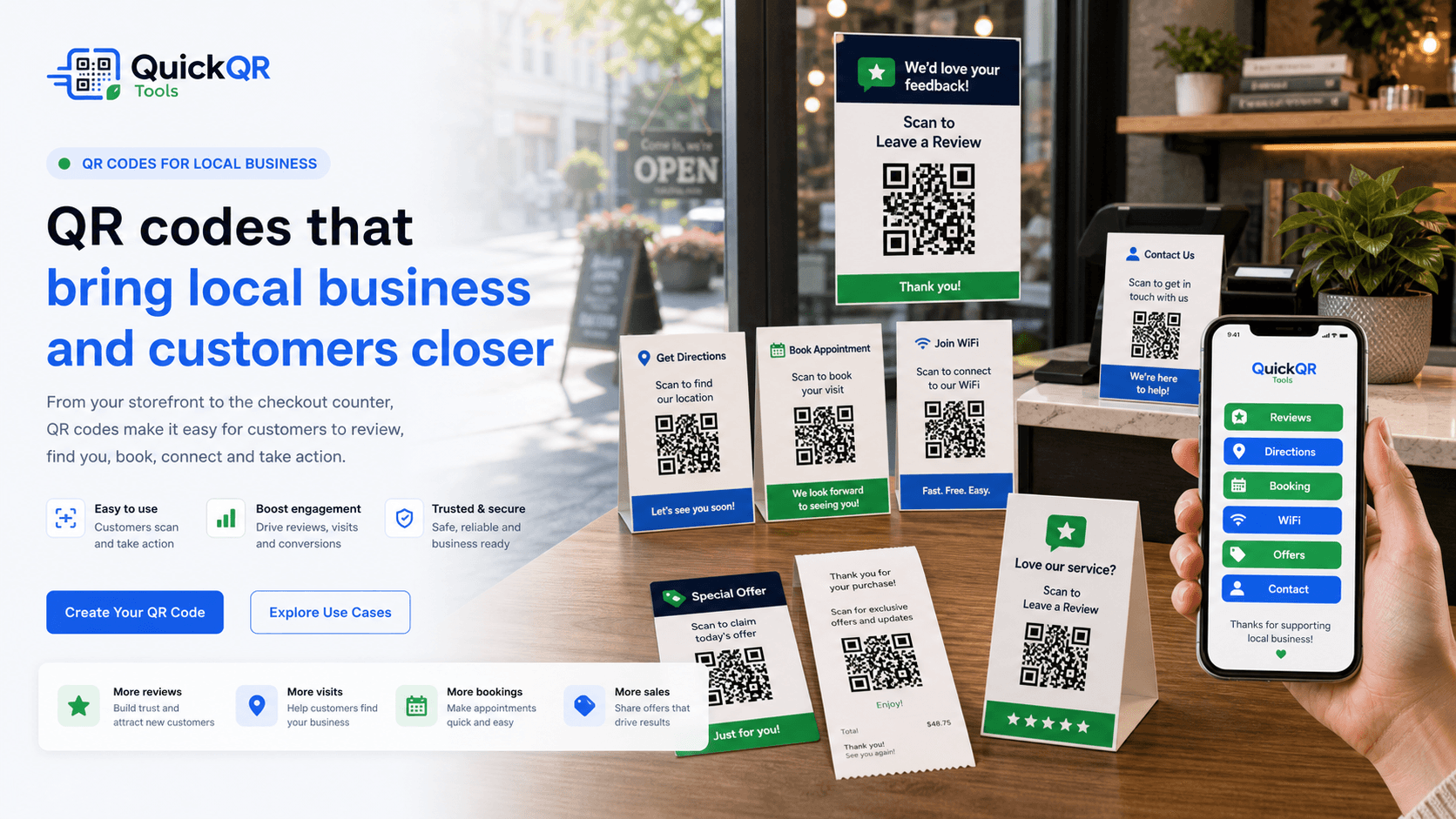
QR codes for local business help customers leave reviews, get directions, book appointments, connect to WiFi, claim offers, contact your team and return after a visit from signs, receipts, cards and counters.
Customer actions
Local customers often need a simple next step. A clear QR code can turn a counter card, receipt, appointment card, flyer or window sign into a useful mobile action.
Send happy customers to a review page from checkout counters, receipts, table cards or service desks.
Help people find your storefront, parking, service entrance, booth, event location or second branch.
Open booking pages for salons, clinics, consultants, repair shops, studios and service teams.
Give guests a faster way to join WiFi in cafes, waiting rooms, hotels, offices and local venues.
Use QR codes on signs, flyers and receipts for coupons, seasonal promotions and loyalty rewards.
Let customers call, text, email, save contact details or open WhatsApp without typing anything.
Local journey
QR codes for local business work best when the scan helps with something the customer already wants to do. Before the visit, a QR code can open directions or booking. During the visit, it can connect WiFi, menus, product details or service information. After the visit, it can support reviews, feedback, coupons and repeat visits.
Each printed material should have one clear purpose. A counter card can ask for a review. A window sign can open an offer. A receipt insert can invite a return visit. A business card can save contact details. A table card can open WiFi or a menu.
Keep the scan promise simple and visible. Customers should know exactly what happens after scanning: review us, get directions, book now, join WiFi, claim offer or contact us.
Examples
Choose the destination that fits the printed material and the customer's next step.
| Local business material | Best QR destination | Useful QuickQR tool |
|---|---|---|
| Checkout counter card | Review page, feedback form, loyalty signup or customer support page. | Google Review QR Code Generator |
| Storefront window sign | Offer page, opening hours, booking page, directions or campaign landing page. | QR Code Generator |
| Appointment card | Booking page, calendar link, service details, reminder page or contact form. | Event QR Code Generator |
| Waiting room sign | WiFi access, intake form, service menu, feedback page or information PDF. | WiFi QR Code Generator |
| Receipt insert | Review request, coupon, reorder page, feedback form or thank-you offer. | Coupon QR Code Generator |
| Business card | Contact details, portfolio, booking page, website or location page. | vCard QR Code Generator |
| Service flyer | Quote request, call link, SMS message, WhatsApp chat or service page. | WhatsApp QR Code Generator |
| Local event sign | Event details, registration, schedule, map, ticket page or calendar action. | Event QR Code Generator |
| Map or parking sign | Directions, parking instructions, entrance details or location page. | Location QR Code Generator |
Print readiness
Local QR materials are scanned in real conditions: counters, windows, receipts, flyers, tables, waiting rooms and storefront signs.
Use a simple checklist before placing QR codes on counters, windows, receipts and appointment cards.
Test scan readinessChoose a safer QR size for business cards, flyers, store signs, table cards and printed inserts.
Calculate sizeCheck whether branded local business materials keep enough contrast for reliable scanning.
Check contrastRelated tools
Invite customers to leave a review from counters, receipts, table cards and service desks.
Create review QRHelp customers open directions, parking information, storefront maps and venue locations.
Create location QRLet guests connect to WiFi in cafes, salons, waiting rooms, hotels and offices.
Create WiFi QRCreate local offers, repeat-visit discounts, loyalty rewards and seasonal promotions.
Create coupon QRLet customers ask questions, request quotes, confirm details or message your team.
Create WhatsApp QRBrowse QR tools for reviews, directions, contact, offers, menus, files, events and social profiles.
Explore toolsRelated guides
Plan broader small business QR use cases for marketing, reviews, contact, events and operations.
Explore small business QRUse window signs, counter cards, shelf displays and pickup signs for local customer actions.
Explore store signsMake review requests easier from receipts, counters, table cards, invoices and appointment cards.
Explore review QRUse table cards and counter stands for menus, WiFi, reviews, offers and service actions.
Explore table tentsLearn how to request local reviews professionally and make the process easier for customers.
Read review guideReview size, contrast, quiet zone and scan testing before printing local business materials.
Read printing guideReferences
Useful for local businesses that want accurate contact details, locations, hours and review workflows.
Useful when QR codes open booking pages, offer pages, review pages and mobile forms.
Create a clean QR code for reviews, directions, bookings, WiFi, offers or customer contact, then test it before printing signs, cards, receipts or flyers.
FAQ
QR codes for local business are scannable codes used on signs, receipts, cards, flyers, counters and tables so customers can open reviews, directions, bookings, WiFi, offers, contact pages and other useful actions.
Useful placements include storefront windows, checkout counters, receipts, invoices, appointment cards, table tents, flyers, business cards, waiting rooms and pickup areas.
It should link to the action promised near the code, such as a review page, map directions, booking page, WiFi login, coupon, contact form, menu, quote request or service page.
Yes. A review QR code can make it easier for customers to open the review page from a counter card, receipt, table card, thank-you card or service invoice.
Yes. QR codes can open booking pages, appointment forms, calendar pages, consultation requests or service scheduling pages.
Yes. A WiFi QR code helps guests connect without typing a network name or password, which is useful for cafes, hotels, waiting rooms, salons and offices.
Print a sample, scan it with multiple phones, test the actual placement, check contrast and size, and confirm the destination loads quickly on mobile.
Static QR codes usually do not expire as long as the destination remains online. If the business changes the destination, printed static QR codes may need to be replaced.