Sending every scan to the homepage
A customer scanning a review card, coupon, flyer or business card usually needs a specific page, not a general homepage.
Small Business QR Solutions
QR codes for small business help customers open websites, request quotes, leave Google reviews, save contact details, claim offers, scan menus, download PDFs and reach the right page from flyers, counters, business cards, packaging and signs.
Business touchpoints
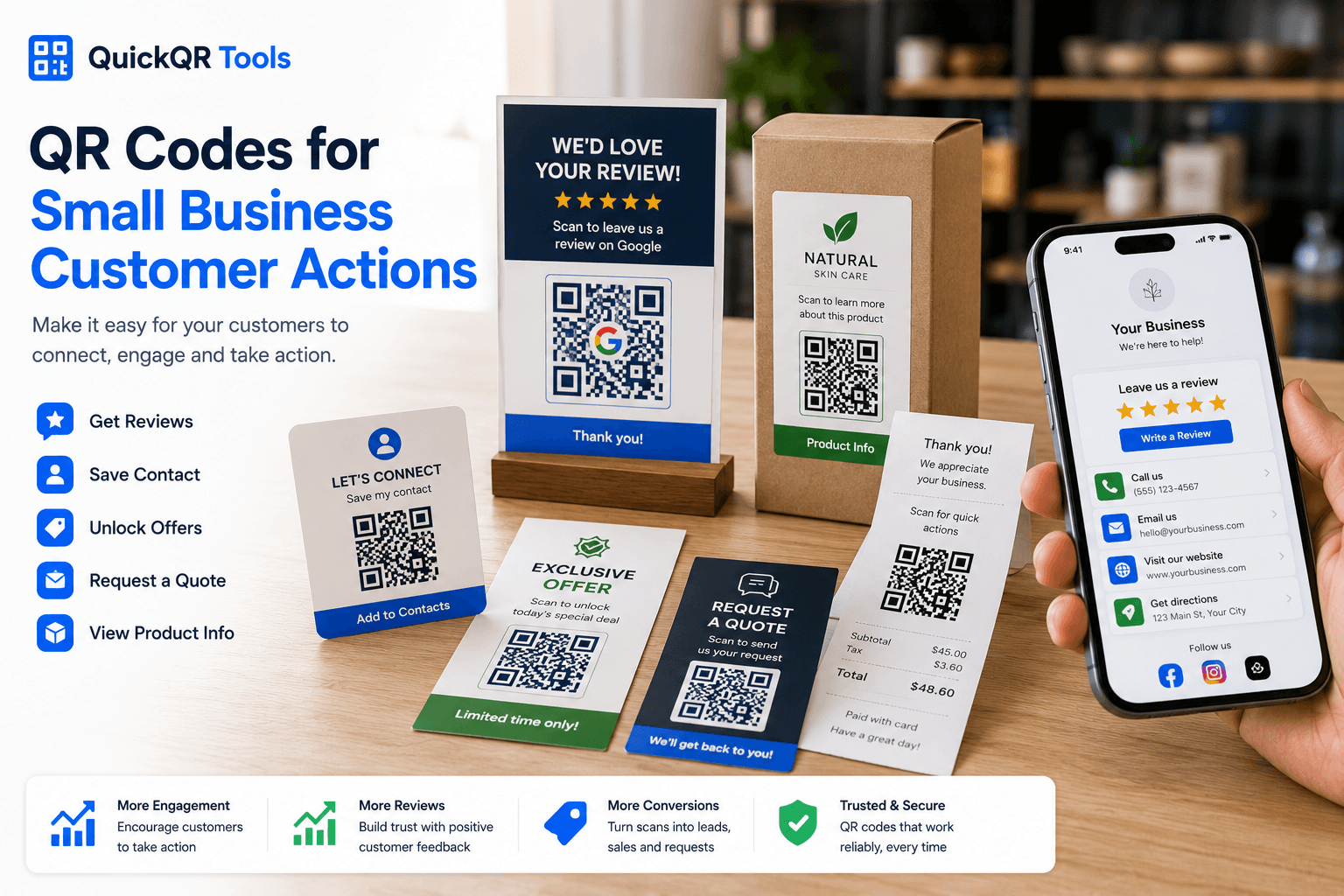
The best QR codes for small business connect a real customer moment to one useful next step. A counter sign, business card, flyer and receipt should not always send people to the same destination.
Add a Google review QR code to receipts, thank-you cards, counters and follow-up materials so happy customers can respond quickly.
Create review QRUse WhatsApp QR codes on flyers, windows, service cards and product inserts so customers can ask questions or request quotes.
Create WhatsApp QRLet customers save your name, phone, email, website and address from a business card, invoice, booth display or proposal.
Create vCard QRConnect shelf signs, packaging, receipts and local flyers to discounts, seasonal offers, loyalty rewards and return-visit promotions.
Create coupon QRTurn printed materials into access points for brochures, service menus, product instructions, price sheets and onboarding documents.
Create PDF QRSend customers from packaging, counters, events and business cards to Instagram, Facebook, YouTube, TikTok, LinkedIn or one social landing page.
Create social QRPlacement guide
A small business QR code should fit the place where a customer sees it. Match the destination to what the customer is most likely to need in that moment.
| Placement | Best QR destination | Customer benefit | Recommended tool |
|---|---|---|---|
| Business card | vCard, website, booking page or LinkedIn profile. | The customer can save your details or follow up after a meeting. | vCard QR Code Generator |
| Counter sign | Google review page, coupon, WhatsApp chat or loyalty offer. | Customers can act while paying, waiting or picking up an order. | Google Review QR Code Generator |
| Flyer or poster | Landing page, event page, quote form, coupon or booking page. | People can respond without typing a URL from printed material. | URL QR Code Generator |
| Product packaging | Instructions, warranty, product page, PDF, review page or reorder link. | Customers can get help or buy again after the product leaves the store. | PDF QR Code Generator |
| Vehicle or window sign | Website, location, service page, quote request or phone call. | People can contact the business from the street or while passing by. | Phone QR Code Generator |
| Receipt or invoice | Review page, customer support, payment instructions or reorder page. | Existing customers get a simple next step after the transaction. | All QR Code Tools |
Customer experience
QR codes for small business work best when the scan feels helpful, not random. The text beside the code should tell customers exactly what they will get.
Simple workflow
Decide whether the scan should open a website, review page, chat, contact card, coupon, PDF, map or booking page.
Use the QuickQR generator that matches the action, then download PNG, SVG or PDF for your material.
Test the QR code on real phones and confirm the destination loads correctly before sharing or printing.
Use business cards, counters, flyers, receipts, packaging and signs only when the scan gives customers a useful next step.
Better customer actions
Most QR code problems are avoidable. QR codes for small business usually underperform when the destination is generic, the print is too small or the customer does not know why to scan.
A customer scanning a review card, coupon, flyer or business card usually needs a specific page, not a general homepage.
Small QR codes can be difficult to scan on business cards, labels, receipts, packaging and signs. Check the size before printing.
Branded colors can look good, but the QR code still needs strong contrast so phones can read it quickly.
A QR code should say what happens next. Add simple text such as Scan to book, Scan for offer or Scan to save contact.
Retest whenever you resize the QR code, change colors, update the destination or move it to a different printed material.
Start with the customer actions that matter most: reviews, contact, quote requests, offers and product information.
QuickQR business tools
Start with the QR tool that matches the customer action. Then test size, distance and contrast before printing. QR codes for small business should make every scan feel useful and easy.
Create QR codes for websites, landing pages, booking pages, forms, quote requests and campaign URLs.
Create website QRPlan review QR codes for receipts, counters, invoices, thank-you cards and service materials.
Explore review use casesCreate review QR codes for receipts, counters, cards, invoices and thank-you materials.
Create review QRLet customers start a ready-to-send WhatsApp conversation from flyers, signs and service materials.
Create chat QRShare contact details from business cards, proposals, trade shows, invoices and local networking materials.
Create vCard QRChoose a safer QR code size for business cards, flyers, stickers, packaging, posters and signs.
Calculate sizeCheck whether business QR codes are easy to scan before placing them in front of customers.
Test scanReferences
Use these references alongside QuickQR tools when planning customer communication, local visibility and review QR workflows.
Google explains how businesses can ask customers for reviews and share review links while keeping requests honest and useful.
The U.S. Small Business Administration provides general guidance on marketing and sales planning for small businesses.
Start with a website QR code, then add reviews, contact details, offers, documents, business card QR codes and scan testing as your customer workflow grows.
FAQ
Short answers for owners, local teams, service providers, retailers, creators and professionals using QR codes in customer-facing materials.
The best QR codes for small business usually include website QR codes, Google review QR codes, WhatsApp QR codes, vCard QR codes, coupon QR codes, PDF QR codes and social media QR codes.
A small business can place QR codes on business cards, flyers, receipts, invoices, packaging, counter signs, windows, vehicles, event materials and product inserts.
Yes. A Google review QR code can make it easier for customers to open your review page from receipts, thank-you cards, counters and follow-up materials.
Yes. QR codes can send customers to quote forms, booking pages, contact cards, WhatsApp chats, phone links, landing pages and service request forms.
Static QR codes usually do not expire as long as the destination remains available. If the linked page changes or is removed, the QR code may no longer be useful.
Sometimes, but a specific destination is usually better. Use a review page for reviews, a contact page for inquiries, a coupon page for offers and a product page for packaging.
Yes. Business cards work well with website QR codes, vCard QR codes, LinkedIn QR codes, WhatsApp QR codes and booking page QR codes. Test the print size before ordering cards.
Use a clear label such as Scan to review us, Scan to request a quote, Scan to save our contact, Scan for offer or Scan to book online.