
Payment requests
Add a wallet QR code to invoices, payment pages or checkout instructions.
Business Payment QR Tool
Use this crypto payment QR code generator to turn a public wallet address, optional amount and payment note into a scannable business payment instruction. Create QR codes for invoices, donation pages, checkout signs and customer payment materials.
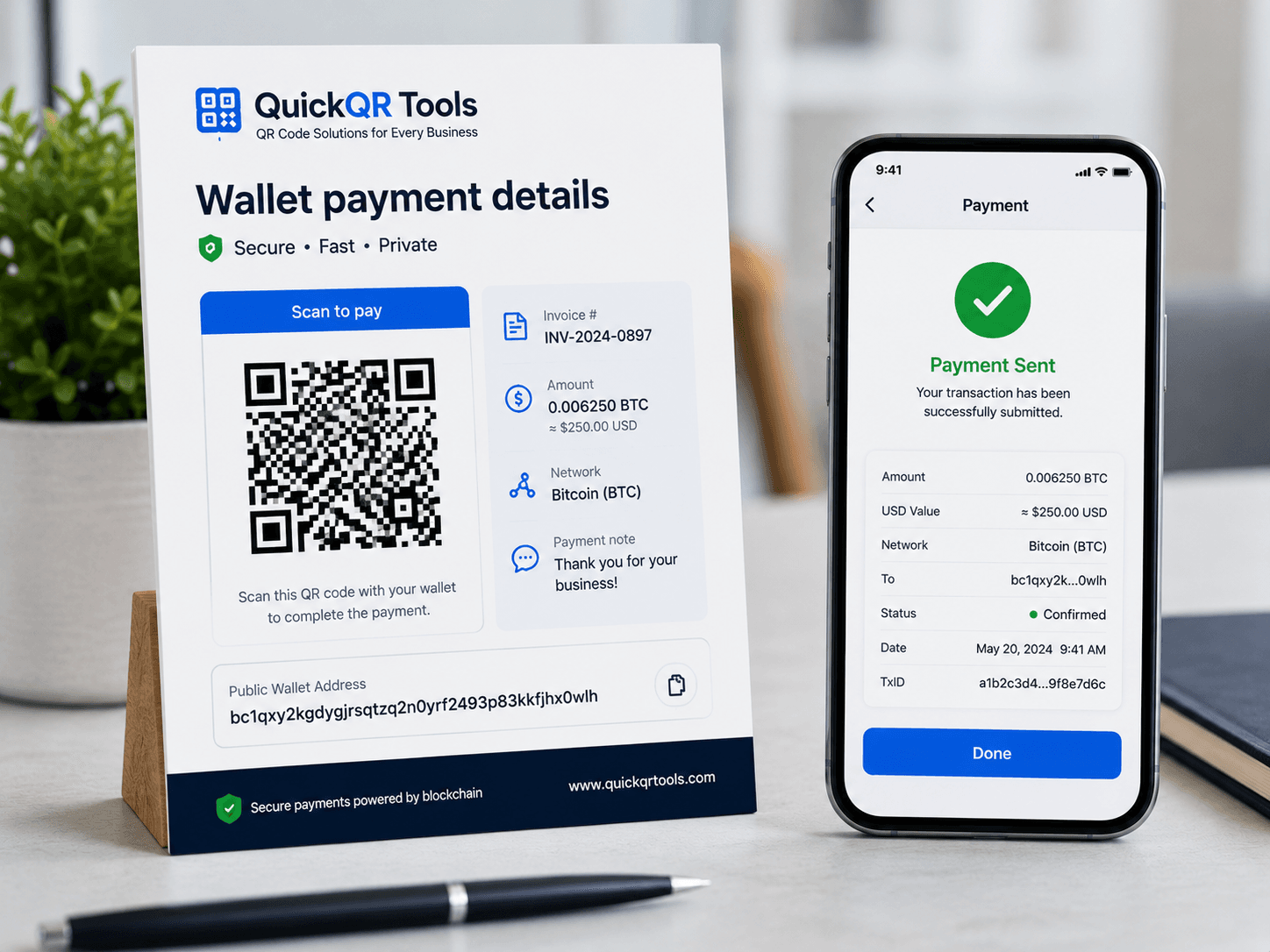
Add a wallet address, choose a coin or network, and include optional payment details.
Use the QR code on invoices, checkout pages, donation pages, printed signs or payment instructions.
Crypto QR codes reduce typing errors when sharing wallet addresses, payment requests or donation details.
Add a wallet QR code to invoices, payment pages or checkout instructions.
Share a public wallet address for donations, tips or community support.
Place a scannable payment code near a counter, menu, receipt or sign.
Make long wallet addresses easier to scan and less likely to be mistyped.
A crypto payment QR code generator turns a public wallet address and optional payment details into a scannable QR code for invoices, donation pages, checkout instructions and printed payment signs.
A crypto payment QR code generator helps reduce the friction of copying long wallet addresses. Instead of asking someone to type or paste a complex string, the QR code lets a compatible wallet app scan the destination and prepare the payment details. This can be useful for Bitcoin, Ethereum, Litecoin, Dogecoin, USDT instructions and custom wallet data.
The most important point is safety. A payment QR code should contain only public payment information: a wallet address, optional amount, optional label and optional message. It should never contain a private key, seed phrase, recovery phrase, password or anything that controls funds. If a secret goes into a QR code, anyone who scans or sees it may be able to use it.
For businesses and creators, a crypto payment QR code generator is practical when the audience already understands crypto payments. It can support invoices, tips, donations, event booths, printed signs, checkout instructions and payment pages. The QR code is not a payment processor, wallet, exchange or financial service; it simply encodes payment information that another wallet app may read.
Bitcoin wallet security guidance
Generate a scannable QR code from public wallet payment details, then review the complete guide for safety checks and practical examples.
Select Bitcoin, Ethereum, Litecoin, Dogecoin, USDT or custom wallet data.
Enter the public wallet address and optional amount, label or note.
Export PNG, SVG or PDF, then scan with the correct wallet app before using it.
Read the step-by-step guide for wallet QR codes, payment details, safety checks and print tips.
Choose the right QR code size before adding a crypto payment code to signs, invoices or flyers.
Understand when a static QR code is enough and when a dynamic QR code is a better choice.
Use QR payment details when the receiving address is public, the payer understands the network and the transaction instructions need to be easy to scan.
A business that accepts crypto can add a wallet QR code to an invoice or payment instruction page. The customer scans the code with a wallet app, checks the address and sends the payment through the correct network. A crypto payment QR code generator helps avoid manual typing errors, but the payer should still verify the address before sending.
Creators, open-source projects, community groups and nonprofits sometimes publish public wallet addresses for tips or donations. A crypto payment QR code can make that address easier to scan from a website, poster, livestream overlay or event flyer. The page should clearly explain which coin and network the address supports.
A store, meetup or event booth can display a QR code for payment instructions when crypto is accepted. This works best when staff can confirm the network, amount and transaction status. A printed QR code should be large enough to scan quickly and should include clear copy such as Bitcoin payment address or Ethereum donation address.
Sometimes the goal is not a fixed payment request but a clean way to share a wallet address. A crypto payment QR code generator can encode the address alone, leaving the amount blank. This is useful for personal wallet sharing, internal documentation, physical backup instructions and payment reference sheets.
Different wallets interpret payment data differently, so always test the generated QR code before using it publicly.
| Option | Typical use | What the QR code can include | Important check |
|---|---|---|---|
| Bitcoin | Bitcoin payment requests, donation addresses and invoice instructions. | Bitcoin address, optional amount, optional label and message using a payment URI style. | Confirm the receiving address and amount inside the wallet before sending. |
| Ethereum | Ethereum address sharing, wallet instructions and payment references. | Ethereum address and optional details if the wallet recognizes them. | Confirm that the wallet supports the expected chain and address format. |
| USDT / Tether | Stablecoin payment instructions where the network must be clearly stated. | Network label, public address, optional amount and note as readable payment data. | USDT exists on multiple networks. The QR label must make the correct network obvious. |
| Custom wallet data | Any public wallet text, payment note or address format not covered by preset options. | Custom public payment information in a scannable QR code. | Scan-test with the exact wallet or app that will be used. |
Crypto transactions can be irreversible, so a payment QR code needs extra care before it is printed or shared.
A crypto payment QR code generator should only be used with public receiving addresses and payment notes. Do not encode private keys, seed phrases, recovery words, exchange login details, wallet passwords, API keys or signing information. If the data gives someone control over funds, it does not belong in a QR code.
When preparing a public-facing QR code, show the coin and network near the image. This is especially important for assets that may exist on multiple networks. A payer should not have to guess whether a USDT address is meant for Ethereum, Tron, Polygon or another chain.
Every crypto payment QR code should be tested before use. Scan it with the wallet app that will read it, check the destination address, confirm the amount if one is included and review the label or message. A QR code that looks correct visually may still contain a typo or unsupported format.
For invoices and point-of-sale use, create a small test payment if appropriate for your workflow. For printed materials, test the final printed version, not only the screen preview. Glossy surfaces, small sizes, low contrast and curved packaging can all affect scanning.
Payment QR codes must be readable, trustworthy and clearly labeled.
A crypto payment QR code generator can produce PNG, SVG and PDF exports, but the final design still matters. Use high contrast, keep enough quiet space around the code and avoid placing the QR pattern on a busy background. When the QR code appears on an invoice, the page should also include plain text instructions and a readable wallet address so the payer can verify what they are scanning.
For print materials, SVG is useful when a designer needs sharp scaling, PNG is useful for quick documents and PDF is useful for simple payment sheets. If the QR code will be scanned from a distance, increase the printed size and test it with a real phone. A crypto payment QR code placed on a counter sign, event poster or booth display should not be tiny.
Trust signals also matter. Add the business name, network name, payment purpose and support contact near the code. If someone is about to send crypto, they need confidence that they are using the correct address. Do not hide the wallet information behind a decorative design. The clearer the payment context is, the safer the scan feels.
Avoid these mistakes before sharing a crypto payment QR code with customers, donors or event visitors.
A payment address can look valid but still be wrong for the intended network. This is one of the most serious risks with crypto payment instructions. Always label the network near the QR code and make sure the payer knows what wallet or chain to use.
A crypto payment QR code generator is for public payment details, not secrets. A seed phrase or private key in a QR code can expose funds. Keep secrets offline and separate from public QR code materials.
Do not send payment signs, invoices or flyers to print before testing the QR code. Scan the final file, inspect the wallet result and verify that the encoded address is correct.
A QR code without context can confuse users. Add copy such as Scan to pay with Bitcoin or Scan for Ethereum donation address. Include the expected coin, network and payment purpose.
QuickQR Tools creates static QR codes, so the encoded wallet data does not change after download.
A static crypto payment QR code is useful when the public wallet address should remain the same. Once generated, the QR code contains the payment data directly. If the address, amount, label or network changes, you should create a new QR code and replace the old one wherever it appears.
This is especially important for printed invoices, counter signs, donation posters and event materials. If you rotate addresses for privacy or accounting, do not keep using old QR codes. If you need flexibility, point people to a secure payment instruction page with the URL QR Code Generator instead of encoding the wallet details directly.
For high-risk or high-value payments, keep the QR code as one convenience layer, not the only verification layer. The payer should still compare the address, check the network and confirm the transaction details inside the wallet before sending.
Each network has its own habits, wallet support and user expectations.
A Bitcoin QR code is often used for donations, invoices, point-of-sale instructions and long wallet address sharing. A crypto payment qr code generator can encode the Bitcoin address and optional amount so the wallet app can prepare the payment request. The payer should still confirm the address and amount before broadcasting the transaction.
Bitcoin payment QR codes work best when the printed material clearly says Bitcoin and shows a readable address or address preview. If the payment is tied to an invoice, include the invoice number or payment reference outside the QR code as well.
An Ethereum QR code may be used for wallet address sharing, donations, NFT-related payment references, service payments or event instructions. Because Ethereum-style addresses can also be used across compatible networks, the surrounding copy should make the intended network clear.
When using a crypto payment qr code generator for Ethereum, avoid assuming every wallet will interpret optional amount and message fields in the same way. Scan-test with the wallet your audience is most likely to use and keep the written payment instructions nearby.
USDT requires extra clarity because it exists on multiple networks. A QR code that says USDT without naming the network can create confusion. The QR code label should say the exact network, and the destination page or printed instruction should repeat it.
If you use the crypto payment qr code generator for USDT, treat the QR code as a payment instruction, not a guarantee that the payer selected the correct chain. Ask users to verify the network inside their wallet or exchange before sending.
Custom wallet data is useful when you need to encode public payment text that does not fit a standard preset. This can include a public address, coin name, network, amount and short note. Keep the custom text clear, compact and easy to review after scanning.
A custom crypto payment QR code should be tested even more carefully because wallet apps may display it as plain text rather than a structured payment request. That is still useful for sharing, but it may require the payer to copy details manually.
Good payment copy reduces doubt and helps users verify the scan before sending funds.
| Use case | Recommended text | Why it helps |
|---|---|---|
| Invoice | Scan to pay this invoice with Bitcoin. Confirm the address and amount in your wallet before sending. | It names the payment purpose, network and verification step. |
| Donation page | Scan to donate to our public Ethereum address. Only send funds on the stated network. | It gives donors confidence and reduces network mistakes. |
| Event booth | Scan for crypto payment details. Ask staff to confirm the transaction before pickup. | It connects the QR scan to the in-person workflow. |
| USDT payment | Scan for USDT payment details on the listed network. Check the chain before sending. | It highlights the biggest USDT risk: wrong-network transfers. |
Sometimes a direct wallet QR code is right, and sometimes another QR format creates a safer customer journey.
A direct crypto payment QR code is useful when the payer expects to scan a wallet address or payment request. It keeps the transaction path short and can reduce address typing errors. This is best for audiences that already understand crypto wallets, networks and irreversible transactions.
Use the crypto payment qr code generator when the QR code should contain the payment data itself. This is practical for wallet address sharing, donations, invoices and signs where the payment destination is stable and public.
If the payment requires detailed instructions, terms, multiple networks, support contacts or changing addresses, a URL QR code may be better. The QR code can open a secure payment instruction page where you explain the available networks and update details over time.
For this workflow, use the URL QR Code Generator and link to a payment page. This can be safer for long-lived print materials because you can update the page without replacing every printed QR code.
A QR code is only one piece of the payment process.
Before publishing a crypto payment QR code, define who checks incoming payments, how the transaction is matched to an order and what happens if a customer sends the wrong amount or uses the wrong network. A crypto payment qr code generator can simplify the scan, but the business process around the scan still needs to be clear.
For invoices, include the invoice number in the surrounding text or optional message field. For retail, train staff to verify transaction status before completing the sale. For donations, explain whether donations are refundable, which networks are accepted and how supporters can contact you if they make a mistake.
Also think about recordkeeping. Depending on your jurisdiction and business model, crypto payments may require accounting, tax or compliance review. QuickQR Tools does not provide financial, tax or legal advice, so businesses should confirm their obligations with qualified professionals.
The safest way to use a crypto payment qr code generator is to combine a clear QR code with clear human-readable instructions. A crypto payment qr code generator should reduce typing errors, not replace wallet confirmation. If your campaign involves customers, donors or event visitors, place the coin name, network, address preview and support instructions near the code. This keeps the crypto payment qr code generator workflow practical for real users and safer for teams that need to manage payment requests across websites, invoices and printed materials reliably.
Use this final checklist before adding the QR code to a payment page, invoice or printed material.
A crypto payment QR code generator is helpful because it reduces typing friction, but it does not remove the need for verification. The safest payment experience combines a scannable QR code, clear written instructions and careful wallet confirmation before funds are sent.
Before sharing a wallet QR code, check that the code is scannable, large enough, clear on the final design and supported by simple payment instructions.
Test the crypto payment QR code on real phones and wallet apps before using it on invoices, signs or donation materials.
Choose a practical QR size for printed invoices, counter cards, event tables, posters and payment instruction sheets.
Estimate scan distance for counter displays, checkout signs, event booths and larger printed payment materials.
Check whether branded payment cards, dark backgrounds and printed wallet QR designs keep enough contrast for scanning.
Review verified QR code statistics for mobile scanning, business adoption and print-to-digital payment workflows.
Use these guides with the crypto payment QR code generator to prepare wallet QR codes with safer print setup, clearer labels and stronger scan testing.
Understand QR code data, scan behavior, static codes and professional QR workflows.
Print wallet address QR codes clearly for invoices, donation signs, event tables and checkout materials.
Use QR codes in business campaigns while keeping the user action clear and trustworthy.
Review why wallet address QR codes need careful replacement when payment details change.
Answers to common questions about wallet address and crypto payment QR codes.
Yes. You can create a free static QR code for public wallet payment information.
Yes. Amount is optional. Some wallet apps can read the amount from supported payment URI formats.
No. Never put private keys, seed phrases or recovery phrases inside a QR code. Only use public wallet addresses.
Yes. Always scan the QR code with the correct wallet app and confirm the destination address before publishing or printing it.
Yes. Choose Bitcoin, enter a public Bitcoin address and optionally add an amount, label or payment note.
Yes, but clearly label the network. USDT exists on multiple networks, so the payer must know which network the address uses.
A static crypto payment QR code cannot be edited after download. If the wallet address changes, generate a new QR code and replace the old one.
No. The QR code only stores payment information. It does not hold funds, process payments or replace a wallet app.
Create QR codes for links, contact details, text, events and business use.
Create a QR code for any website link.
Share contact details and business information.
Store plain text directly in a QR code.
Open a ready-to-send email from a scan.
Share event date, time and location details.
Browse every active QuickQR Tools generator.
The Business QR Toolkit
Generate a clean QR code for public wallet payment details, add clear labels around it, and test the scan before using it on invoices, signs or customer materials.