
What is a location QR code?
A location QR code is a QR code that opens a map link, address, place name or GPS coordinate after scanning. Instead of asking someone to type an address into a map app, you give them a scannable shortcut to the destination.
This is especially useful when a place is hard to spell, has a long address, sits inside a large venue, uses a specific entrance or needs a precise outdoor meeting point. A QR code can make the direction step faster and reduce mistakes.
Learning how to create a location QR code is practical for restaurants, shops, offices, hotels, events, tourism activities, real estate visits, deliveries, parking areas, campuses and service businesses. The goal is simple: scan, open the map, navigate.
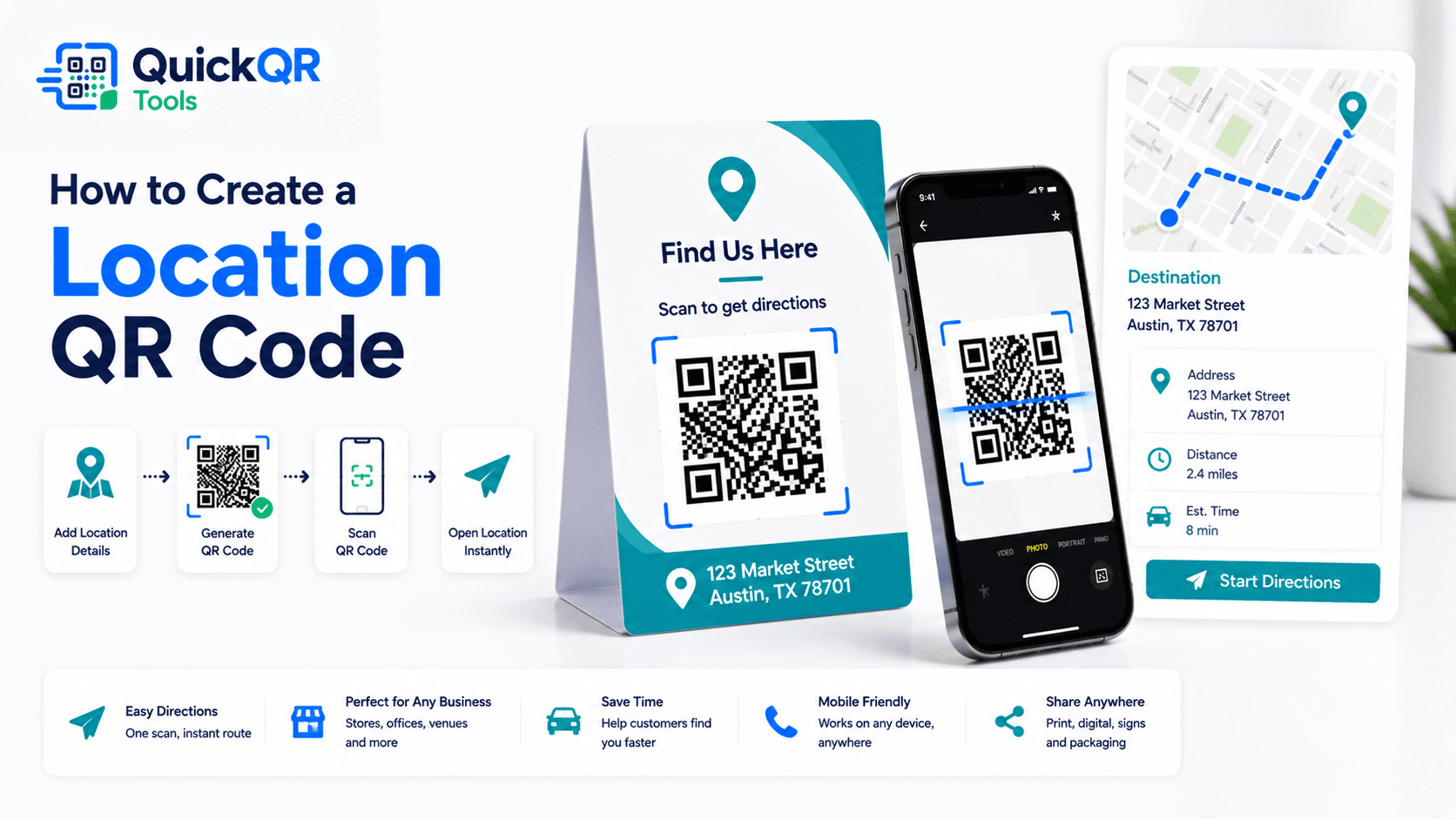
How to create a location QR code in 5 steps
- Open the map generator. Use the Location QR Code Generator so the QR code is focused on a real-world destination.
- Enter the destination. Use a full address, place name, map link or GPS coordinates depending on how precise the location needs to be.
- Generate the QR code. Review the QR preview and make sure it is clear enough for the final use.
- Scan-test the destination. Confirm that the correct map pin, place or route opens on a phone.
- Download and place it. Use PNG for web or basic print, SVG for design layouts and PDF when you need a print-ready format.
The most important part of how to create a location QR code is the test. A QR code can scan perfectly but still open the wrong place if the address or map link is ambiguous. Always scan before you print, publish or share.
Address, place name, map link or GPS coordinates?
The right input depends on the destination. Some places are easy to find by name. Others need a full address. Outdoor locations, parking areas and event entrances may need GPS coordinates.
| Input type | Best for | Example |
|---|---|---|
| Full address | Stores, offices, restaurants, clinics and service locations. | 123 Main Street, Montreal, QC |
| Place name | Known venues, hotels, landmarks, campuses and public spaces. | Central Park, New York |
| Map link | Specific business listings, venue entrances or saved map places. | A Google Maps share link |
| GPS coordinates | Precise meeting points, parking lots, delivery points and outdoor areas. | 45.5017, -73.5673 |
Google explains that Maps can search addresses, places and coordinates in its official Google Maps search documentation. In practice, your location QR code should use the format that opens the clearest destination for the person scanning.
How to create a location QR code for a business address
Businesses use location QR codes to reduce friction between interest and visit. A restaurant can place one on a flyer. A clinic can add one to appointment reminders. A retail store can print one on receipts. A salon, gym, office or local service provider can place one near contact details so customers can open directions quickly.
For a business address, use the version of the location that customers actually search. If your business has a verified listing in a map app, a map share link may be more reliable than a plain address. If the business is inside a mall, office tower, hotel or campus, include helpful context near the QR code, such as floor, entrance, suite, lobby or parking instructions.
When deciding how to create a location QR code for a business card, flyer or sign, think about the moment of use. A person scanning from a printed flyer may be standing far from the location. A person scanning inside a building may need a specific room or entrance. The QR code should match that situation.
How to create a location QR code for events and venues
Event directions are one of the strongest uses for location QR codes. Guests often need to find a venue quickly, especially when the event is in a hotel, conference center, park, school, wedding venue, sports facility or multi-building location. A QR code on the invitation or ticket can help them open directions before they leave.
For events, location clarity matters because late arrivals can affect check-in, seating, setup and attendee experience. Use the venue name plus address when the venue is known. Use GPS coordinates when the meeting point is outdoors or not tied to a standard address. If guests need parking, shuttle pickup or a special entrance, mention that in the surrounding text.
It can also help to combine tools. Use an Event QR Code Generator when the main action is saving the date and time. Use a location QR code when the main action is finding the place. If both actions matter, put both QR codes near clear labels so guests understand which one to scan.
How to create a location QR code for deliveries and field teams
Delivery points, job sites, construction areas, event loading zones and service calls can be difficult to describe with a normal address. A location QR code can help drivers, technicians, contractors and staff open a precise map point without copying coordinates or retyping long instructions.
For these use cases, GPS coordinates can be more useful than a business address. A warehouse may have several gates. A venue may have a public entrance and a loading entrance. A park may have many possible meeting points. A precise coordinate can reduce calls, delays and wrong arrivals.
When planning how to create a location QR code for operations, test the QR code from the perspective of the person arriving. Does it open the right gate? Does it route to the correct side of the building? Does it work on more than one phone? These practical checks matter more than the QR code design.
Where to use a location QR code
Location QR code vs URL QR code vs event QR code
A location QR code is best when the main action is opening directions. A URL QR code is better when visitors need a landing page, booking page, store page or contact page. An event QR code is better when the main action is saving a date and time.
| QR code type | Best for | Use this tool |
|---|---|---|
| Location QR code | Opening maps, directions, addresses, places and coordinates. | Location QR Code Generator |
| URL QR code | Opening a website, booking page, profile, menu or landing page. | URL QR Code Generator |
| Event QR code | Saving an event title, date, time, venue and reminder. | Event QR Code Generator |
| vCard QR code | Saving a contact who can provide directions or service information. | vCard QR Code Generator |
Use one QR code per main action. If a poster needs both registration and directions, use a URL QR code for registration and a location QR code for directions. Clear labels prevent confusion.
How to create a location QR code that scans well in print
Printed map QR codes often appear on signs, flyers, posters, brochures, invitations, menus, badges and vehicle documents. The QR code must be large enough for the viewing distance and printed with enough contrast. A small QR code on a large sign may be hard to scan. A low-contrast QR code on a busy background may fail even if the map link is correct.
For business cards and small flyers, test the final size before printing. For posters and signs, stand at the distance where someone will scan and try it with a normal phone. Keep a clean quiet zone around the QR code. Avoid stretching, skewing or placing it too close to folds, edges or glossy reflections.
If you need sizing guidance, read Best QR Code Size for Print Materials. Print quality is an important part of how to create a location QR code that people can actually use in the real world.
Quick examples for common location QR code situations
These examples show how to create a location QR code for different real-world needs. The best input is the one that helps the person scanning arrive at the right place with the least confusion.
- Restaurant flyer. How to create a location QR code for a restaurant: use the verified map listing or full address, then add "Scan for directions" near the QR code.
- Wedding invitation. How to create a location QR code for a wedding: use the venue address, but mention parking, entrance or reception area near the QR code if needed.
- Delivery entrance. How to create a location QR code for drivers: use GPS coordinates or a map link that opens the correct gate, not just the public address.
- Open house sign. How to create a location QR code for real estate: use the property address and test that the map pin lands on the correct street or building.
- Campus event. How to create a location QR code for a school or university: use the building name, room note and a map link when the campus has several entrances.
- Tourism stop. How to create a location QR code for a landmark: use a precise place name or GPS coordinates when the location is outdoors or not tied to a street address.
These examples also show when a location QR code should be combined with another QR tool. A location QR code answers "Where is it?" An event QR code answers "When is it?" A URL QR code answers "Where can I learn more?" Keeping those roles separate makes each scan more useful.
How to create a location QR code for visitors who are already nearby
Sometimes people scan a location QR code when they are already close to the destination. They may be inside a mall, near a venue, at a parking lot, on a campus or at a large event site. In those situations, a standard street address may not be enough.
For nearby visitors, the QR code should support the last part of the journey. Add text near the QR code that explains the entrance, floor, suite, room, booth, gate or meeting point. If the map app opens the general address but the visitor still needs specific instructions, write those instructions where they can see them before or after scanning.
How to create a location QR code for nearby visitors is really about reducing the final uncertainty. If a customer can find the building but not the entrance, the QR code should point closer to the entrance. If an attendee can find the venue but not the room, the printed material should include the room note. The QR code and the surrounding text should work together.
This is especially useful for events, markets, clinics, trade shows, apartment visits, coworking spaces and service locations where the public address is only the first step. A little context can prevent frustration and missed arrivals.
How to create a location QR code for real estate and property visits
Real estate agents, property managers and rental teams can use location QR codes to make property visits easier. A listing brochure, open house sign, window poster or appointment confirmation can include a QR code that opens the property location directly in a map app.
For homes and apartments, use the full address and test the map pin before publishing. For large buildings, condos or commercial properties, include suite, entrance, lobby or parking notes near the QR code. A visitor may reach the street but still need help finding the correct door.
How to create a location QR code for real estate depends on the visit type. An open house sign may need a general address. A private viewing may need parking instructions or a meeting point. A commercial property tour may need a loading entrance, reception desk or building access note. The QR code should reduce arrival friction, not just show a street name.
If the property details may change, pair the location QR code with a URL QR code that opens the listing page. The location QR code helps people arrive. The listing page can show photos, price, availability, agent contact details and updated notes.
How to create a location QR code for restaurants, cafes and retail stores
Restaurants, cafes and retail stores often need simple directions from local marketing materials. A location QR code can appear on a flyer, loyalty card, menu insert, receipt, window sign, business card or social post. People who discover the business can scan and open directions without searching manually.
For storefronts, a verified map listing is often useful because it can show the business name, hours, reviews and route options. Still, always test the link. Some shopping centers, markets and multi-unit buildings have several nearby pins, and a wrong pin can send customers to the wrong entrance.
How to create a location QR code for a restaurant or store should start with the customer journey. If someone scans from a flyer at home, the map should route them to the main entrance. If someone scans near the store, the QR code may need a note about parking, pickup, takeout counter or floor level. Add a clear label such as "Scan for directions to our store" so the action is obvious.
For restaurants, the location QR code can work alongside other tools. Use a Menu QR Code Generator for menus, a coupon QR code for promotions and a location QR code for directions. Each code should have a separate label and purpose.
How to create a location QR code for tourism and outdoor locations
Tourism, outdoor activities and public attractions often need more precision than a normal address can provide. A park entrance, trailhead, lookout point, meeting area, beach access, visitor center or shuttle pickup can be difficult to describe with a street address alone. GPS coordinates can be the better option.
For outdoor destinations, scan-test from different phones and check that the route makes sense. Some map apps may route to the nearest road rather than the actual meeting point. If that happens, add human-readable instructions near the QR code. The QR code can open the map, while the text explains what visitors should look for.
How to create a location QR code for tourism also means thinking about connectivity. Visitors may scan before leaving a hotel, information booth or visitor center because mobile signal can be weaker later. Put the QR code where visitors still have enough connection to open the map and save directions.
For walking tours, museums, parks and local guides, a location QR code can be combined with a PDF QR code or URL QR code. The location QR code helps people reach the stop. The PDF or web page can explain the history, route, opening hours, safety notes or next destination.
How to create a location QR code for service businesses
Service businesses use location QR codes in two directions. They may help customers find a physical office, or they may help team members find a customer site. Both uses need accuracy, but the information around the QR code may differ.
For customer-facing directions, use simple language and a clean call to action. A clinic can write "Scan for directions to our office". A repair shop can write "Scan to open our location". A gym can write "Scan for directions and parking". These labels help people understand the benefit before scanning.
For internal service teams, the QR code can be placed on work orders, delivery notes, field documents, appointment sheets or job packets. How to create a location QR code for field work depends on precision. A normal address may work for a home visit. GPS coordinates may be better for a job site, construction entrance, warehouse gate or outdoor installation.
Always consider privacy and safety. Do not publish private customer addresses in public materials. Use location QR codes responsibly and only where the location is meant to be shared with the people receiving the document or sign.
Common location QR code mistakes
- Using an incomplete address. Missing city, state, postal code or country can send people to the wrong destination.
- Choosing a vague place name. Some place names exist in many cities or regions.
- Ignoring entrances. Large venues, campuses and offices may have several entrances.
- Skipping scan tests. Always confirm the map pin before printing.
- Printing too small. Location QR codes must be readable from the expected scan distance.
- No call to action. "Scan for directions" is clearer than a QR code with no label.
- Using a location QR code when a landing page is better. If details change often, a URL QR code may be more flexible.
Most mistakes happen before printing. The best habit is simple: scan the QR code, open the map, check the destination and test the final printed layout.
Location QR code checklist before publishing
- The address, place name, map link or GPS coordinates are correct.
- The map pin opens the intended destination.
- The destination is clear for visitors, drivers or guests.
- The surrounding label explains the action.
- The QR code scans on iPhone and Android.
- The printed size, contrast and quiet zone are reliable.
- Parking, entrance or room details are included nearby when needed.
- The QR code type matches the goal: directions, event, URL or contact.
This checklist is the practical answer to how to create a location QR code with fewer wrong turns. If the scan opens the right place and the printed layout is easy to scan, the QR code is ready.
Location QR code FAQ
Can I create a Google Maps QR code?
Yes. A location QR code can open a Google Maps link for an address, place name, map link or GPS coordinates.
Can I use GPS coordinates in a QR code?
Yes. GPS coordinates are useful when you need to point people to a precise location, outdoor meeting point, delivery entrance or parking area.
Can I print a location QR code?
Yes. Location QR codes work well on flyers, posters, signs, invitations, brochures, tickets, delivery documents and local business materials.
Should I test the QR code before publishing it?
Yes. Always scan the QR code and verify that the correct map destination opens before printing or sharing it.
Is a location QR code better than a URL QR code?
A location QR code is better for directions. A URL QR code is better when visitors need a web page, booking form, menu, schedule or information that may change.
What should I write near a location QR code?
Use a clear label such as "Scan for directions" or "Scan to open map". If the location has a special entrance, parking area or room, add that note near the QR code.
Create your location QR code
Use QuickQR Tools to generate a QR code for an address, place name, Google Maps link or GPS point.
Open Location QR Generator