
What is a coupon QR code?
A coupon QR code is a QR code that opens a discount, promo code, offer page or redemption instruction after a scan. It can point to an online coupon URL, a checkout page with a discount, a restaurant special, a loyalty reward, a product bundle, a seasonal landing page or plain text that shows a code such as SAVE20.
The QR code makes the offer easier to access. Customers do not need to type a long URL, remember a code, search your website or ask staff for the promotion details. They scan the code and land on the offer. If you know how to create a coupon QR code correctly, you can connect offline materials to online promotions with much less friction. This is why local marketing teams often learn how to create a coupon QR code before printing flyers, menus or package inserts.
A coupon QR code can be used on receipts, flyers, table cards, product packaging, posters, event booths, direct mail, business cards, window signs, emails and social media graphics. The best setup depends on how the customer should redeem the offer after scanning.
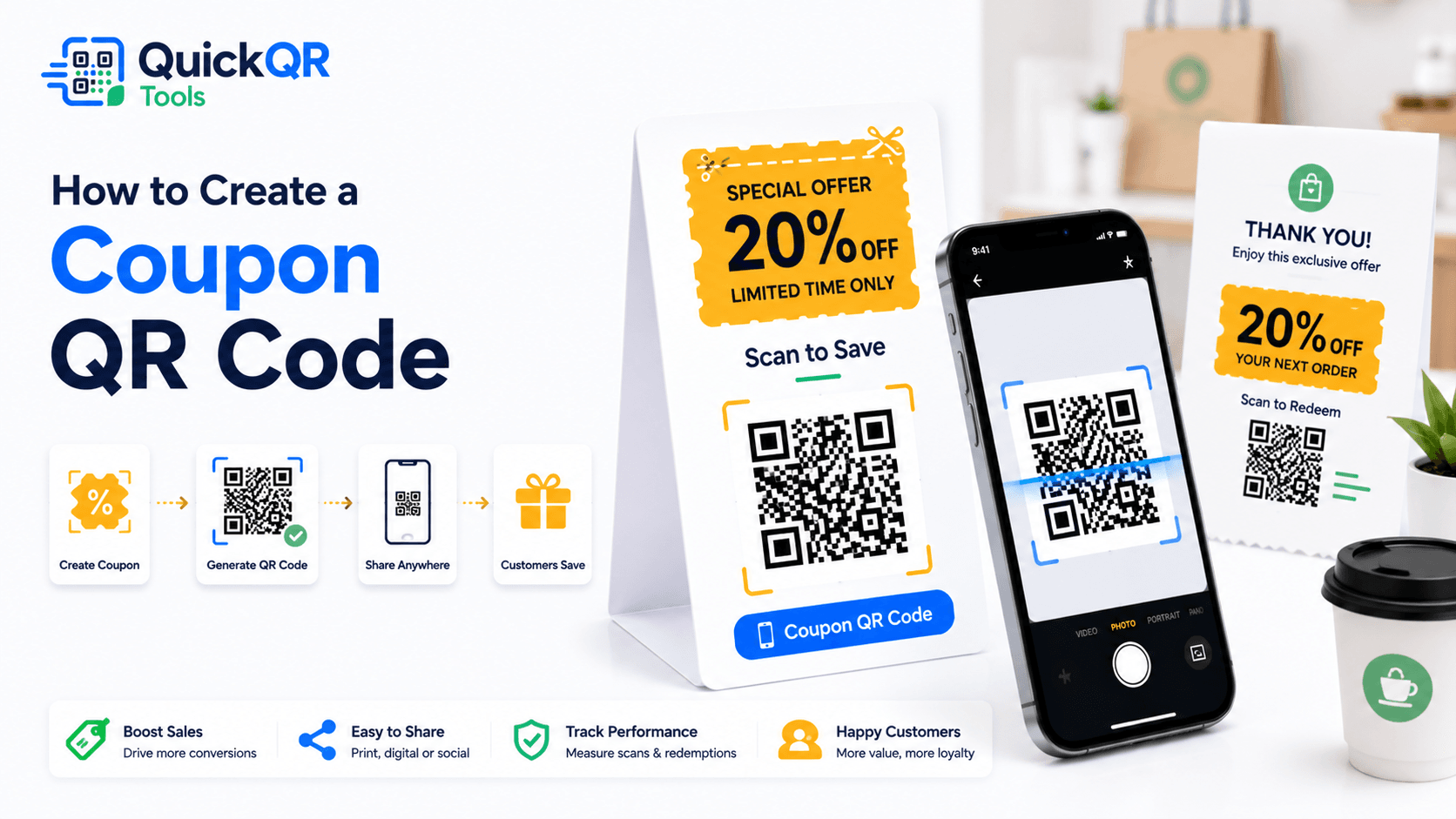
How to create a coupon QR code in 5 steps
The safest way to create a coupon QR code is to design the offer first, then generate the QR code. The QR code should not be the strategy by itself. It should make a clear offer easier to find, understand and redeem.
- Define the offer. Choose the discount, promo code, free item, loyalty reward, bundle, gift or special deal customers should receive.
- Choose the coupon format. Decide whether the QR code should open a coupon page, checkout URL, booking page, WhatsApp message, menu offer or plain text code.
- Open the generator. Use the Coupon QR Code Generator and paste the coupon URL or coupon text.
- Generate and download. Create the QR code and download PNG for simple use or SVG/PDF for professional print layouts.
- Scan and redeem-test. Test the QR code on a phone and confirm the customer can understand and claim the offer without confusion.
If you are learning how to create a coupon QR code for the first time, start with one simple offer. A clear 10% discount, free dessert, free consultation, next-order promo or seasonal bundle is easier for customers to understand than a complicated set of conditions.
After generating the QR code, test the entire path. If the code opens a coupon page, confirm the page loads quickly and explains the terms. If it opens plain text, confirm the code and instructions are easy to read. If it opens a checkout or booking page, confirm the discount is applied or clearly explained. A complete process for how to create a coupon QR code always includes this redemption test.
Coupon URL or coupon text?
The first decision is whether your coupon QR code should open a URL or display text. Both options can work. The right choice depends on how customers will redeem the offer and how often the offer changes. Knowing how to create a coupon QR code starts with choosing the best redemption format.
| Coupon type | Best for | Example |
|---|---|---|
| Coupon URL | Online stores, booking pages, landing pages and campaigns that need terms, images or buttons. | Scan to claim 20% off online. |
| Coupon text | In-store checkout, restaurant counters, event booths and quick promo code reveal. | Show this code: SAVE20. |
| Menu offer | Restaurants, cafes, bars, food trucks and seasonal specials. | Scan for today's lunch deal. |
| Messaging offer | Local services, consultations and custom quotes. | Scan to request this offer by WhatsApp. |
Use a coupon URL when you want a richer experience. A landing page can include terms, images, product details, expiration dates, buttons, tracking and checkout links. It also gives you a stable destination that can be updated later if the URL stays the same.
Use coupon text when the offer is simple and the customer needs to show a code in person. Plain text is useful for pop-up events, restaurant counters, booth promotions and small local campaigns. The limitation is that if the text changes, you need to create a new QR code.
Where to use coupon QR codes
Coupon QR codes work best when they appear near a buying moment or a return-visit opportunity. The placement should make sense for the customer's next action. For physical campaigns, how to create a coupon QR code also means deciding where the customer will scan it.
A retail store can print a coupon QR code on receipts to encourage a second visit. A restaurant can place one on a table card for a dessert offer or next-visit discount. A service business can add one to an invoice for a maintenance plan or referral offer. An event booth can use one to capture interest while the visitor is still nearby.
When you create a coupon QR code for a physical material, think about the scan distance. A code on a small receipt can be scanned close up. A window sign or poster needs a larger code. A package insert should use a simple label that explains the benefit immediately.
Best wording for coupon QR codes
The call to action should make the offer obvious. Customers are more likely to scan when they know what they will get. Avoid vague labels like "scan me" unless the design already explains the value clearly. Strong wording is part of how to create a coupon QR code that people actually scan.
Good coupon wording includes three parts: the action, the reward and any important condition. For example, "Scan to get 15% off before May 31" is stronger than "Scan here." If terms apply, mention them near the QR code or on the landing page.
Learning how to create a coupon QR code is not only about the QR image. The offer text, expiration date and redemption instructions are what make the scan valuable to the customer.
Coupon QR code best practices
- Use a clear call to action such as "Scan to claim 20% off".
- Show the offer value near the QR code.
- Add expiration dates, limits or terms when needed.
- Make the coupon page mobile friendly and fast.
- Test the QR code on iPhone and Android before printing.
- Use enough white space and contrast around the QR code.
- Use SVG or PDF export for professional print materials.
- Make sure staff know how to redeem the coupon in store.
For online offers, the coupon page should clearly explain what the customer receives and how to claim it. For in-store offers, staff should recognize the code or know the redemption process. A coupon QR code fails when the customer scans successfully but the business cannot honor the offer smoothly. The practical goal of how to create a coupon QR code is a clear path from scan to redemption.
For advertising and promotional claims, keep the offer truthful and clear. The FTC provides business guidance on advertising and marketing. If an offer has important conditions, present them clearly so customers are not misled.
How to create a coupon QR code for print
Print campaigns need a QR code that scans easily and an offer that can be understood quickly. Flyers, receipts, table cards, shelf talkers, postcards and package inserts each have different space limits. The QR code should be sized for the material and the expected scan distance. For print, how to create a coupon QR code includes design, size, contrast and scan testing.
Use high contrast. A dark QR code on a white background is the safest choice. Keep a clean quiet zone around the QR code, and avoid placing it on busy images or textured backgrounds. If the QR code is printed too small or too close to other design elements, customers may struggle to scan it.
Use PNG for simple print jobs and digital graphics. Use SVG or PDF when a designer needs to place the QR code in a professional layout. Before printing a large batch, print one sample and scan it from the same distance customers will use.
If you need sizing help for flyers, menus, posters, packaging or business cards, use the Best QR Code Size for Print Materials guide before sending your design to print.
How to create a coupon QR code for restaurants
Restaurants can use coupon QR codes for lunch specials, happy hour offers, dessert promotions, loyalty rewards, takeout discounts, catering offers and next-visit coupons. The code can appear on receipts, table cards, takeaway bags, menus, counter signs or window posters. For restaurants, how to create a coupon QR code should start with a simple offer that staff can explain quickly.
Keep the restaurant offer simple. For example, "Scan for 10% off your next takeout order" or "Scan for today's dessert special" is easier to understand than a long list of conditions. If the offer has restrictions, place them on the landing page or in small text near the QR code.
For menu-linked offers, pair the coupon with the Menu QR Code Generator. If the customer should open the menu first and then see the offer, send them to a menu page. If the customer should redeem a discount directly, send them to a coupon page or text code.
When you create a coupon QR code for a restaurant, train staff before the campaign starts. Servers, cashiers and managers should know what the coupon means, when it expires and how to apply it.
How to create a coupon QR code for retail and ecommerce
Retail and ecommerce coupon QR codes often work best when they open a landing page or product collection with a discount. A store can use them on shelf signs, product packaging, direct mail, receipts, pop-up displays, loyalty cards or event handouts. For retail, how to create a coupon QR code means connecting the scan to a product, basket or repeat purchase moment.
If the promotion is online, send customers to a page where the discount is already explained. If the promo code must be copied manually, make it short and easy to read. If the offer is only valid for certain products, say that clearly before the customer reaches checkout.
For ecommerce, test whether the discount is applied automatically or whether the customer must enter the code. If the customer must enter a code, show it clearly on the landing page. If the discount applies automatically, confirm it works on mobile checkout.
A coupon QR code can also support reorder campaigns. Put a QR code inside a package that opens a reorder page with a discount. This gives customers a direct path from product experience to repeat purchase.
Static or dynamic coupon QR code?
A static coupon QR code stores the coupon URL or text directly in the QR pattern. If the QR code stores plain text and the offer changes, you need a new QR code. If it stores a URL and the URL stays the same, you can update the landing page behind that URL. This is an important detail when deciding how to create a coupon QR code for campaigns that may change.
This is why a coupon landing page is often the best option for campaigns that may change. You can keep one stable URL and update the offer, product list, terms or expiration date on the page. The printed QR code can keep working as long as the URL remains valid.
Dynamic QR codes can be useful when you need analytics, editable destinations, A/B tests or campaign tracking. Static QR codes can be enough when the offer is simple and does not need tracking. For a deeper explanation, read the Static vs Dynamic QR Codes guide.
If you are unsure how to create a coupon QR code for a campaign that may change, use a stable coupon page rather than putting all offer details directly inside the QR code as text.
Common coupon QR code mistakes
- Using a vague label. Customers should know what they get before scanning.
- Hiding important terms. Expiration dates, limits and restrictions should be clear.
- Creating a code that is too small. Receipts, flyers and signs need different QR sizes.
- Skipping redemption testing. Test whether the offer can actually be claimed.
- Changing the URL after printing. Static QR codes keep pointing to the old address.
- Using a slow landing page. A discount page should load quickly on mobile.
- Not informing staff. In-store teams need to know how to accept the coupon.
Most coupon QR code problems happen after the scan. The QR code works, but the offer is unclear, expired, slow, hard to redeem or not recognized by staff. Test the full customer journey before publishing. The safest way to learn how to create a coupon QR code is to test the offer like a customer, not only like a designer.
How to combine coupon QR codes with other QR tools
A coupon QR code should have one clear job: help the customer claim an offer. If the campaign also needs a menu, review request, social follow or WhatsApp message, use separate QR codes or a simple landing page with clear choices. Knowing how to create a coupon QR code also helps you decide when a different QR tool would serve the customer better.
Restaurants can pair coupons with menu QR codes. A table card might include "Scan to view menu" and a separate "Scan for today's offer." Stores can pair a coupon QR code with a social media QR code to move customers from an offer to a brand channel. Local service businesses can pair a coupon QR code with a WhatsApp QR code for quote requests.
Use the Social Media QR Code Generator when the goal is followers or channel visits. Use the WhatsApp QR Code Generator when the offer should start a message. Use the Google Review QR Code Generator after a completed purchase or visit.
Browse All QR Code Tools when you want to choose the best QR type for a specific marketing action.
Checklist before publishing your coupon QR code
Use this checklist before placing a coupon QR code on receipts, flyers, menus, signs, packaging or digital graphics. It summarizes how to create a coupon QR code that is clear, scannable and ready to redeem.
- The offer is clear and easy to understand.
- The QR code opens the correct coupon page or text.
- The coupon page loads quickly on mobile.
- The promo code is short and readable.
- The expiration date and terms are clear.
- The printed QR code is large enough for the scan distance.
- The QR code has enough blank space around it.
- Staff know how to redeem the offer.
- The campaign uses the right QR type for the customer action.
This checklist is the practical answer to how to create a coupon QR code that works beyond the design file. It helps confirm the offer, destination, scan quality and redemption process.
Final recommendation
The best way to learn how to create a coupon QR code is to start with a simple offer, choose a clear destination, generate a clean QR code and test the full redemption path. A coupon QR code should make the offer easier to claim, not add confusion.
Use a coupon URL when you want a landing page, checkout flow, terms or campaign details. Use coupon text when the promotion is simple and the customer only needs to show a code. Use a stable URL if the offer may change later.
When you are ready, use the Coupon QR Code Generator to create a QR code for your discount link, promo code, restaurant offer or local campaign.
Coupon QR code FAQ
Can I make a QR code for a coupon?
Yes. You can create a QR code that opens a coupon page, checkout discount link, promo code, restaurant offer or plain text coupon instruction.
Can a QR code store a discount code?
Yes. QR codes can store plain text, so customers can scan and view a promo code. For offers that change often, a coupon landing page is usually more flexible.
Can I print coupon QR codes?
Yes. Coupon QR codes work well on receipts, flyers, menus, posters, signs, packaging, business cards, direct mail and event materials.
Can I update the coupon later?
If the QR code points to a landing page and the URL stays the same, you can update the page content. If the QR code stores text, create a new QR code when the offer changes.
What should a coupon QR code say?
Use a clear call to action such as "Scan to claim 20% off" or "Scan for today's lunch special." Add terms or expiration details when needed.
Should I use a URL or text for a coupon QR code?
Use a URL for online redemption, campaign pages and offers that may change. Use text for simple in-store promo codes that customers can show at checkout.
Create your coupon QR code
Use QuickQR Tools to generate a QR code for a coupon URL, discount page, promo code, restaurant offer or local marketing campaign.
Open Coupon QR Generator