
What is a phone QR code?
A phone QR code is a QR code that opens a telephone number in the user's dialer after a scan. The user still decides whether to place the call, but they do not need to type the number manually. If you want to know how to create a phone QR code for business, the main goal is to make calling faster and less error-prone.
Most phone QR codes use a tel: link. The IETF describes telephone number links in RFC 3966, which explains the telephone URI format. In practical terms, the QR code stores a phone action that mobile devices can recognize.
A phone QR code is useful when the best next step is a call. It works well for emergency contact labels, appointment desks, local services, sales teams, storefront signs, vehicle graphics, direct booking lines, support numbers and printed ads. It is not always the best choice when the visitor needs to write details, send photos or save your full contact card. This is why how to create a phone QR code starts with deciding whether a voice call is truly the most helpful next action.
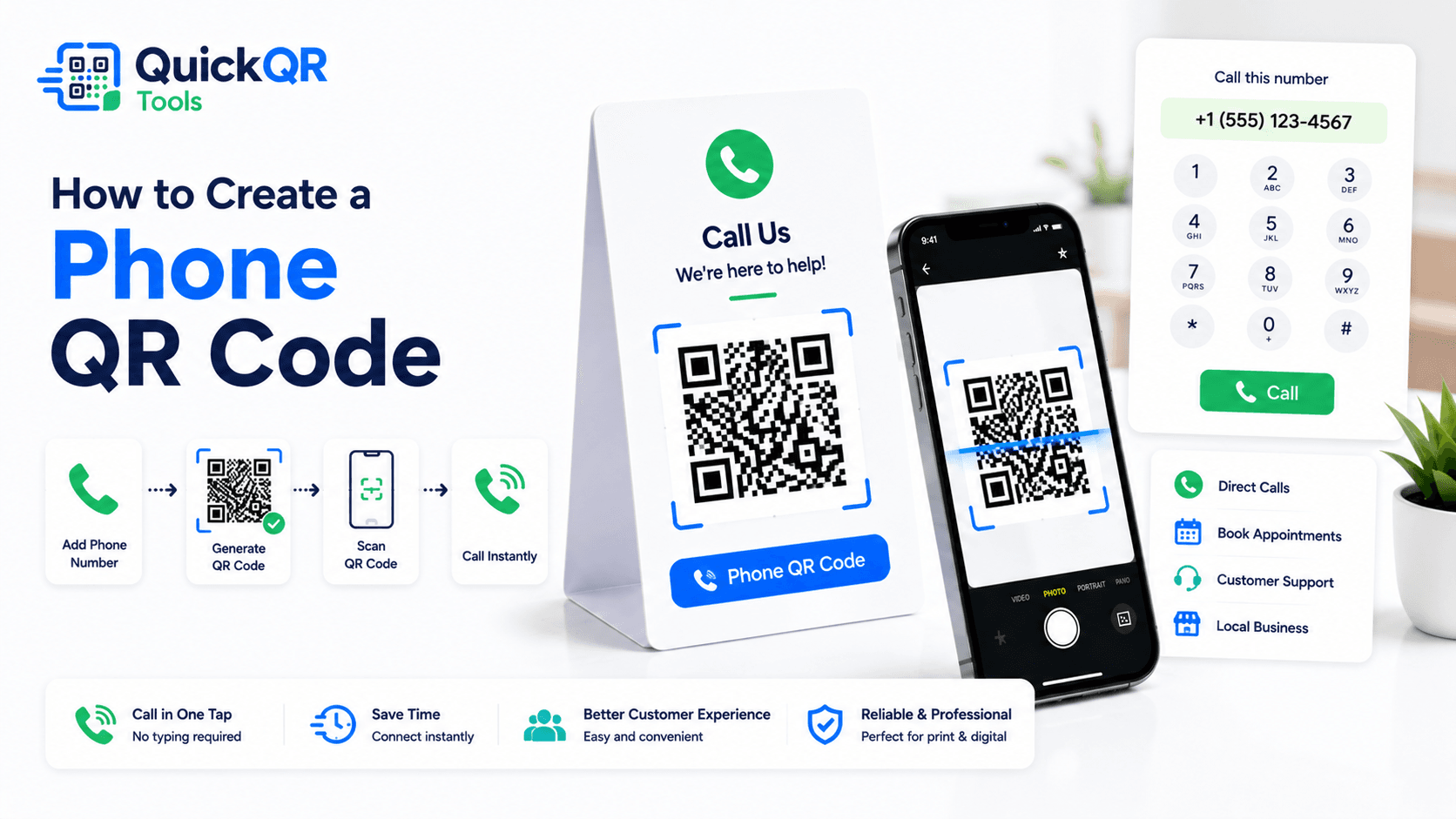
How to create a phone QR code in 5 steps
The process is simple, but the phone number format and final placement matter. If you are learning how to create a phone QR code for print, support or local marketing, make sure the number is correct, monitored and easy to understand near the QR code.
- Choose the phone number. Use the number people should call for the specific purpose, such as bookings, sales, support or emergency contact.
- Use a reliable format. International format with country code is usually safest for public materials.
- Generate the QR code. Use the Phone QR Code Generator to create the code.
- Download the right format. Use PNG for simple use, or SVG/PDF for print and design layouts.
- Scan-test before publishing. Confirm the phone dialer opens with the correct number.
A complete process for how to create a phone QR code includes a real device test. The QR code may look correct, but the only way to confirm the user experience is to scan it with a phone and check the number before placing the call.
For printed materials, test the final design. A QR code on a business card, storefront sign, vehicle decal and service label will be scanned from different distances and lighting conditions. A reliable process for how to create a phone QR code always checks the real placement, not only the generator preview.
Best phone number format for phone QR codes
The number format matters because a phone QR code should work across devices and locations. When deciding how to create a phone QR code, start by choosing a number that remains active and use a format that reduces ambiguity.
| Format detail | Recommended approach | Why it matters |
|---|---|---|
| Country code | Use international format for public materials. | It helps phones recognize the number outside a local context. |
| Local format | Use only when the audience is clearly local. | It may work for neighborhood cards or internal signs. |
| Business number | Use a monitored line, not an inactive or rarely checked number. | More scans can create more calls. |
| Extension | Avoid complex extensions when possible. | Some dialers handle extensions differently. |
If the QR code is for a local service business, include the visible phone number near the code as well. Some visitors may prefer typing or saving the number manually. The QR code should make calling easier, not hide the contact information. When you decide how to create a phone QR code for public materials, clarity around the number matters as much as the scan itself.
Where to use a phone QR code
A phone QR code is most useful where the visitor is ready to call. The placement should make the call action obvious. If the visitor needs details first, send them to a page. If they need immediate voice contact, use a phone QR code.
Local contractors can place phone QR codes on yard signs and vehicles. Clinics and salons can add them to appointment cards. Real estate agents can use them on property signs. Repair services can place them on equipment stickers. The best use case is always tied to a clear reason to call. That is the practical lens for how to create a phone QR code people are likely to scan.
How to create a phone QR code for print
Print quality affects scan reliability. A phone QR code that works on a screen can fail when printed too small, placed on a reflective surface or shown from too far away. If your goal is print, how to create a phone QR code includes the final material and expected scan distance.
Use high contrast. A dark QR code on a white background is usually safest. Keep enough clear space around the QR pattern. Avoid placing the code over photos, gradients or busy textures. If you use brand colors, make sure the contrast remains strong.
Use PNG for simple documents and digital sharing. Use SVG or PDF when the code will be resized in a design file or printed professionally. For practical sizing advice, use the Best QR Code Size for Print Materials guide. For print, how to create a phone QR code includes scan distance, contrast and the space around the code.
Phone QR code for local service businesses
Local service businesses often depend on phone calls because customers want quick answers. A phone QR code can help plumbers, cleaners, repair teams, consultants, salons, clinics, mobile services and contractors turn printed materials into calls.
For local services, the call to action should be specific. "Scan to call for a quote" is stronger than "Scan me." A yard sign can say "Scan to call about service in this area." A vehicle decal can say "Scan to call for availability." A flyer can say "Scan to call and book."
If you are deciding how to create a phone QR code for a local campaign, match the number to the offer. A service flyer should call the sales or booking line. A support label should call the support line. A storefront sign should call the location or main desk.
Do not send every scan to the same general number if a more specific line would serve the caller better. The stronger approach is to match the QR code to the reason someone is scanning. This makes how to create a phone QR code a customer journey decision, not only a technical step.
Phone QR code for support and emergency labels
Phone QR codes can be useful on support labels because customers may need immediate help. A label on equipment, a machine, a door, a counter or a product can open the correct support number without manual typing. This is useful when time matters or when the number is long.
For urgent or safety-related situations, do not rely only on a QR code. Always show the phone number in readable text near the QR code. A visitor should still be able to call if their camera, battery, signal or scanning app fails.
When planning how to create a phone QR code for support labels, keep the label direct. "Scan to call support" is clear. If different teams handle different issues, create separate labeled QR codes or route calls through a number that can direct the caller properly.
Support labels should also include enough context for the person answering the call. If the code appears on a product, machine or location, make sure the visible label helps the caller explain what they need. This makes the call smoother after the scan.
How to create a phone QR code for business cards
Business cards are a natural place for phone QR codes because the contact often wants a fast way to call after a meeting, consultation or local appointment. A printed phone number still matters, but a QR code reduces typing and makes the next step easier from mobile.
If you are deciding how to create a phone QR code for business cards, keep the code focused on one number. Do not overload a small card with too many QR codes. If the card should help people save your full contact details, use a vCard QR Code Generator. If the card should make people call immediately, use a phone QR code.
The call to action can be short: "Scan to call me" or "Scan to call the office." Place the QR code where it has enough quiet space and does not compete with your name, title or logo. Test the card at real printed size because business cards have limited space.
A phone QR code on a card works best when the call is expected. For consultants, real estate agents, field service teams, sales representatives and local professionals, it can be a strong follow-up shortcut.
How to create a phone QR code for storefronts and signs
Storefront signs, window decals, yard signs and vehicle graphics often need a fast call option. Someone may be outside the business after hours, looking at a service vehicle, standing near a property sign or reading a poster from a few feet away. A phone QR code can turn that offline attention into a call.
For signs, size and wording matter more than decoration. The QR code should be large enough for the scan distance, and the call to action should be visible. "Scan to call for hours," "Scan to call for a quote" or "Scan to call about this property" tells the visitor what will happen.
When planning how to create a phone QR code for signs, include the phone number in readable text as well. Some visitors will prefer to dial manually, and some may not be able to scan from the viewing distance. The QR code should improve access, not replace basic contact information.
If the sign is outdoors, test in real conditions. Glare, rain, distance, low light and reflections can all affect scanning. A simple dark code on a light background usually performs better than a heavily styled code.
When a phone QR code should link to a page instead
A phone QR code is best when the visitor should call right away. A page is better when the visitor needs context before calling. For example, a complex service may need pricing details, hours, location options, booking instructions, FAQs or a form. In that case, a URL QR code may create a better experience.
Use a page when you expect the contact options to change. A page can show the latest phone number, hours, email, WhatsApp link, booking button and service details. A static phone QR code cannot be edited after printing, so it is less flexible for long-term campaigns with changing call routing.
This is part of how to create a phone QR code responsibly: do not force a call when the visitor really needs information first. If the scan promise is "call now," use a phone QR code. If the scan promise is "learn more" or "choose a contact option," use a page.
A page is also useful when the business has several locations or departments. A single phone QR code can only open one number, while a contact page can help visitors choose sales, support, billing, booking or emergency help. That choice can prevent calls from going to the wrong team.
For small local campaigns, direct calling is often perfect. For broader campaigns, a page can provide context before the call. The right answer depends on the scan moment: quick call, use a phone QR code; guided decision, use a page.
Phone QR code vs SMS, WhatsApp, email and vCard QR codes
A phone QR code is best when the ideal next step is a call. Other QR code types may be better when the visitor needs to send a message, start a chat, write details or save contact information. Comparing the options helps clarify how to create a phone QR code only when direct voice contact is the best path.
| QR code type | Best for | Use this tool |
|---|---|---|
| Phone QR code | Direct calls, urgent questions, appointment lines and local inquiries. | Phone QR Code Generator |
| SMS QR code | Short text replies, confirmations and simple requests. | SMS QR Code Generator |
| WhatsApp QR code | Chat conversations, sales, support and reservations in WhatsApp. | WhatsApp QR Code Generator |
| Email QR code | Written requests, support records, quotes and detailed messages. | Email QR Code Generator |
| vCard QR code | Saving full contact details from business cards or event badges. | vCard QR Code Generator |
Use a phone QR code when the scanner should call immediately. Use SMS or WhatsApp when a message is easier. Use email when details matter. Use vCard when the goal is saving contact details for later. This comparison helps answer how to create a phone QR code only for moments where a call is the most useful result.
Static phone QR codes and future changes
Most phone QR codes are static. The QR pattern stores the phone number, so the printed code cannot be edited later. This is fine when the phone number is stable. It can be a problem if your business changes numbers, locations or call routing.
When deciding how to create a phone QR code for long-lived materials, choose a number that will remain active. A main business line or tracked call line is usually safer than a personal number. If you expect changes, send people to a contact page instead using a URL QR code.
A landing page adds one step but lets you update contact options later. For a broader comparison, read the Static vs Dynamic QR Codes guide. If you expect call routing to change, how to create a phone QR code may mean using a stable contact page instead of embedding the phone number directly.
Common phone QR code mistakes
- Using the wrong number. Always scan-test before publishing or printing.
- Using a number nobody answers. A phone QR code can increase calls, so the line must be monitored.
- No visible call label. Tell people what happens after the scan.
- Printing too small. Business cards, signs, labels and vehicles need different sizes.
- Hiding the phone number. Show the number in text near the QR code when the call is important.
- Using phone QR for complex requests. If the visitor needs to share details, use SMS, email or a form.
- Skipping real-device tests. Test with the kind of phone your audience is likely to use.
Most mistakes are easy to prevent. Choose the right number, add a clear label, scan-test the final code and make sure the line is ready to receive calls. That is the practical answer to how to create a phone QR code that works for visitors.
Checklist before publishing your phone QR code
- The phone number is correct and actively monitored.
- The number format works for the target audience.
- The call to action explains that scanning starts a call flow.
- The phone number is also visible in text when needed.
- The QR code has strong contrast and enough white space.
- The final printed sample scans from the expected distance.
- The dialer opens with the correct number on a real phone.
- A different QR type is used if the visitor needs to send details instead of calling.
If every point is checked, the phone QR code is ready to publish. If you are still deciding how to create a phone QR code for a campaign, start with one clear number, one clear reason to call and one placement where calling makes sense.
Phone QR code FAQ
These answers cover common questions before creating phone QR codes for business cards, service labels, signs, vehicles, flyers and local campaigns.
Can I create a phone QR code for free?
Yes. You can create a free static phone QR code with a phone number using the Phone QR Code Generator.
Does a phone QR code call automatically?
No. A phone QR code opens the phone app with the number ready. The user still confirms the call before it is placed.
Should I use international phone format?
Yes, international phone format is usually safest for public materials because it helps devices understand the number more reliably.
Can I print a phone QR code?
Yes. Phone QR codes can be printed on business cards, flyers, storefronts, vehicles, labels, packaging and signs. Always test a printed sample.
Is a phone QR code better than an SMS QR code?
Use a phone QR code when the visitor should call. Use an SMS QR code when a short text message is easier or less urgent.
What should I write near a phone QR code?
Use a clear label such as "Scan to call us," "Scan to call support," "Scan to book by phone" or "Scan to request a quote by phone."
Create your phone QR code
Use QuickQR Tools to generate a phone QR code that opens your number in the dialer. Download the QR code, test it on a phone and place it where visitors are ready to call.
Open Phone QR Generator