Turn tables into followers
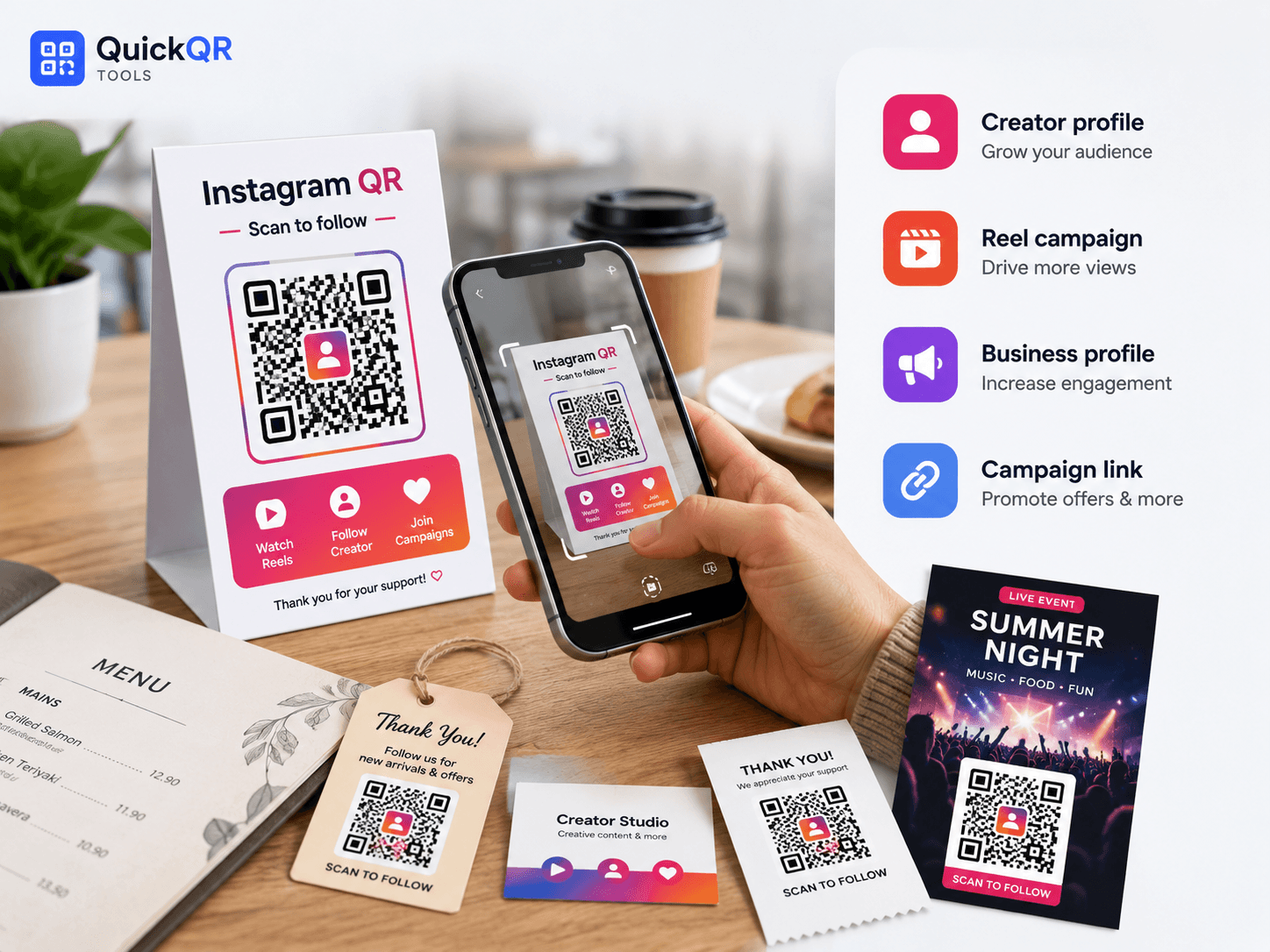
Add a QR code to menus, receipts and table tents so guests can follow updates, photos and offers.
Social Growth QR Tool
Instagram QR code generator for creators, restaurants, retailers and local businesses that want people to scan from menus, packaging, flyers, signs or business cards and open an Instagram profile, post, Reel, highlight or campaign link.
Paste a public Instagram profile, post, Reel, highlight or campaign URL, choose a color and download a clean QR code for print or digital sharing.
Use it on menus, receipts, storefront signs, product packaging, event booths, business cards and creator media kits.
An Instagram QR code generator connects menus, packaging, events and print materials to a profile, post, Reel or campaign link without asking people to search your handle.
Add a QR code to menus, receipts and table tents so guests can follow updates, photos and offers.
Put your Instagram QR code on merch, posters, stickers and media kits for easier discovery.
Send shoppers from packaging or shelf cards to styling ideas, launches and product posts.
Use a QR code on booths, badges and signs to point attendees to event content and updates.
Copy the final public Instagram link, generate the QR code, then test it on a phone before printing.
Use a profile, post, Reel, highlight, business page or campaign destination.
Paste the URL into the Instagram QR Code Generator and choose a readable color.
Scan it on mobile, then export PNG, SVG or PDF for your final design.
An Instagram QR code generator creates a QR code that opens an Instagram destination after someone scans it with a phone. The destination can be a profile, post, Reel, highlight, business page or campaign landing URL. The goal is to help people move from offline attention to your Instagram content in one simple scan.
This is useful because handles can be mistyped, long captions are hard to copy and people often forget to search later. A clear Instagram QR code gives visitors a direct path from a menu, product label, receipt, flyer, storefront sign, event display or business card to the content you want them to see.
For best results, use the final public Instagram URL, add a clear label near the code and test the scan from the final printed size. Instagram provides official help resources for profiles, privacy and account access, which is useful when choosing whether a destination should be public.
Instagram Help Center
A strong Instagram QR code generator workflow includes the right destination, a clear scan label, enough print size and a mobile test.
| Best practice | Why it matters | What to check |
|---|---|---|
| Use a public Instagram destination | Private or restricted links may not work for every scanner. | Open the link on a phone without relying on your own logged-in session. |
| Label the QR code clearly | People scan more when they know what will open. | Use text like "Scan to follow us on Instagram." |
| Choose the right destination | A profile, post or Reel can support a different goal. | Match the link to following, viewing, learning, booking or buying. |
| Test the printed size | Receipts, cards, menus and posters need different QR sizes. | Scan the final layout before printing a full batch. |
| Keep contrast strong | Low contrast or busy backgrounds reduce scan reliability. | Use a clean white area and enough quiet space around the QR code. |
An Instagram QR code generator can create the QR image quickly, but the campaign still needs the right destination, label and print setup.
Private profiles and restricted posts may not open for every scanner. Test the link outside your own account.
A profile works for long-term follow growth, while a Reel or post works better for a focused campaign.
Receipts, stickers and product labels need enough size, contrast and quiet space to scan reliably.
Replace generic text with clear labels like "Scan to follow us" or "Scan to watch the Reel."
Continue the workflow with social media, print, marketing and business QR resources.
Read the full guide for profiles, posts, Reels, print testing and campaign ideas.
Use Instagram QR codes on merch, stickers, creator cards, booths and printed content.
Create QR codes for social profiles, videos, posts and creator campaigns.
Create QR codes for Facebook pages, groups, events, posts, Reels and local campaigns.
Create QR codes for videos, channels, playlists, Shorts and livestream campaigns.
Create a QR code for any public landing page or website link.
Use Instagram QR codes on packaging, flyers, signs, events and local business campaigns.
Use safer QR code sizes for menus, cards, flyers, stickers and posters.
Review QR code best practices before publishing social media QR campaigns.
Browse every active QuickQR Tools generator for business, marketing and print workflows.
Check whether your Instagram QR code is easy to scan before using it in a final design.
Choose a safer print size for stickers, menus, flyers, cards, signs and packaging.
Plan scan distance for window signs, event booths, posters and retail displays promoting Instagram content.
Review foreground and background contrast before printing a branded social QR code.
Review verified QR code statistics for mobile scanning, business usage and social print-to-digital campaigns.
Answers to common questions before creating and printing an Instagram QR code.
Yes. You can create a free static Instagram QR code from a public Instagram profile, post, Reel, highlight or campaign URL.
Yes. Paste the public profile URL into the generator and download the QR code.
Yes. Copy the public Reel URL, generate the QR code and test the scan before printing.
Yes. Use PNG, SVG or PDF and test the printed version from the real scanning distance.
No. The QR code opens your destination. Results depend on the offer, placement, content quality and audience interest.
A static QR code cannot be edited after printing. Use a stable landing page if you may need to change the destination later.
Use it on menus, receipts, storefront signs, product packaging, event booths, business cards, flyers and creator media kits.
Use a profile for long-term materials and a Reel or post for short campaigns where one piece of content is the main action.
The Business QR Toolkit
Paste your Instagram link, generate a clean QR code and download it for menus, packaging, events, signs, business cards and creator campaigns.