What is an Instagram QR code?
An Instagram QR code is a QR code that opens an Instagram destination after someone scans it with a phone. The destination can be a profile, a post, a Reel, a highlight, a business page or a campaign landing URL. If you know how to create an Instagram QR code correctly, the scan can move people from offline attention to the exact Instagram action you want.
The QR code stores a link, not the Instagram content itself. When a visitor scans it, the phone opens the Instagram URL in a browser or app, depending on the device. This makes the destination choice important. A table card may need a profile link, a product tag may need a post, and a launch campaign may work better with a Reel or landing page.
Instagram QR codes are useful because handles can be misspelled, long URLs are not easy to type and many people forget to search later. A clear QR code removes that friction. The visitor scans, understands where they are going and can follow, watch, save or message from the destination.
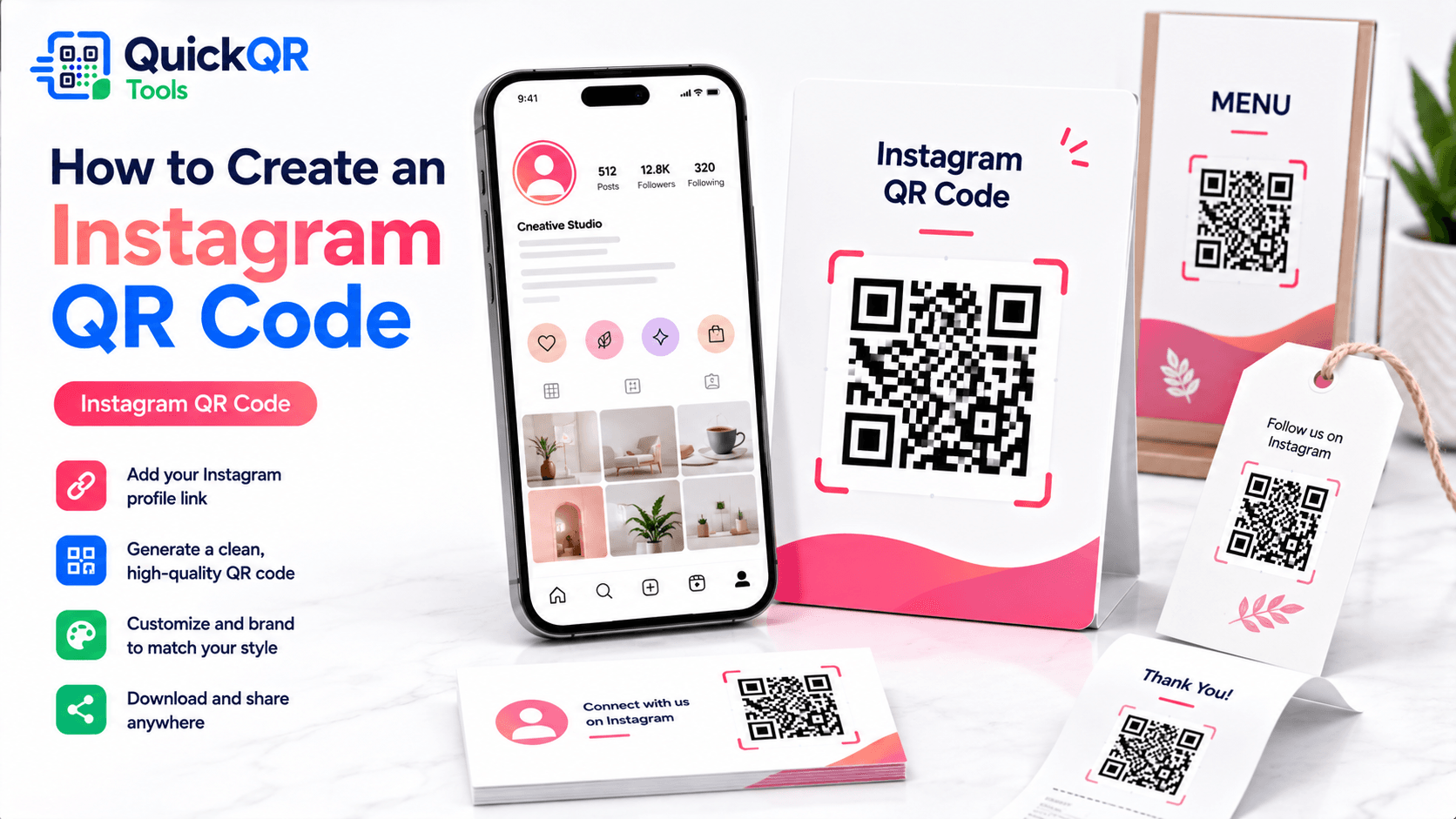
How to create an Instagram QR code in 5 steps
- Choose the right Instagram destination. Decide whether the QR code should open a profile, post, Reel, highlight or campaign page.
- Copy the public URL. Use a link that visitors can open without private access or account restrictions.
- Generate the QR code. Paste the URL into the Instagram QR Code Generator.
- Download the right format. Use PNG for quick digital use, SVG for design files and PDF for simple print cards.
- Test the final placement. Scan the QR code from the actual menu, sticker, receipt, sign, flyer or card.
The most important part of how to create an Instagram QR code is matching the destination to the visitor’s intent. If the print label says “Scan to follow us,” use the profile. If the label says “Scan to see this product styled,” use a post or Reel. If the scan supports a seasonal campaign, use the campaign page that explains the offer clearly.
Before printing, open the Instagram link on a phone and in a private browser. Confirm that the destination is public, the profile or post is correct and the first screen makes sense for someone who has never seen your account before.
Best Instagram QR code destinations
Different Instagram links support different goals. A profile link is stable, a post link is specific, a Reel link is more visual and a campaign link can support tracking or a stronger offer. When planning how to create an Instagram QR code, choose the destination that matches the promise printed beside the code.
| Destination | Best for | What to check |
|---|---|---|
| Instagram profile | Restaurants, stores, creators, salons, artists, real estate agents and local brands. | Check bio, profile photo, recent posts and public visibility. |
| Instagram post | Product launches, announcements, contest rules, testimonials and featured offers. | Confirm the post is public and still relevant. |
| Instagram Reel | Short demos, behind-the-scenes content, event recaps, tutorials and creator promotions. | Make sure the opening seconds match the printed promise. |
| Instagram highlight | Menus, FAQs, reviews, locations, services, portfolio sections and evergreen stories. | Check that the highlight is easy to understand from the first story. |
| Campaign landing page | Offers, tracking, email capture, product drops and paid promotions. | Use this when you need a stable page you can update later. |
Instagram’s official Help Center is useful when checking profile privacy, account access and public visibility before printing a QR campaign.
Instagram QR code use cases
Restaurants can use Instagram QR codes to grow repeat attention after a guest leaves the table. A receipt can say “Scan to follow our daily specials.” A window sign can say “Scan to see today’s menu photos.” A takeaway bag can point to new menu items, catering photos or seasonal content.
Creators can use Instagram QR codes wherever people discover them offline. A musician can use one on posters, a photographer on business cards, a fitness coach on workshop handouts and a maker on product packaging. The key is to make the scan feel like a useful next step, not a random link.
Design and print tips for Instagram QR codes
An Instagram QR code should be easy to scan and easy to understand. Place a short label near the code, such as “Scan to follow us on Instagram,” “Scan to watch the Reel,” or “Scan to see customer photos.” The label tells people what will happen before they scan.
Keep strong contrast between the QR pattern and the background. Dark navy or black on white is usually safest. Pink, coral or social-style accents can work around the QR code, but the QR pattern itself should remain readable. Avoid placing the code directly over a busy photo, textured background or low-contrast color.
Size matters. A QR code on a receipt can be scanned close up, while a poster, storefront sign or trade show board needs a larger code. If the code appears on packaging, test it after printing, folding and applying the final finish. Gloss, curves and small labels can all affect scanning.
The final scan should match the promise. If the label says “follow us on Instagram,” the destination should open the profile. If the label says “watch the Reel,” the destination should open the Reel. This simple alignment makes the scan feel trustworthy.
Instagram QR code copy examples
The words beside the QR code can increase scans because they reduce uncertainty. People are more likely to scan when they know what will open and why it is useful. A strong label is short, specific and tied to the visitor’s context.
| Use case | Clear copy | Why it works |
|---|---|---|
| Restaurant table card | Scan to follow our daily specials. | The guest understands the value immediately. |
| Product packaging | Scan to see styling ideas on Instagram. | The scan connects the product to visual inspiration. |
| Creator poster | Scan to watch the latest Reel. | It creates a direct path from offline attention to content. |
| Business card | Scan to view my portfolio on Instagram. | It tells the person why the profile matters. |
| Event booth | Scan for event highlights and updates. | It gives visitors a reason to stay connected after the event. |
If you are learning how to create an Instagram QR code for marketing, avoid vague labels like “Scan me.” That phrase tells people what to do, but it does not explain the reward. A better label tells them what they will see: menu photos, portfolio, Reel, offer, event recap, reviews or product ideas.
Instagram QR code for business marketing
Businesses can use Instagram QR codes to make offline marketing more connected. A flyer can point to a launch Reel. A product insert can point to customer photos. A trade show sign can point to a profile. A restaurant menu can point to daily specials. A salon card can point to before-and-after examples.
When learning how to create an Instagram QR code for business, think about the customer journey. Someone who just bought a product may need usage ideas. Someone at a store may want social proof. Someone at an event may want to follow updates. Someone holding a business card may want to see work samples before contacting you.
Use separate QR codes for separate goals when the context is different. A receipt, a product label and a storefront sign may all need different Instagram links. This keeps each scan relevant and helps each print material do one job well.
Instagram QR code for restaurants and local businesses
Restaurants, cafes, salons, gyms, boutiques and local service businesses can use Instagram QR codes to keep customers connected after the first visit. The best use is not simply adding a code anywhere. The best use is placing the code where the customer already has a reason to care. A guest looking at a menu may want food photos. A shopper holding a product may want styling ideas. A salon client may want examples of recent work.
For restaurants, the QR code can appear on table tents, menu inserts, takeaway bags, window signs, receipts and loyalty cards. The destination can be the main profile for long-term following, a Reel showing a signature dish, a highlight with menu updates or a post about a seasonal offer. If the business changes menus often, a profile or highlight is usually safer than one old post.
For local services, an Instagram QR code can support trust. A contractor can link to project photos. A florist can link to event arrangements. A barber can link to a portfolio. A fitness coach can link to training clips. A real estate agent can link to property walkthroughs. In each case, the QR code gives the customer a quick way to see proof before deciding what to do next.
The call to action should stay practical. “Scan to see our latest work” is stronger than “Follow us” when the visitor needs proof. “Scan for today’s specials” is stronger than a generic social prompt when the visitor is already deciding what to order. The more specific the promise, the more natural the scan feels.
Instagram QR code for creators, events and personal brands
Creators and personal brands often meet people offline before those people follow online. A QR code can help close that gap. Musicians, photographers, designers, coaches, educators, speakers, artists and makers can put an Instagram QR code on posters, stickers, business cards, merch, packaging, workshop handouts and event signs.
For creators, the right Instagram destination depends on the next action. If the goal is long-term connection, use the profile. If the goal is to promote a specific video, use a Reel. If the goal is to show a portfolio, use a highlight or profile section that makes the work obvious. If the goal is a launch, use a campaign page or a post that explains the release.
Events create especially strong QR code moments because people are already holding programs, looking at booth signs or scanning badges. A speaker can link to a profile or recap Reel. A vendor can link to a product collection. A workshop host can link to follow-up content. A performer can link to a Reel, profile or upcoming show announcement.
A creator should also think about the first impression after the scan. If the profile is unclear, the QR code cannot fix it. Before printing, check the bio, pinned posts, highlights and newest content. The Instagram page should make the next action obvious, whether that action is follow, watch, save, contact, book or buy.
Where to place an Instagram QR code
Placement affects scan behavior. A QR code on a receipt is scanned close up, while a QR code on a window or event sign may be scanned from several feet away. A QR code on packaging may be scanned under uneven lighting or on a curved surface. When deciding how to create an Instagram QR code for a real campaign, choose the size, label and destination based on where the code will appear.
For restaurants, good placements include menus, table tents, receipts, takeaway bags, window signs and loyalty cards. The scan should feel useful in that moment. A table tent may invite guests to follow daily specials. A receipt may invite them to tag the restaurant after the meal. A takeaway bag may point to new menu photos or catering content.
For retail, product tags, shelf cards, packaging inserts and thank-you cards work well. The QR code can open styling ideas, product education, launch content or customer photos. Avoid making the destination too generic. If the product has a specific story, point to the post or Reel that tells it.
For creators and professionals, business cards, posters, event badges, stickers, media kits and portfolios are strong placements. A photographer may link to a portfolio highlight, while a musician may link to a Reel or profile. A coach or consultant may link to educational content that builds trust.
How to test an Instagram QR code before publishing
Testing should cover the scan, the link and the visitor experience. First, test the QR code on screen. Then test it inside the final design file. Finally, test the printed version. An Instagram QR code that scans perfectly on a laptop may fail when printed too small, placed on glossy stock or used on a curved package.
- Scan with at least one iPhone and one Android phone.
- Open the link on mobile data, not only WiFi.
- Confirm that the Instagram destination is public or accessible.
- Check whether the link opens in the Instagram app or browser.
- Make sure the first screen matches the printed label.
- Test from the distance people will actually scan.
- Check the final printed material under realistic lighting.
This testing process is part of how to create an Instagram QR code that people can actually use. It protects the visitor experience and prevents print mistakes that are expensive to fix later.
Static or dynamic Instagram QR code?
A static Instagram QR code stores the Instagram URL directly in the QR pattern. It is simple and works well when the destination will not change. If you print a QR code for an evergreen profile link, a static code can be enough.
The limitation is that a static QR code cannot be edited after printing. If the Instagram post is removed, the profile changes, or the campaign moves to a new destination, the printed code may become outdated. For long-term packaging or expensive print runs, consider pointing the QR code to a stable landing page you control. That page can then link to the current Instagram content.
If you are comparing options, read the static vs dynamic QR codes guide. The best choice depends on how long the printed material will stay in circulation and how likely the Instagram destination is to change.
How to measure Instagram QR code performance
A simple Instagram QR code does not automatically provide full scan analytics, but you can still measure performance in practical ways. Start by matching each QR code to one clear placement. If one code appears on receipts and another appears on a storefront sign, use different destination URLs or different landing pages so you can compare behavior more easily.
If the QR code points directly to Instagram, watch for changes in profile visits, follows, comments, saves, messages and content engagement after the printed material goes live. The signal will not be perfect, but it can still show whether the campaign is moving attention toward Instagram. If the code points to a landing page first, you can measure page visits and button clicks before the visitor reaches Instagram.
Use practical campaign labels in your own records. Keep the QR file name, destination URL, placement, print date and campaign purpose in one place. A file name such as quickqrtools-instagram-menu-qr-code.png is easier to understand later than a generic download name. This matters when you update menus, reorder packaging or compare seasonal campaigns.
Measurement should not make the visitor path confusing. If tracking adds slow redirects or unclear landing pages, it can reduce trust. The scan should still feel fast, direct and useful. A balanced approach keeps the user experience simple while giving the business enough information to improve future QR campaigns.
Troubleshooting Instagram QR code problems
If an Instagram QR code does not work as expected, separate the issue into scan quality, link quality and destination quality. Scan quality problems happen when the code is too small, too low contrast, distorted, cropped or placed on a difficult surface. Link quality problems happen when the URL is wrong, private, restricted or no longer available. Destination quality problems happen when the Instagram page opens but does not match the visitor’s expectation.
For scan quality, increase the printed size, add more quiet zone, improve contrast and remove clutter behind the QR code. If the code appears on a sticker, package, bottle or curved surface, test it from several angles. If the code appears behind glass or on a glossy menu, test it under realistic lighting.
For link quality, paste the URL into a private browser and test it on more than one phone. Make sure the account, post or Reel is public enough for the intended audience. If a visitor needs to log in or follow first, the scan may feel broken even if the URL technically works.
For destination quality, check the first screen after the scan. The profile, post or Reel should match the printed promise. If a sign says “Scan for event highlights,” the destination should not open an unrelated old post. If a receipt says “Scan to follow our specials,” the profile should show current offers, food photos or a highlight that supports the promise.
Pre-launch checklist for Instagram QR campaigns
Before publishing or printing, run through a simple checklist. This is especially important when several people are involved in design, social media, print production and website updates. A careful review prevents small mistakes from becoming expensive print problems.
- The Instagram profile, post, Reel or highlight is public and ready.
- The QR code label explains what opens after the scan.
- The QR code has enough quiet zone around it.
- The final design has strong contrast and no visual clutter behind the code.
- The code has been scanned from the final printed size.
- The destination works on iPhone and Android.
- The first screen after the scan matches the printed call to action.
- The campaign file stores the QR image, destination URL and publication date for future reference.
Once these checks are complete, the Instagram QR code is ready for a real campaign. The workflow is careful, but it keeps the scan experience smooth and protects the credibility of your printed materials.
Common Instagram QR code mistakes
- Using a private destination. Visitors need a public or accessible Instagram link.
- Linking to the wrong destination. A profile, post, Reel and campaign page each create a different experience.
- Printing the code too small. Test the final size from the real scanning distance.
- Using vague labels. “Scan to follow us on Instagram” is clearer than “Scan me.”
- Placing the code on a busy photo. Keep a clean quiet zone around the QR code.
- Promising followers or views. A QR code creates access, but it cannot guarantee engagement.
- Not testing mobile behavior. The destination may open differently in a browser and in the app.
FAQ about Instagram QR codes
Can I make a QR code for an Instagram profile?
Yes. Copy the public Instagram profile URL, paste it into the Instagram QR Code Generator and download the QR code.
Can I create a QR code for an Instagram Reel?
Yes. Copy the public Reel URL, generate the QR code and test it on a phone before printing.
Can I print an Instagram QR code?
Yes. Download PNG, SVG or PDF, keep enough quiet zone and test the printed version before publishing.
Should I link to my Instagram profile or a post?
Use a profile for long-term materials. Use a post, Reel or campaign page when the printed message refers to one specific piece of content.
Does an Instagram QR code guarantee followers?
No. The QR code opens your destination. Results depend on placement, content quality, audience interest and the clarity of your call to action.
Can I change the Instagram link after printing?
A static QR code cannot be edited after printing. Use a stable landing page if you may need to update the destination later.