
Business locations
Help customers find your shop, office, restaurant or service location.
Business Location QR Tool
Use this location QR code generator to create a professional Google Maps QR code for a business address, event venue, pickup point, parking area or GPS coordinate. This location QR code generator helps customers, guests and drivers find the right place faster.
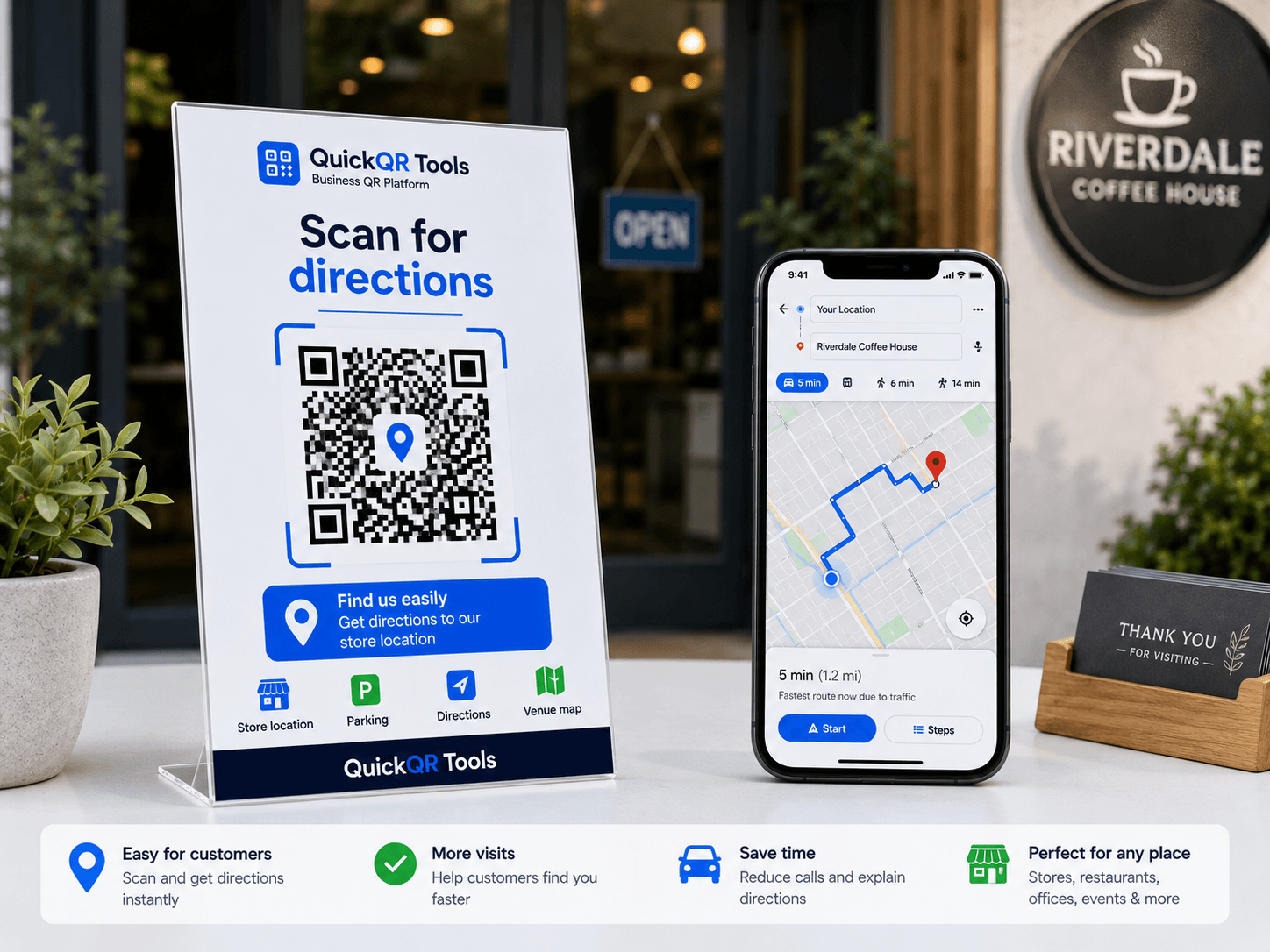
Enter an address or use GPS coordinates. The QR code will open the place in Google Maps.
Use it on invitations, flyers, storefronts, event signs, delivery sheets, business cards or printed directions.
Business use cases
Location QR codes make physical directions easier by opening the destination directly in a map app.
Help customers find your shop, office, restaurant or service location.
Add a scannable map link to invitations, tickets, posters and signs.
Share a precise address or GPS point for drivers and delivery teams.
Guide visitors to a campus entrance, booth, pickup zone or parking area.
Simple workflow
Create a QR code that opens an address or GPS coordinate in Google Maps, then use the complete guide to prepare it for print, signs, events and local business pages. A location QR code generator is most useful when the scan should lead directly to directions.
Enter an address, place name or latitude and longitude.
Create a QR code with a Google Maps destination link.
Export the QR code as PNG, SVG or PDF.
Read the step-by-step guide for Google Maps QR codes, addresses, GPS coordinates and print use cases.
Choose the right QR code size before printing location QR codes on signs, flyers or invitations.
Understand when a static map QR code is enough and when dynamic QR codes make sense.
A location QR code generator creates a QR code that opens a map destination when someone scans it. Instead of asking visitors to type an address, search for a business name or copy GPS coordinates, the QR code sends them directly to a map link. It is useful for stores, offices, venues, campuses, event spaces, pickup points, parking areas and meeting locations.
This location QR code generator builds a Google Maps search link from either an address or latitude and longitude. The visitor scans the code, opens the destination and can start navigation from their phone. That simple flow is valuable because local searches often happen in the real world: on flyers, storefront signs, invitations, posters, business cards, packaging, delivery sheets or printed event material.
Location QR codes work best when the destination is specific. A full street address is usually enough for a storefront or office. GPS coordinates are better for parks, festival booths, construction entrances, pickup zones, warehouse gates, parking areas or places without a clear postal address. The goal is to reduce friction: scan, open map, navigate.
Google Maps URL reference
A location QR code generator is strongest when the scan should help someone find a physical place quickly and confidently.
Restaurants, clinics, salons, offices, showrooms and retail shops can place a location QR code on flyers, business cards, receipts or local ads. Customers scan the code and open the address in Google Maps without typing the business name manually.
Event organizers can add a location QR code to invitations, tickets, posters, wedding cards, conference pages and entrance signs. It helps guests find the right building, parking area, booth, registration desk or meeting point.
Delivery teams, couriers, warehouses and service businesses can use GPS coordinates for precise drop-off zones. This is useful when the destination is a side entrance, loading dock, construction gate or temporary pickup location.
Museums, parks, campuses, hotels and visitor centers can guide people to landmarks, reception desks, walking routes, parking lots or points of interest. A QR code can make printed maps and signs more actionable.
QR format choice
The best input depends on how precise the destination needs to be. A public business address is simple, but coordinates are often better for exact outdoor or operational locations.
| Destination type | Best input | Why it works |
|---|---|---|
| Store, office or restaurant | Full address or business name | Google Maps can usually identify the place and show business details, hours and reviews. |
| Event entrance | GPS coordinates | Coordinates can point to the exact gate, entrance, parking lot or registration area. |
| Delivery drop-off | GPS coordinates plus visible instructions nearby | Drivers need precision, especially when the address covers a large building or complex. |
| Campus or venue | Coordinates for the exact building or meeting point | Large locations often have multiple entrances, parking zones and internal routes. |
| Tourist point or outdoor landmark | Coordinates | Outdoor places may not have a reliable postal address or searchable business listing. |
A location QR code generator should be used when the main goal is navigation. If the scanner needs to reach a destination, open directions or identify a meeting point, a map QR code is the right format. It is direct and practical because the scan opens the map experience instead of a general web page.
Use a URL QR code when the visitor needs more context before traveling, such as service details, booking information, menu pages, product information or landing pages. Use an event QR code when the scan should create a calendar entry with a date, time and venue. Use a Google Review QR code after the visitor has already experienced the business and you want to make leaving a review easier.
The best strategy is often to combine QR types across a customer journey. A restaurant may use a location QR code on a flyer, a menu QR code at the table, a WiFi QR code for guests and a Google Review QR code after service. Each QR code should match one user action, so the scan feels obvious and useful.
Practical guidance
A location QR code generator can create the QR code quickly, but accuracy, context and print quality decide whether people actually reach the right place.
Scan the QR code and confirm that Google Maps opens the correct destination. If the address points to the wrong side of a building, switch to latitude and longitude. For events, test the route from nearby roads, parking areas and public transit stops.
Place a short label beside the code, such as “Scan for directions,” “Scan for parking entrance” or “Scan for pickup point.” This tells people what will happen after scanning and increases trust before they open the map.
Printed map QR codes are often scanned outdoors, in cars, at venues or under uneven lighting. Use high contrast, avoid cluttered backgrounds and make the QR code large enough for the expected scanning distance.
A location QR code is usually static. If your event entrance, pickup zone or office location changes, create a new QR code and replace the old print materials. For changing destinations, link to an updateable page instead.
A location QR code can support the local discovery experience around your business. When customers can find your store, office, restaurant or venue more easily, they are more likely to visit, call, book, review or share the business.
For local businesses, the QR code should match the same name, address and phone information used on the website and business profiles. Consistency reduces confusion. If the QR code points to a Google Maps result, make sure the business listing is correct, the pin is accurate and the category, hours and contact details are up to date.
Use this location QR code generator as part of a broader local presence setup: clear location pages, accurate contact information, Google Business Profile accuracy, review collection, useful directions, accessible parking details and helpful links from relevant pages. The QR code connects printed materials to that local discovery path.
Different businesses need different map experiences. The strongest location QR code is specific to the visitor's next step.
| Business type | Placement idea | Recommended destination |
|---|---|---|
| Restaurant or cafe | Flyers, social print cards, hotel desk cards | Main entrance, parking area or exact storefront. |
| Clinic or office | Appointment reminders, business cards, reception emails printed as handouts | Building entrance, suite location or visitor parking. |
| Wedding or private event | Invitations, welcome signs, schedule cards | Venue entrance, ceremony site, parking area or reception hall. |
| Real estate | Open house signs, flyers, property brochures | Property address or visitor parking point. |
| Warehouse or operations | Delivery sheets, driver instructions, gate signs | Loading dock, security gate, pickup zone or drop-off point. |
A map QR code created with a location QR code generator is static when the destination link is encoded directly inside the QR code. If the address, coordinates or map destination changes, the printed QR code will still point to the old location. This is fine for stable storefronts, permanent offices and fixed landmarks, but it requires care for temporary events or changing pickup points.
If a location may change later, consider using a URL QR code that points to a page you control. You can update that page with the latest address, parking note, entrance instructions or map embed without reprinting the QR code. For one-time events, test the exact map link close to the event date and replace any old signage before visitors arrive.
The practical rule is simple: use a static location QR code for stable destinations and an updateable page for changing directions. This protects the user experience and avoids sending customers, drivers or guests to the wrong place.
A location QR code generator removes typing, but the final result still depends on precision, label clarity and real-world testing.
The most common mistake is using a broad address when the visitor actually needs a precise entrance, gate, booth, building or parking area. A large venue may have several entrances. A campus may have many buildings. A warehouse may have a front office, a loading dock and a driver gate. If the QR code opens the general property, visitors may still get lost.
Before publishing the QR code, think like the person scanning it. Where will they stand? Are they driving, walking, entering a building or delivering something? If the destination is not obvious from the street address, use latitude and longitude. This location QR code generator supports coordinates because many real-world places need that extra precision.
Even a correct address can sometimes open the wrong pin, wrong side of the street or wrong building entrance. This can happen with new businesses, temporary event spaces, large complexes and shared addresses. Always scan the QR code and inspect the map result. If the pin is not accurate, use coordinates or a more specific place query.
A QR code should not be floating alone on a flyer or sign. Add a label that explains the result: “Scan for directions,” “Scan for parking entrance,” “Scan for pickup location” or “Scan for venue map.” A clear label increases scans and prevents people from wondering whether the code opens a menu, a website, a payment page or a map.
If the visitor needs to book, read details, compare options or submit a form, a URL QR code is usually better. If they need to save a date, use an event QR code. If they need to leave a review after visiting, use a Google Review QR code. Use a map QR code when navigation is the main action.
Scan reliability can change after printing. Paper texture, sign material, glare, size, distance and lighting all matter. Print a sample at the final size and test it from the real scanning distance before producing flyers, posters, window decals or event signage.
Real-world placement
Location QR codes often appear in physical environments, so the placement should match how people move, hold phones and make decisions.
For flyers, place the QR code near the address or call to action. A person holding the flyer should understand the benefit instantly. Use a label such as “Scan for directions to our showroom.” Leave enough white space around the code and avoid placing it too close to folds or edges.
For posters, the QR code needs to be larger because people may scan from a distance. Avoid glare on windows and glossy surfaces. If the sign is outside, test the code in daylight, shade and evening lighting. A high-contrast QR code usually performs best.
For weddings, conferences, meetups and private events, pair the location QR code with the venue name, date and visible address. If guests also need the date saved, add an event QR code separately. Keep each QR code labeled so people know which action each scan performs.
For delivery sheets, driver instructions or service orders, add the QR code near the written address and include backup notes. A map link helps drivers navigate, but written details such as gate codes, dock numbers and contact instructions may still be necessary.
A location QR code can reveal a physical place to anyone who scans it. That is perfect for public businesses, venues and service locations, but it requires care for private homes, staff-only areas, temporary storage points or sensitive operational sites. Do not place private residential addresses, restricted access points or sensitive facility coordinates on public materials unless the location is intended to be shared.
For public-facing directions, keep the QR code focused on the visitor's destination. If the scan opens a private staff entrance, warehouse gate or internal location, make sure the printed material is only used by the right audience. A QR code is easy to photograph and share, so treat the destination as public once it appears on open signage or flyers.
For events, avoid sending people to unsafe stopping points, road shoulders or unclear meeting areas. If visitors will arrive by car, consider parking first. If they will walk, consider the closest safe entrance. The best location QR code generator workflow is not only about creating the QR code; it is about choosing the destination that helps people arrive safely.
Better scan copy
Good copy around the QR code helps people understand why to scan and what will open.
| Use case | Weak label | Better label | Why it works |
|---|---|---|---|
| Retail flyer | Scan me | Scan for directions to our store | The visitor knows the scan opens a map, not a generic page. |
| Event invitation | Location | Scan for venue directions and parking entrance | The label clarifies that parking is part of the destination help. |
| Delivery sheet | Map | Scan for loading dock location | The driver gets a precise operational destination. |
| Hotel desk card | Find us | Scan for walking directions to the restaurant | The label matches the visitor's real context. |
| Open house sign | QR code | Scan for directions to the property | The purpose is obvious even to people passing quickly. |
Before you use a location QR code generator, decide what “arrival” means for the person scanning. For a customer, arrival may mean the storefront. For a delivery driver, it may mean the loading dock. For a wedding guest, it may mean parking first, then the ceremony entrance. For a conference attendee, it may mean registration, not the general convention center address.
Write down the user's next step, then choose the map destination that supports that step. If the QR code appears before someone leaves home, a general business address may be fine. If the QR code appears on-site, a more precise coordinate may be better. If the QR code is for drivers, check whether the route leads them to a safe entrance or delivery zone.
This planning step improves both user experience and conversion. People who can find you easily are less likely to abandon the visit, arrive late, call for directions or leave with frustration. A good map QR code is a small piece of navigation infrastructure.
Related resources
Use these guides to make location QR codes easier to scan, print and connect with business campaigns.
Use location QR codes on flyers, event materials, real estate signs, local ads and storefront campaigns.
Choose the right size and placement for map QR codes on signs, posters, badges and printed directions.
Use map QR codes on property signs, open house flyers, brochures and agent materials.
Help attendees open venue maps, parking directions, schedules and event location details quickly.
Understand QR code basics, static links and business use cases before printing location materials.
Connect location QR codes with restaurant menus, reservations, events, parking and guest arrival flows.
QR utilities
Before placing a location QR code on a storefront, real estate sign, event poster, delivery card or visitor guide, use these QR utilities to check scan quality, print size, distance and contrast.
Test the location QR code on real phones before using it on signs, flyers, maps or visitor materials.
Choose a practical QR size for storefront signs, real estate boards, posters, cards and printed directions.
Estimate scan distance for windows, street signs, event boards, parking signs and larger location displays.
Check whether map cards, branded signs and printed direction layouts keep the QR code readable.
Review verified QR code statistics for mobile scanning, business usage and print-to-digital location campaigns.
Support answers
Answers to common questions about using a location QR code generator for addresses, Google Maps links, GPS coordinates and printed directions.
Yes. This location QR code generator lets you create a free static QR code for an address, place or GPS coordinate and download it as PNG, SVG or PDF.
The QR code opens a Google Maps link with the destination ready to view or navigate to.
Yes. You can use GPS coordinates when you need a precise location or meeting point.
Use a location QR code when the goal is navigation. Use a normal URL QR code when the scanner needs a web page, offer, form or detailed information before traveling.
Use an address for normal businesses and public places. Use GPS coordinates for exact entrances, parking areas, outdoor points, delivery zones or places without a reliable street address.
Yes. A location QR code is useful for venues, parking areas, registration desks and meeting points. If you also need date and time details, use the event QR code generator.
No. A static location QR code keeps the destination that was encoded when it was created. If the destination changes, create and print a new QR code.
Yes. You can download the generated QR code as PNG, SVG or PDF directly from this location QR code generator.
Next tools
Create QR codes for URLs, events, reviews, menus, WiFi, text and contact cards.
Explore the full QuickQR Tools business QR toolkit for restaurants, events, local businesses, marketing and customer actions.
Create a QR code for any website link.
Pair a venue location with a date, time and calendar reminder.
Help visitors leave a review after finding your location.
Useful for restaurants, cafes, food trucks and local venues.
Let visitors connect to WiFi by scanning a code.
Store plain text directly in a QR code.
The Business QR Toolkit
Create a professional location QR code for your business address, event venue, pickup point, parking entrance or GPS coordinate. Use this location QR code generator free, test the map destination and download a clean PNG, SVG or PDF file.