
What is an event QR code?
An event QR code is a scannable code that carries event details such as the title, start time, end time, venue, address, online meeting link and description. When someone scans it, the phone can open the event information and help the person add it to a calendar or remember the details.
This matters because event promotion often happens in busy places. People see a poster in a cafe, a flyer on a counter, a badge at a conference, a table tent at a venue or an invitation on a screen. If they have to type the event name, date and location later, many will forget. A QR code reduces that friction.
Learning how to create an event QR code is useful when the goal is not only to announce an event, but to help people act immediately. A scan can move someone from interest to reminder. That small step can improve attendance, reduce confusion and make the event feel more organized.
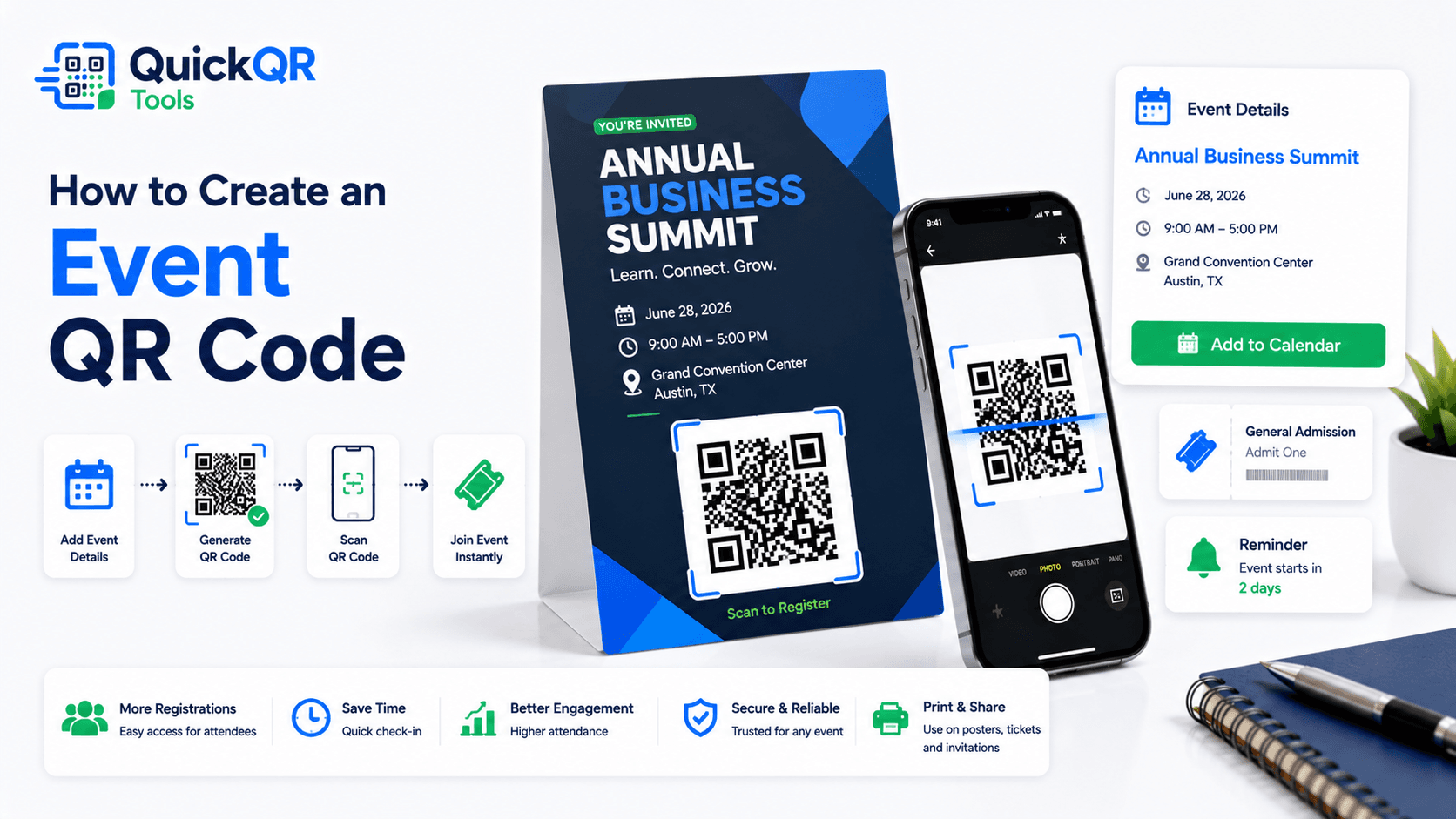
How to create an event QR code in 5 steps
- Open the event generator. Use the Event QR Code Generator so the QR code is built around calendar details instead of a plain web link.
- Add the event title. Use a clear title that people will understand when it appears in their calendar.
- Enter the date and time. Add the correct start date, start time, end date and end time. Check the time zone when the event is online or promoted to people in different regions.
- Add the location and description. Include a venue, address, room, online meeting link, agenda note or arrival instruction when useful.
- Generate, test and download. Scan the QR code before publishing. Then download it as PNG, SVG or PDF depending on where it will be used.
The best way to create an event QR code is to think about what the attendee needs after scanning. They should know what the event is, when it happens, where to go and what to do next. The QR code should not create a mystery; it should create a useful reminder.
What information should an event QR code include?
A strong event QR code contains enough information for a person to recognize the event later. Short and complete is the balance. Too little information makes the calendar entry vague. Too much information can make the QR code dense or the description hard to read.
| Event detail | Why it matters | Example |
|---|---|---|
| Title | Helps people identify the event in a calendar list. | Small Business Networking Night |
| Date and time | Creates the reminder and prevents missed attendance. | June 18, 2026, 6:00 PM to 8:00 PM |
| Location | Shows where to go or how to join online. | Downtown Conference Hall, Room B |
| Description | Adds context, agenda, contact details or arrival notes. | Bring your ticket and arrive 15 minutes early. |
| Link | Supports registration, livestream, map, agenda or updates. | Event page, booking page or meeting URL |
For calendar behavior, details should be accurate and stable. Google explains how calendar events use a title, date, time and event details in its official Google Calendar event documentation. Your QR code should follow the same practical logic: clear title, correct schedule and useful context.
Event QR code for flyers, posters and printed invitations
Printed promotion is one of the strongest use cases for event QR codes. A flyer or poster can grab attention, but the QR code gives people a quick way to save the event before they walk away. This is useful in restaurants, cafes, schools, offices, coworking spaces, retail stores, libraries, gyms, churches, community centers and conference venues.
When you create an event QR code for print, placement is important. Put the QR code near the event details and add a short label such as "Scan to save the event". The label should explain the benefit, not simply say "Scan me". People are more likely to scan when they know what will happen.
Size also matters. Posters can use larger QR codes, while business card size invitations need careful testing. If the QR code includes a lot of data, the pattern may be dense. For printed materials, use enough contrast, keep a clear quiet zone around the QR code and test at the final printed size. For deeper print guidance, use the Best QR Code Size for Print Materials guide before printing a large batch.
Event QR code for weddings, private parties and invitations
Event QR codes are not only for business events. They can be useful for weddings, birthday parties, graduation celebrations, charity dinners, family reunions and private gatherings. Instead of asking guests to copy a date from an invitation, the QR code can help them save the schedule instantly.
For private events, keep the wording warm and clear. The title can include the couple's names, the celebration name or the event theme. The description can include dress code, arrival time, parking notes, RSVP instructions or a link to a wedding website. If the location is hard to find, pair the event QR code with a Location QR Code Generator link or include a clear address.
When deciding how to create an event QR code for a private invitation, think about the guest experience. A guest may scan the QR code weeks before the event. The saved calendar entry should still explain exactly what the event is and where they need to be.
Event QR code for conferences, workshops and webinars
Conferences and workshops often have multiple touchpoints: registration pages, emails, badges, signage, schedules, brochures and slides. An event QR code can connect these materials to a calendar reminder so attendees do not lose the date or session details.
For webinars, include the online meeting link only when it is stable and safe to share. If the meeting URL may change, it can be better to use a URL QR code that points to a landing page with the latest joining instructions. For in-person sessions, include the room name, building, address and any check-in instructions.
The right answer to how to create an event QR code for a conference depends on the complexity of the event. A single keynote may need one event QR code. A multi-session conference may need separate event QR codes for important sessions, workshops or networking activities. Keep each QR code focused on one calendar action.
Event QR code for restaurants, venues and local businesses
Local businesses can use event QR codes for tasting nights, live music, open houses, classes, product launches, community events, seasonal promotions and customer appreciation days. The QR code can appear on table tents, window signs, receipts, menus, flyers and social posts.
For local events, the biggest goal is often return visits. A customer may see a poster while already inside the business, scan it quickly and save the event for later. The calendar reminder brings the event back into view when the date approaches.
If the business uses different QR tools, keep the purpose clear. Use a menu QR code for menus, a coupon QR code for offers, a location QR code for directions and an event QR code for calendar reminders. This helps visitors choose the right action without confusion.
Quick examples for common event QR code situations
These examples show how to create an event QR code without overthinking the setup. Start with the event goal, then choose the details that make the scan useful.
- Workshop flyer. How to create an event QR code for a workshop: use the class title, date, start time, room, instructor name and a short arrival note.
- Webinar email. How to create an event QR code for a webinar: use the session title, time zone, joining link and a short note about when to log in.
- Wedding invitation. How to create an event QR code for a private invitation: use the couple's names, ceremony time, venue address and reception note.
- Retail launch. How to create an event QR code for a store event: use the launch name, store address, event hours and offer reminder.
- Conference session. How to create an event QR code for a session: use the speaker name, session title, room and start time.
- Community event. How to create an event QR code for a local event: use the organizer name, public location, date and helpful attendance instructions.
When the event is simple, the QR code can be simple. When the event has registration, payment, changing details or multiple sessions, combine the event QR code with a clear URL QR code or event page.
Event QR code vs URL QR code vs location QR code
An event QR code is best when the main goal is to save date and time. A URL QR code is better when the visitor needs a full page with registration, payment, speaker details or changing information. A location QR code is better when the main action is opening directions.
| QR code type | Best for | Use this tool |
|---|---|---|
| Event QR code | Saving title, date, time, venue and calendar details. | Event QR Code Generator |
| URL QR code | Opening a registration page, event page, ticket page or agenda. | URL QR Code Generator |
| Location QR code | Opening a map or directions to the venue. | Location QR Code Generator |
| PDF QR code | Sharing a program, brochure, menu, schedule or printable document. | PDF QR Code Generator |
Many events benefit from more than one QR code, but each code should have one job. A flyer can include one event QR code to save the date and one URL QR code for registration if both actions are important. Keep labels clear so people know which code to scan.
How to create an event QR code that people trust
Trust starts with clarity. The QR code should sit near recognizable event information: name, date, time, organizer and location. If the surrounding design looks incomplete or vague, people may hesitate to scan. The QR code should support a clear invitation, not replace it.
Use consistent branding when possible. The poster, invitation, landing page and calendar description should feel connected. If your event has a logo, brand color or recurring theme, use the same visual language around the QR code. Keep the QR code itself high contrast so scan reliability remains strong.
It also helps to explain the result. "Scan to save the event" is stronger than "Scan QR code". "Scan to add workshop to your calendar" is even more specific. The visitor should know the scan will help them remember the event, not send them somewhere unclear.
How to create an event QR code for different event goals
Not every event QR code has the same goal. A community workshop may need a simple calendar reminder. A paid conference may need a registration link and a calendar reminder. A wedding invitation may need date, venue and arrival notes. A webinar may need time zone clarity and a stable access link. Before you decide how to create an event QR code, define the action you want after the scan.
If the goal is attendance, keep the QR code focused on the calendar event. If the goal is registration, use a URL QR code for the registration page and place the event QR code nearby as a secondary action. If the goal is directions, use a location QR code or include a complete venue address. Clear separation helps visitors choose the right action quickly.
For small local events, how to create an event QR code usually comes down to a clean title, correct date, precise time and easy location. For larger events, how to create an event QR code may require more planning because the organizer must decide whether the QR code should save the full event, one session, a webinar, a networking activity or a deadline.
When an event has multiple sessions, do not force every detail into one calendar QR code. A broad conference QR code can save the main event, while separate session QR codes can support workshops, keynotes or appointment slots. This keeps each scan useful and prevents long descriptions from becoming difficult to read inside the calendar app.
How to create an event QR code for follow-up and reminders
A strong event QR code does more than move information from print to phone. It helps the visitor remember. The calendar entry can act as a reminder, a reference point and a bridge back to the organizer. That is why the description field deserves attention.
Use the description to include the most important follow-up details: arrival time, check-in note, contact email, ticket reminder, parking note, agenda link or livestream page. Keep it short enough to read quickly. If there is a full event page, add the link instead of trying to fit every detail into the QR code.
How to create an event QR code for reminders depends on the audience. A business audience may need a location, parking note and calendar title that includes the company or event series. A student audience may need room number, campus building and start time. A webinar audience may need the joining link, time zone and host name. The better the saved entry, the less confusion on event day.
Before publishing, scan the QR code and ask a simple question: if someone saw this calendar entry next week, would they understand what to do? If the answer is yes, the event QR code is ready for real use.
How to create an event QR code for print and digital promotion together
Many event campaigns use both print and digital materials. A restaurant may place a table tent inside the venue and publish the same event on social media. A school may print posters and email parents. A conference may use lobby signs, badges, newsletters and sponsor slides. In each case, the event QR code should support the same promise: scan once and keep the event details.
For print, keep the QR code large enough, high contrast and easy to find. For digital use, make sure the QR code does not become too small on mobile screens. If the QR code appears inside an email, social post or PDF, include a normal text link nearby when possible. Some users will prefer tapping a link, while others will scan from another device.
How to create an event QR code for a mixed campaign starts with one accurate source of information. Use the same title, date, time and location across the poster, invitation, landing page and calendar details. If one place says 6 PM and another says 7 PM, the QR code will not fix the confusion. Consistency is part of the user experience.
When the event needs ongoing updates, use the event QR code for the stable calendar entry and use a URL QR code for the live event page. The calendar reminder can hold the date, time and venue, while the event page can hold speaker changes, ticket updates, parking notes, weather notices or last-minute instructions. This gives visitors a reliable reminder and a place to check current details.
How to create an event QR code that supports attendance
The real purpose of an event QR code is not the code itself. The purpose is attendance. A clear QR code can help interested people become attendees by reducing the number of steps between seeing the event and remembering it. That makes the calendar entry important.
Use a title that matches the way people talk about the event. Add the organizer name if it helps recognition. Include a location that is specific enough for a map search or arrival. Add a short description that explains what the attendee should bring, when to arrive or where to check in. These small details can reduce uncertainty and make the event feel more professional.
How to create an event QR code that supports attendance also means choosing the right place to display it. Put it where people already have interest: near the event name, registration button, price, date, schedule or invitation message. If the QR code is separated from the event details, users may not understand why they should scan.
After scanning, the attendee should not need to solve a puzzle. The saved event should answer the basic questions: what is it, when is it, where is it and what should I do next? If the calendar entry answers those questions clearly, the QR code supports the event instead of adding another step.
Common mistakes when creating an event QR code
- Wrong time zone. This is especially risky for webinars, online classes and international audiences.
- Unclear event title. A vague title may not make sense later inside a calendar app.
- No location detail. A venue name without address or room information can frustrate attendees.
- Too much description text. Long descriptions can make the calendar entry messy and harder to read.
- QR code printed too small. Dense event QR codes need enough size and contrast.
- No scan testing. Always scan before publishing or printing.
- No clear label. Tell people what the QR code does and why they should scan it.
Most problems are preventable. Before publishing, review the event details like an attendee would. If the scan creates a calendar entry that is easy to understand, your event QR code is doing its job.
Event QR code checklist before publishing
- The event title is clear and recognizable.
- The start date, start time, end date and end time are correct.
- The location, room, venue or meeting link is useful.
- The description gives only the most important attendance details.
- The QR code scans on iPhone and Android.
- The printed size and contrast are reliable.
- The label explains the action, such as "Scan to save the event".
- The QR code points to the right tool for the job: event, URL, location or PDF.
This checklist is the practical version of how to create an event QR code with fewer surprises. It keeps the QR code useful for attendees and easier to manage for organizers.
Event QR code FAQ
Can a QR code add an event to a calendar?
Yes. An event QR code can store calendar-ready details such as title, date, start time, end time, location and description so people can save the event more easily.
Can I use an event QR code on flyers?
Yes. Event QR codes work well on flyers, posters, invitations, tickets, table tents, badges, brochures, signs and digital campaigns.
Should I include the event location?
Yes, when the event has a physical venue. Include the venue name, address, room or check-in note. For online events, include a stable meeting or event page link when appropriate.
Should I test an event QR code before printing?
Yes. Scan it with multiple phones and confirm that the title, date, time, location and description are correct before printing or publishing.
Is an event QR code better than a URL QR code?
An event QR code is better for saving calendar details. A URL QR code is better for registration pages, ticket pages, agendas, event websites and information that may change.
Can I use an event QR code for a webinar?
Yes. Add the webinar title, date, time and joining details. If the link may change, consider linking to a stable event page that contains the latest access information.
Create your event QR code
Use QuickQR Tools to generate a QR code for a calendar event, invitation, flyer, ticket, workshop, webinar or local announcement.
Open Event QR Generator