
Grow followers
Send people to Instagram, TikTok, YouTube or X from posters, merch and packaging.
Social Growth QR Tool
Social media QR code generator for businesses, creators and marketers who want people to scan and open Instagram, TikTok, YouTube, Facebook, LinkedIn, X or any social campaign link from print and digital materials.
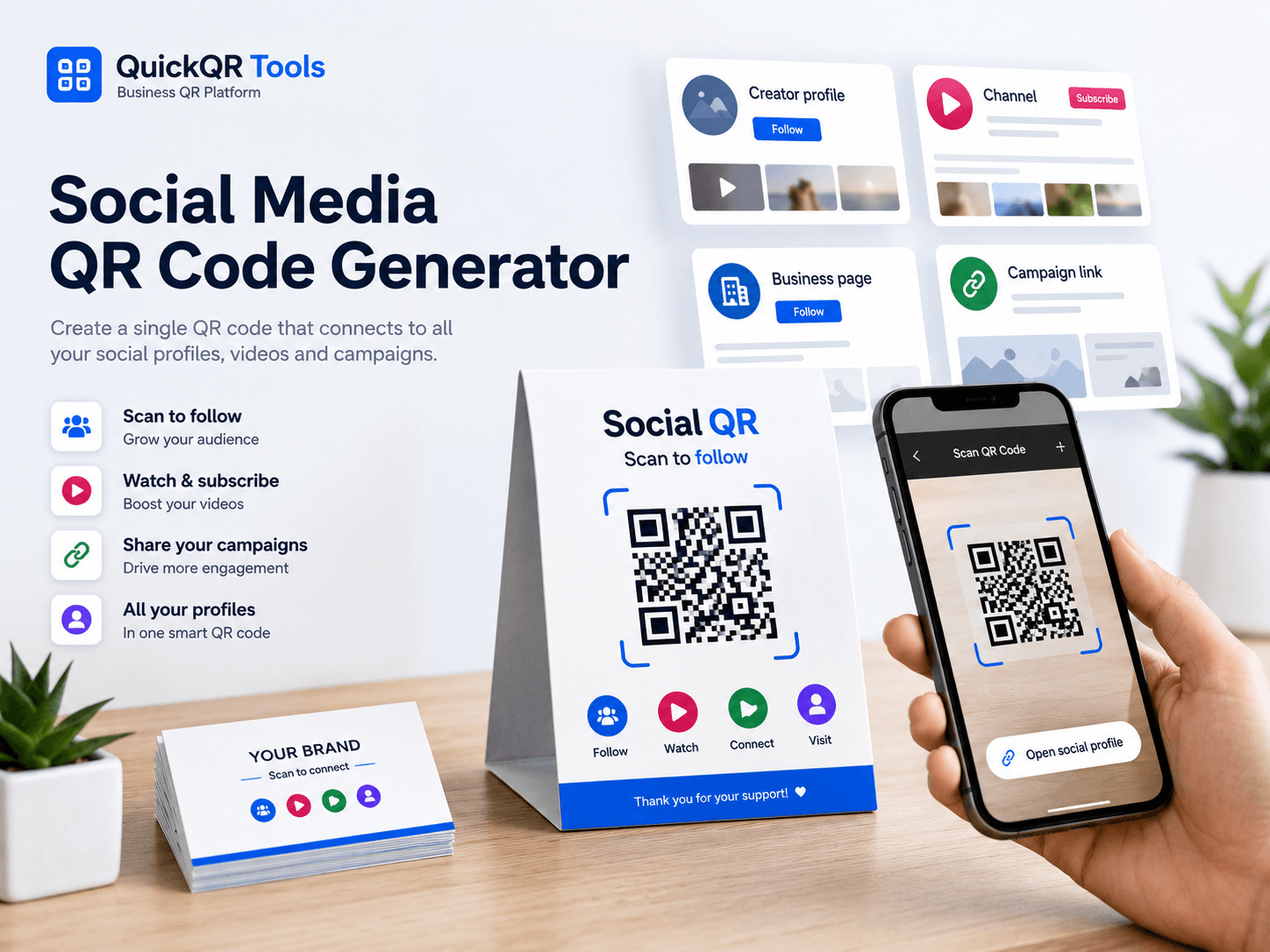
Select a platform, paste your social profile or content URL, then generate a QR code visitors can scan instantly.
Use it to grow followers, promote videos, connect business profiles and send offline visitors to your social channels.
Turn printed attention into follows, views, subscribers, messages and business connections.
Send people to Instagram, TikTok, YouTube or X from posters, merch and packaging.
Add social QR codes to counters, flyers, menus, receipts and appointment cards.
Connect attendees to event hashtags, video recaps, sponsor pages or community channels.
Link business cards to LinkedIn, portfolios, founder profiles or company pages.
Copy the public URL, generate the QR code and test it before printing.
Select Instagram, TikTok, YouTube, Facebook, LinkedIn, X or another social URL.
Use the full profile, page, video, channel or post URL.
Export PNG, SVG or PDF, then scan it on mobile before publishing or printing.
Read the full guide for social profiles, videos, print materials and campaigns.
Create QR codes for videos, channels, playlists, Shorts and livestream campaigns.
Share your contact details alongside your social profiles.
Connect social launch campaigns to iOS, Android or app download landing pages.
Choose the right QR size for flyers, signs, cards and packaging.
A social media QR code generator creates a QR code that opens a social profile, page, channel, video, post or campaign link. Instead of asking someone to search your username, type a long URL or remember your handle later, the QR code lets them scan and open the exact social destination on their phone.
This social media QR code generator works with Instagram, TikTok, YouTube, Facebook, LinkedIn, X and other public social URLs. Paste the full profile or content link, generate the QR code and download PNG, SVG or PDF for print or digital use. It is useful for creators, local businesses, events, packaging, business cards, signs, menus, flyers, merchandise and trade show booths.
The best social QR code has one clear goal. It may ask people to follow a creator, subscribe to a YouTube channel, watch a video, connect on LinkedIn, open an event hashtag or visit a brand profile. The QR code should be labeled clearly so people know what they will open before scanning.
Social media disclosure guidance
A social media QR code generator is strongest when offline attention should become follows, views, subscribers, messages or profile visits.
Creators can place QR codes on merch, posters, event tables, media kits, stickers and packaging. The scan can open Instagram, TikTok, YouTube, X or a specific campaign post.
Restaurants, salons, shops, gyms and clinics can connect receipts, table cards, front-desk signs and flyers to social profiles. This helps guests follow updates, menus, announcements and promotions.
Event teams can send attendees to hashtags, recap videos, sponsor pages, speaker profiles, community groups or live social updates from posters, badges and signage.
Consultants, founders, recruiters and sales teams can link business cards, portfolios and conference materials to LinkedIn profiles or company pages.
The best link depends on the action you want after the scan. Choose one destination instead of sending people to a confusing mix of profiles.
| Goal | Best QR destination | Recommended label |
|---|---|---|
| Grow followers | Instagram, TikTok, Facebook or X profile. | Scan to follow us. |
| Promote video content | YouTube video, TikTok video, Instagram Reel or channel. | Scan to watch the video. |
| Build professional trust | LinkedIn profile, company page or portfolio post. | Scan to connect on LinkedIn. |
| Support an event | Event hashtag, recap post, live updates or community group. | Scan for event updates. |
| Send people to multiple profiles | A link-in-bio page or website hub. | Scan for all our links. |
A social media QR code generator is best when the main goal is social discovery. If the scan should open a normal website, use a URL QR code. If the scan should share contact details, use a vCard QR code. If the scan should start a direct conversation, use a WhatsApp QR code. If the scan should request a review, use a Google Review QR code.
Many businesses use several QR codes at different points. A restaurant might use a menu QR code on tables, a WiFi QR code for guests, a social media QR code near the counter and a Google Review QR code after service. A creator might use a social QR code for Instagram and a URL QR code for a full media kit.
Use clear labels so scanners understand the purpose. “Scan to follow on Instagram” is more useful than a generic “Scan me.” Specific copy improves trust and conversion.
A good social QR code is easy to scan, easy to understand and connected to a clear campaign goal.
Paste the complete profile, page, video or post link. Test it outside your own account so you know it works for people who are not logged in or do not follow you yet.
Tell people what happens after scanning: follow, watch, subscribe, connect, join or view. Clear action labels improve scan confidence.
Use social QR codes where people have time to scan: counters, booths, packaging, posters, business cards, event signage and product inserts.
Scan the QR code from the actual printed size and material. Social campaigns often use posters, stickers and packaging, so contrast and spacing matter.
The best placement depends on where people discover your brand and what they are likely to do next.
| Placement | Best for | Suggested label |
|---|---|---|
| Business cards | LinkedIn, portfolio pages, creator profiles and founder accounts. | Scan to connect. |
| Packaging and inserts | Instagram, TikTok, unboxing campaigns and product tutorials. | Scan for tips and updates. |
| Event signage | Hashtags, recap videos, live updates and sponsor content. | Scan for event updates. |
| Storefront or counter sign | Local businesses, restaurants, salons, gyms and retail stores. | Scan to follow us. |
| Flyers and posters | Campaigns, launches, creator promotions and video content. | Scan to watch or follow. |
A QR code created with a social media QR code generator is usually static. That means the social URL is encoded directly into the QR code. If the profile link, username, post URL or campaign page changes, the printed QR code still points to the old destination.
This is fine for stable profiles and channels, but it requires care for short-term campaigns. If you are promoting a temporary post, limited offer, live event or seasonal campaign, decide whether the link will still be useful later. For long-term print materials, a profile URL or link-in-bio page is usually safer than a single post URL.
If you need to update the destination without reprinting, use a stable landing page or redirect that you control. Then your social QR code can keep working even when campaign links change.
Each platform works best with a different promise around the QR code.
| Platform | Best destination | Strong use case | Suggested copy |
|---|---|---|---|
| Profile, Reel or campaign post. | Restaurants, creators, salons, retail and visual brands. | Scan to follow us on Instagram. | |
| TikTok | Profile, video or challenge content. | Creator campaigns, product demos and event activations. | Scan to watch on TikTok. |
| YouTube | Channel, video, playlist or tutorial. | Education, product support, events and creator channels. | Scan to watch the video. |
| Profile, company page or article. | Networking, recruiting, B2B sales and conferences. | Scan to connect on LinkedIn. | |
| Facebook or X | Page, post, community or announcement. | Local updates, announcements, communities and public campaigns. | Scan for updates. |
The most common mistake is linking to a profile or post that is not public. If a user scans and hits a login wall, missing page or private account, the campaign loses momentum. Always test the link from a browser or phone where you are not already logged into the account.
Another mistake is sending people to the wrong platform for the context. A LinkedIn QR code may work well on business cards and conference booths, while TikTok may work better on packaging, posters and creator campaigns. Match the platform to the audience and the moment.
A third mistake is using generic copy. “Scan me” is weaker than “Scan to follow us on Instagram” or “Scan to watch the demo.” Specific copy makes the scan feel safer and more useful.
A social media QR code generator is most valuable when it supports a specific campaign. Before printing, decide what success means. Do you want followers, video views, event engagement, community joins, direct messages, professional connections or user-generated content? The destination and label should match that goal.
For follower growth, link to a profile and use copy like “Scan to follow us.” For a launch, link to a Reel, TikTok or YouTube video and use copy like “Scan to watch the launch.” For an event, link to a hashtag page, recap post or community channel and use copy like “Scan for event updates.”
Keep each printed QR code focused. If you need to promote several social channels at once, send users to a link-in-bio page or social hub instead of forcing multiple QR codes onto one design. Simple choices usually convert better.
A strong social QR code connects the physical moment to the platform where your audience already pays attention.
| Business or creator type | Best platform | Best placement | Supporting QR tool |
|---|---|---|---|
| Restaurant or cafe | Instagram, TikTok or Facebook. | Menus, receipts, table cards and front windows. | Menu QR Code Generator |
| Creator or artist | TikTok, Instagram, YouTube or X. | Merch, posters, stickers, booth signs and packaging. | URL QR Code Generator |
| Consultant or professional | LinkedIn or portfolio profile. | Business cards, proposals, conference badges and slides. | vCard QR Code Generator |
| Event organizer | Instagram, Facebook, YouTube or event hashtag. | Posters, badges, programs, sponsor tables and stage signs. | Event QR Code Generator |
| Retail brand | Instagram, TikTok, Pinterest-style content or YouTube. | Packaging, inserts, product tags, displays and receipts. | Coupon QR Code Generator |
A static QR code opens a fixed social URL, so the simplest measurement is platform activity after the print material goes live. Watch profile visits, follower growth, video views, comments, messages and campaign engagement around the dates and places where the QR code is used.
If you need more precise tracking, link to a campaign landing page or a link-in-bio page that you control. You can then use analytics before sending visitors to the social platform. This is useful for paid campaigns, events, retail packaging and print promotions where you need to compare locations or materials.
For many small businesses, the first goal is simpler: make social profiles easier to find. If customers mention that they scanned the code, followed the account or watched the video, the QR code is doing its job.
Social QR codes should be understandable before scanning. Not everyone wants to open a social app from a QR code without context. Add a visible label, use the platform name and keep the design honest. “Scan to follow on Instagram” is clearer than a logo-only code.
If the QR code appears in a public campaign, make sure disclosures, sponsored content rules and platform expectations are respected. Creators and brands should be especially careful when a QR code sends people to sponsored posts, affiliate content or paid partnerships. Clear labeling protects trust.
Accessibility also matters. Use enough contrast, avoid tiny QR codes and do not rely only on color or platform icons. Include readable text so people know the purpose even if they do not recognize the icon.
A social media QR code generator is the right tool when the scan should open a public social destination. It is ideal for profiles, videos, posts, channels, company pages and campaign links. It is not the best tool when the user needs a form, checkout, map, calendar entry or contact card.
Use a social QR code when the next action is follow, watch, subscribe, connect or view updates. Use another QR generator when the action is different. This keeps the scan predictable and helps people trust the experience.
The strongest workflow is straightforward: choose the platform, confirm the public link, generate the QR code, add a clear label, test the final design and place it where the audience has time to scan.
A social media QR code generator should give you a file that fits the design material, not only a quick preview.
PNG is useful for simple documents, websites, emails, social graphics and quick proofs. It is easy to place and share, but it should be exported large enough for the design.
SVG is better for design tools because it can scale cleanly. Use it for posters, packaging, business cards, booth graphics and printed campaigns where sharp edges matter.
PDF is practical when you want a quick print-ready QR card with a centered code. Test the file after export before sending it to print.
If you add platform icons or colors around the QR code, keep the scan pattern clear. The label should still say the platform and action in plain text.
Social links can change more often than normal website pages. Usernames change, posts are deleted, videos are archived, campaign URLs expire and profiles move. A social media QR code generator creates the code, but the link still needs maintenance if the printed material will stay in circulation.
For long-term items such as business cards, product packaging and store signs, link to a stable profile, channel or page. For short-term posters and event campaigns, a specific post or video can work well. If the material will be reused next season, scan it again before printing more copies.
Keep a simple record of each QR code: destination URL, platform, date created, file name and where it was printed. This helps you update or retire old materials later.
Before publishing, scan the code on multiple phones and check the full path. Does the right app or browser open? Is the profile public? Does the video load? Does the label match the destination? If a user has never heard of you, does the scan make sense?
A social media QR code generator is a bridge between offline attention and online engagement. That bridge works best when the user gets exactly what the print material promised. If the code says follow, open a profile. If it says watch, open the video. If it says connect, open the professional profile or company page.
Finally, place the QR code where people have a reason to scan. A code on packaging can lead to tutorials. A code on an event sign can lead to updates. A code on a business card can lead to LinkedIn. Context makes the QR code feel useful.
Use a social media QR code generator when that context is clear enough for someone to scan immediately. The better the match between placement, platform and promise, the more useful the QR code becomes. Clear planning turns a small printed square into a reliable path toward online engagement and stronger audience relationships over time and growth.
Before placing social media QR codes on posters, packaging, business cards, menus, event signs or product inserts, use these QR utilities to check scan quality, print size, distance and contrast.
Test the social media QR code before adding it to print materials or campaign graphics.
Choose a practical QR size for business cards, packaging, flyers, posters and event displays.
Estimate scan distance for storefront signs, booths, posters and venue materials.
Check whether branded social graphics and campaign colors keep the QR code readable.
Review verified QR code statistics for mobile scanning, business usage and print-to-digital campaigns.
Use these guides to connect social QR codes with business marketing, print materials and customer journeys.
Use social QR codes on packaging, flyers, signs, event materials and local campaigns.
Connect posters, merch, stickers, booths and printed content to social profiles, videos and audience offers.
Print social QR codes clearly for posters, displays, business cards and product labels.
Understand QR code formats, best practices and business use cases before publishing campaigns.
Follow the step-by-step guide for linking Instagram, Facebook, YouTube, TikTok and other profiles.
Common questions about using a social media QR code generator for profiles, posts, videos, campaigns and print materials.
Yes. This social media QR code generator lets you create a free static QR code for a public social media URL and download it as PNG, SVG or PDF.
Yes. Paste your Instagram or TikTok profile, video or post URL and generate the QR code.
Yes. Social QR codes work well on flyers, posters, business cards, packaging, menus, signs and event materials.
A static QR code points to the same URL. If the social URL changes, create and print a new QR code.
Yes. You can create QR codes for YouTube channels, videos, playlists, LinkedIn profiles, company pages and posts.
Use a profile for long-term print materials. Use a specific post or video for short campaigns where that content is the main goal.
Use it on business cards, packaging, posters, flyers, storefronts, event signage, menus and product inserts.
Use SVG or PDF for sharp print layouts. PNG is convenient for quick digital use and simple documents.
Create QR codes for websites, coupons, business cards, WhatsApp chats, reviews and more.
Create a dedicated QR code for Instagram profiles, posts, Reels, highlights and creator campaigns.
Create a dedicated QR code for Facebook pages, groups, events, posts and local campaigns.
Create a QR code for any website, landing page or campaign link.
Turn social campaigns, flyers and packaging into scannable promo offers.
Send offline audiences to videos, channels, playlists, Shorts and livestreams.
Send followers and event attendees to App Store, Google Play or app landing pages.
Open a ready-to-send WhatsApp message from print or screens.
Help customers open your Google review page faster.
Share public wallet addresses or payment details from creator and community campaigns.
Browse every active QuickQR Tools generator.
Test social media QR codes before placing them on posters, packaging, menus or event signs.
Choose safer QR dimensions for business cards, flyers, product inserts and signage.
Check branded color contrast before publishing a social media QR design.
The Business QR Toolkit
Create a free social media QR code for profiles, videos, creator campaigns and business pages, then download it for print or digital use.